
Insights & Updates
Tips, guides, and news about website monitoring and visual change detection.

90% of Automated Screenshots Work. The Other 10% Made Us Build a Button.
Screenshots break. Now you can report problems without leaving your dashboard — we get the full context automatically.

API Docs Update: Filtering, New Endpoints, and Code Examples in Four Languages
Filtering and sorting on all list endpoints, two new endpoints, code examples in cURL, PHP, Python, and Node.js, and a published OpenAPI spec.
What the change percentage actually means in screenshot monitoring
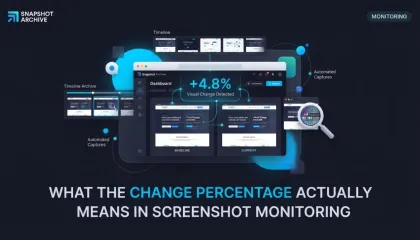
Visual diff shows 22% changed, but the page looks the same. The percentage is always mathematically correct — but it only tells the truth when the page template stays stable between captures. Here's how to tell the difference and what to do about it.

Six types of website changes we actually caught with automated screenshots
Real examples of website changes caught by automated screenshot monitoring — from competitor redesigns and price drops to outages and new features. Each one with a before/after comparison.

7 Competitor Pages You Should Be Watching Right Now
How to set up automated competitor website monitoring with screenshots and visual diff — which pages to track, how often to capture them, and how to filter out noise from A/B tests and dynamic content.

When Viewport Screenshots Miss the Fine Print
Viewport screenshots work for headers and hero sections. But pricing tables, legal disclaimers, and footnotes live below the fold. Here's when to switch to full-page mode.

How to Monitor a Specific Section of a Website (Without the False Alert Noise)
Full-page screenshots on e-commerce sites catch too much noise. Clip to element lets you capture only the block you care about — for cleaner diffs and fewer false alerts.

E-commerce price monitoring with screenshots: what we actually found
We set up screenshot-based price monitoring on Amazon across several product categories. Instead of clean price data, we got error pages, layout shifts, and a visual diff that catches things text scrapers miss entirely. Here's the full breakdown with real data.

How to bypass age verification on websites using custom cookies
Some websites block content behind an age verification form — three input fields for date of birth, no simple button to click. Click selector can't help here. We show how to bypass these gates using custom cookies, with jackdaniels.com as a real example.

When layout shifts break your price monitoring: a real Amazon tracking story
We set up price monitoring on an Amazon product page and immediately started getting 22% diff alerts — not because the price changed, but because a promotional banner kept appearing and disappearing in the navigation, shifting the entire layout down by a few dozen pixels. Here's how we figured out what was happening and what we'd recommend doing about it.

7% of Amazon Pages Returned Errors With HTTP 200. Here's the Proof.
We added a handful of Amazon pages to track product prices. Instead of price changes, we started getting alerts about error pages. Turns out scheduled screenshots double as availability monitoring, and they catch things Pingdom never will.

We Ran Hetzner Through the Wayback Machine and Our Own Tool
We tested both tools on the same site for a week. The capture frequency, cookie handling, and comparison features told us more than any feature table could.