
Competitor price monitoring with automated screenshots
A competitor quietly drops their price by 15%, adds a new annual discount toggle, and moves two features from their Pro plan into Business. You find out six weeks later. And that's the competitor price monitoring problem in a sentence. A prospect tells you they're comparing "apples to apples," except the apples changed while you weren't looking.
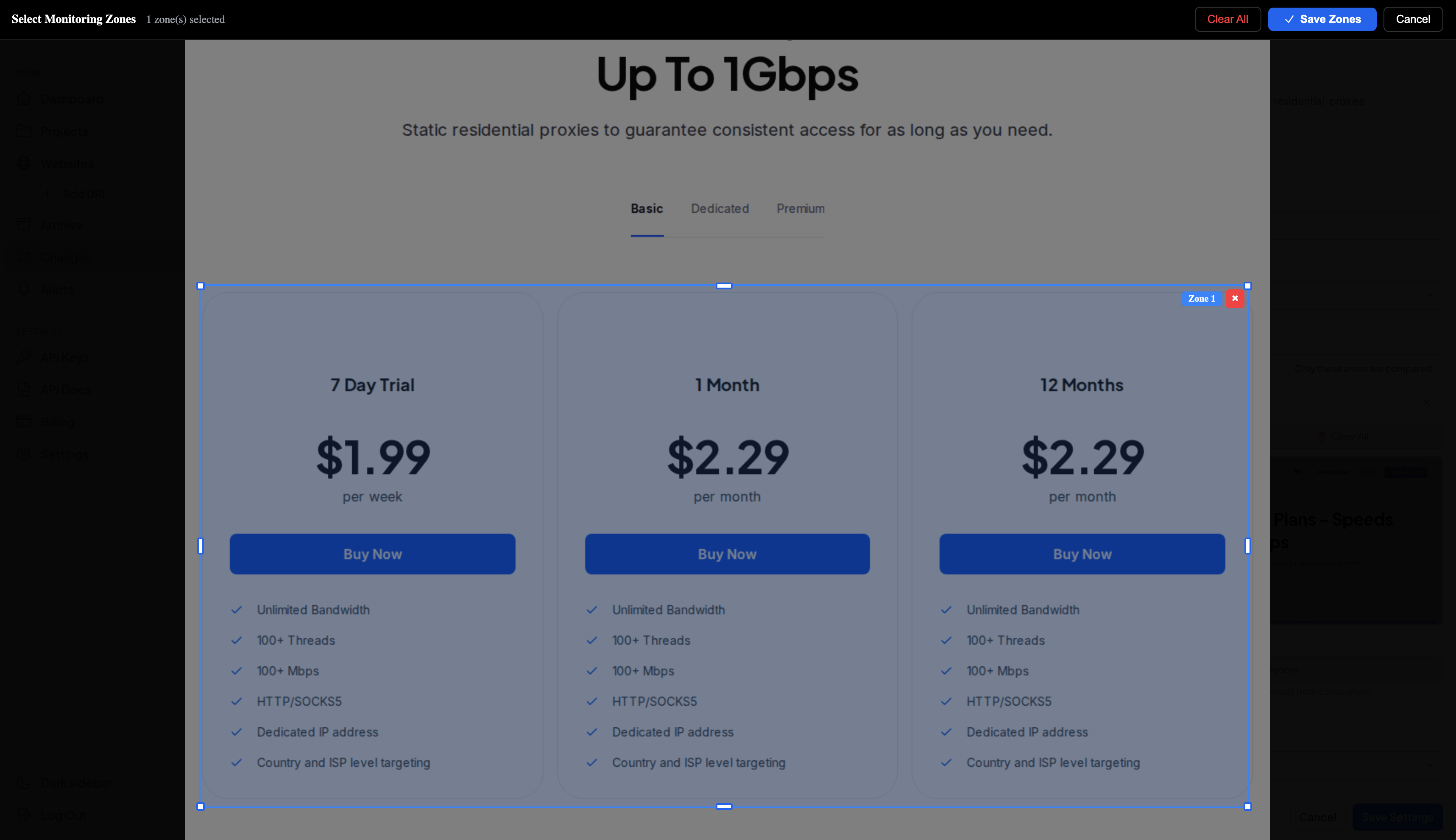
Price scraping tools would catch the number. They wouldn't catch the toggle, the restructured comparison table, or the "Most Popular" badge that shifted from the mid-tier to the enterprise plan. Those visual signals shape buyer perception more than the price itself, and they're invisible to anything that reads HTML instead of rendering the page. That gap is why competitor price monitoring needs screenshots, not scrapers.
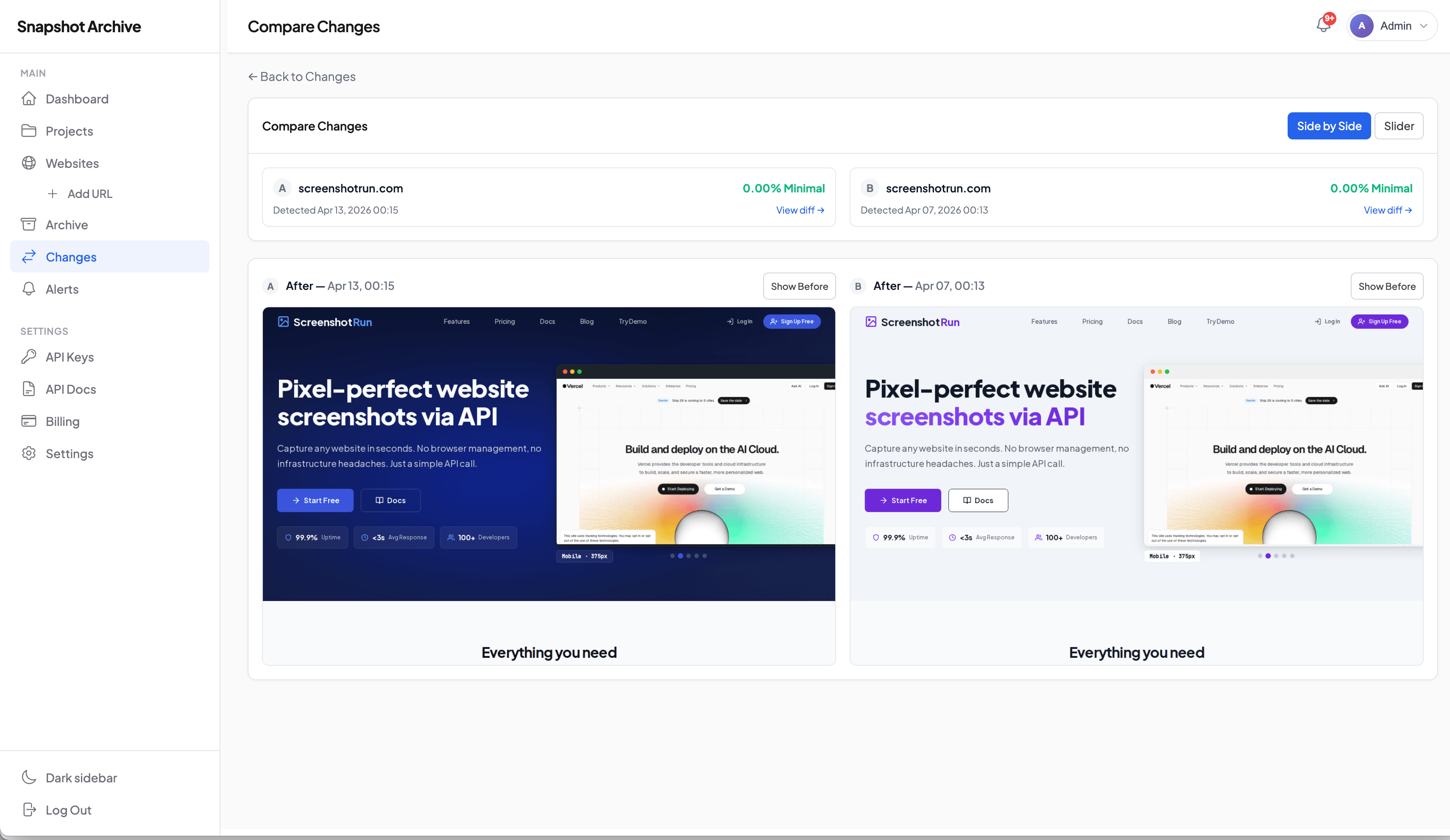
I built Snapshot Archive to capture the full picture. Set up scheduled screenshots of competitor pricing pages, and every version gets archived automatically: the layout, the packaging, the fine print, the promotional banners. When something changes, you get an alert with a side-by-side visual diff showing exactly what shifted.
What scrapers miss on a pricing page
Most price monitoring tools were built for ecommerce catalogs, thousands of SKUs, automated repricing, raw data feeds. They work well for that job. But if you're tracking a SaaS competitor's pricing page, or a service business that packages offerings in tiers, those tools solve the wrong problem. I wrote a detailed walkthrough of tracking SaaS pricing page changes with screenshots if you want the granular version.
A pricing page is a sales pitch dressed up as a table, not a data feed. The price is one variable among many. Tier names signal positioning. The comparison table (what rows appear, what gets a checkmark, what's grayed out) decides what buyers actually compare. Feature placement between plans drives upgrade behavior. The toggle between monthly and annual billing sets a default that nudges conversion. And when "Start Free Trial" becomes "Contact Sales," you know the competitor is moving upmarket.
None of that shows up in a scraper's output. It shows up in a screenshot.
I covered the specific signals worth watching in a separate post on five signs a competitor changed their pricing page, tier restructuring, feature shuffling, anchoring shifts.
Why pricing pages deserve their own monitoring setup
Pricing pages sit at a unique intersection: they change rarely but every change is deliberate. A homepage might get tweaked weekly for A/B testing. A blog gets updated for SEO. But when someone edits a pricing page, a decision was made at the executive level. About positioning, margin, competition, or product packaging. That's why dedicated pricing page monitoring with a daily capture schedule pays off even when the page doesn't change for weeks. The capture that catches the one quarterly update is worth the 89 identical screenshots before it.
Pricing changes cluster around three moments: and if you know the pattern, you can predict when to watch. Right after a product launch (new tier or add-on to monetize the feature), right before or after a funding round (repositioning for the next growth stage), and at fiscal year boundaries (annual price adjustments). If you know a competitor just announced a Series B, daily captures on their pricing page for the next 60 days will catch a restructure.
There's a practical upside to separating pricing monitoring from general competitor website monitoring too: fewer false alarms. Pricing pages don't have rotating testimonials or seasonal hero banners. When a pricing page diff fires, it's real. You can trust those alerts more, and you should treat them with higher urgency.
How visual price monitoring works
Add competitor pricing URLs
Paste in each competitor's pricing page URL. For most SaaS markets, that's three to five direct competitors plus one or two adjacent players whose pricing influences buyer expectations. Snapshot Archive captures full-page screenshots from header to footer, so you get the complete pricing page, not a cropped viewport.
Some competitors split pricing across multiple pages. A main pricing grid, a feature comparison page, an enterprise contact page. Add all of them. The comparison page often changes before the main pricing grid does, because that's where feature repackaging shows up first.
How often to capture (and why daily is the safe bet)
Start with daily captures for two weeks to establish a baseline. In my experience tracking SaaS competitors, pricing pages average one to three meaningful changes per quarter: but those changes cluster around the moments I mentioned above. Daily captures ensure you catch the exact date, not a two-week window.
For ecommerce pricing, bump the cadence higher. Retail and marketplace pricing can shift multiple times per week during competitive seasons. I wrote a separate walkthrough for ecommerce price monitoring if that's your focus.
Enable change alerts
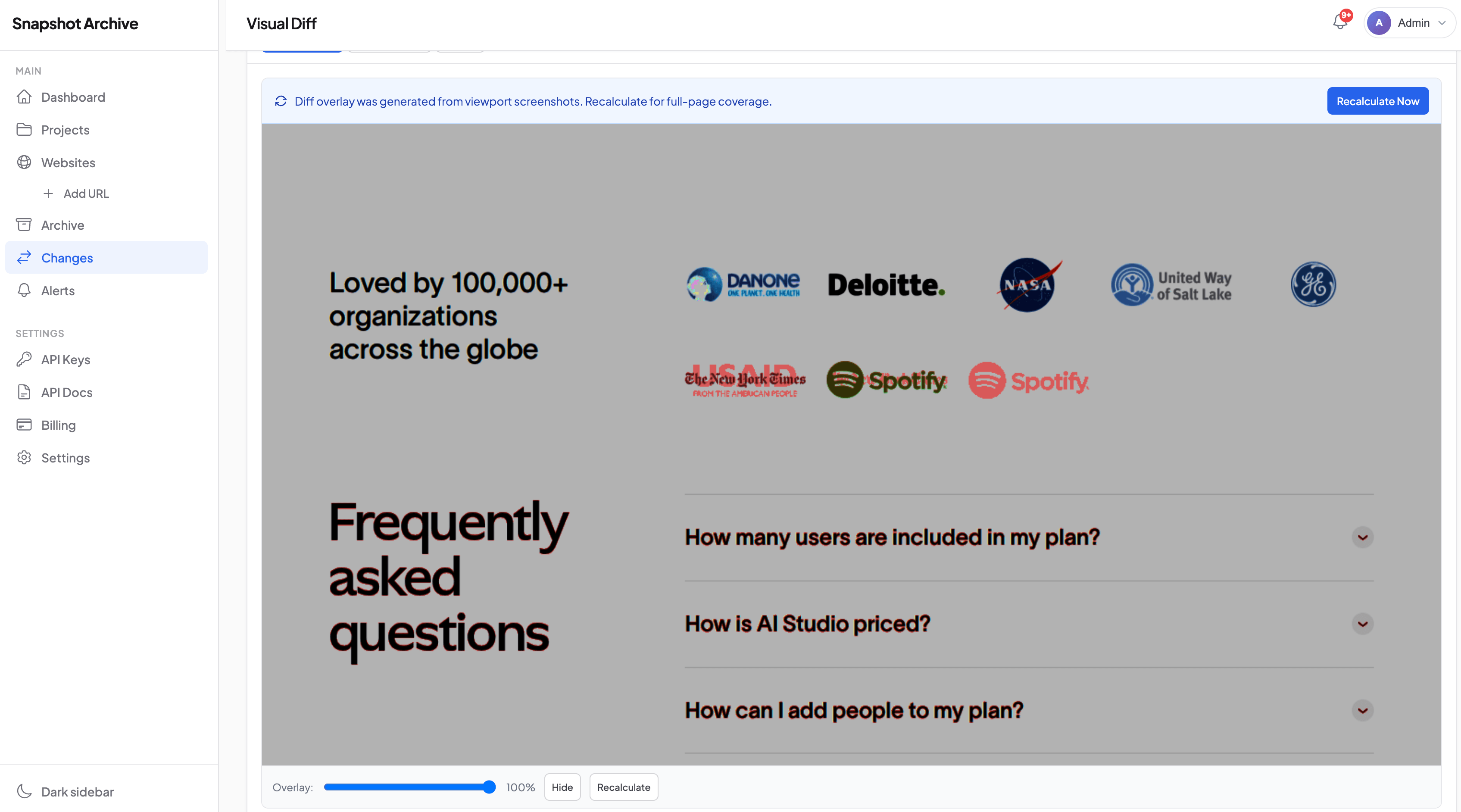
Change alerts power automated price change detection, the visual diff engine flags differences between consecutive captures. You get an email with the before-and-after comparison. For pricing pages specifically, set the sensitivity threshold above 3% to filter out cookie banners and minor rendering differences. real pricing changes blow past that threshold easily.
What an archive gives you that alerts don't
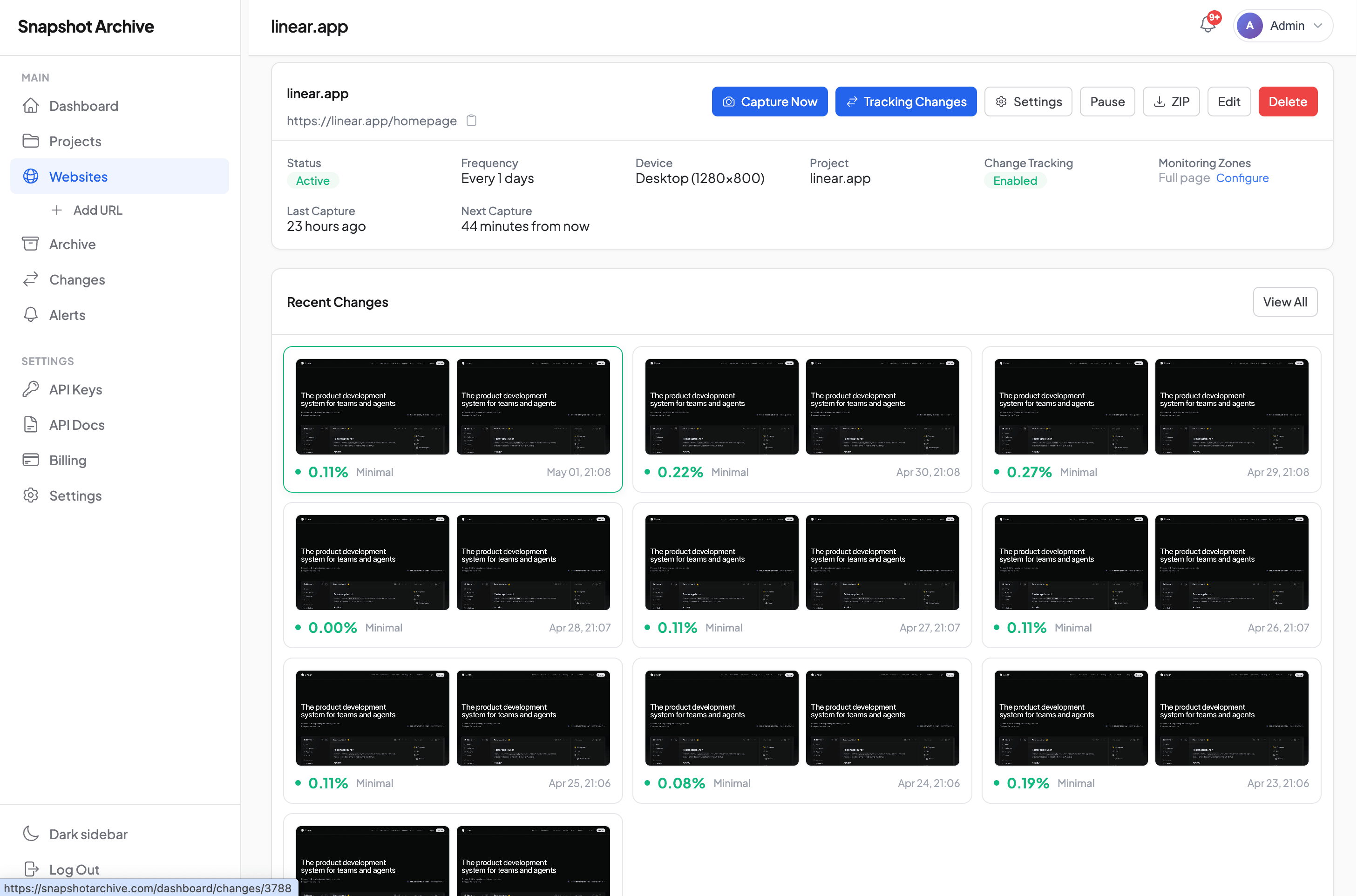
An alert tells you something changed today. A pricing page archive tells you what the page looked like three months ago, six months ago, a year ago.
Pull up a timeline of competitor pricing screenshots at a quarterly review and the pattern snaps into focus: are they moving upmarket, simplifying tiers, experimenting with add-ons? One change is a data point. Four changes on a timeline are a strategy you can respond to. PDF export turns that timeline into a deck you can walk through with your team.
Your sales team will hit the moment when a prospect says "your competitor offers the same thing for less." The actual screenshot showing what that competitor's plan includes (and what it included last month before they restructured) reframes the whole negotiation. Arguing from memory loses. Showing receipts wins.
Then there's the legal angle. Competitors sometimes make pricing claims that don't hold up: "unlimited" features that turn out to have caps, certifications listed on the pricing page that later disappear. Timestamped screenshots are receipts. Courts and procurement teams treat them that way. I've seen this come up in enterprise disputes more than once.
Reading competitor strategy through pricing changes
One pricing change is noise. Stack four of them on a timeline and you're looking at a strategy, the kind you can actually respond to before it costs you deals.
A competitor removes their free tier and adds a "Contact Sales" button to the top plan. Two months later, the enterprise page gets its own URL. That's not two isolated changes. That's an upmarket shift. Your response depends on whether you compete in that segment, but you can't respond to a pattern you didn't see forming.
Then there's the wedge play. New mid-tier plan, aggressive price, "Most Popular" badge slapped on it. The existing tiers haven't moved. They're not changing their pricing: they're coming for a specific segment. Yours, probably. You'll figure out which one faster from the badge placement than from anything in their blog announcement.
The sneakiest move I've seen: raising all prices 10-15% while simultaneously introducing an annual discount that claws the effective price back down. Revenue per customer grows but customers feel like they're getting a deal. You only see both halves of that play if you capture the full page, the sticker price and the new toggle in one frame.
You need the archive for any of this.
Filtering noise on pricing pages
Two things trigger false positives on pricing pages: currency selectors that default differently based on geolocation, and A/B tests that serve different variants.
For currency, pin the capture to a consistent locale. Snapshot Archive renders in a standard browser environment, so the same currency displays each time. For A/B tests, the screenshots actually become useful intelligence: if you're seeing two different pricing page variants in your archive, your competitor is actively testing. That's a signal worth knowing, not noise to filter.
If you're dealing with layout shifts causing false diffs (elements loading in different positions on each capture) I covered the technical fixes in a post on layout shifts and price monitoring. Short version: a small delay before capture and a slightly higher diff threshold solve most cases.
Scaling competitor price tracking across your market
Competitive intelligence works by comparison, not isolation. Checking one pricing page is a habit. Checking five on the same schedule is a system that shows you who's leading a pricing shift and who's following.
A typical setup: five competitors, one to three pricing URLs each (main pricing, comparison, enterprise), daily captures, alerts enabled. That generates 300-450 screenshots per month and roughly ten to fifteen alerts when real changes happen. The rest confirms stability. That silence is data too. If your competitor hasn't touched their pricing page in four months, that tells you something about their product roadmap.
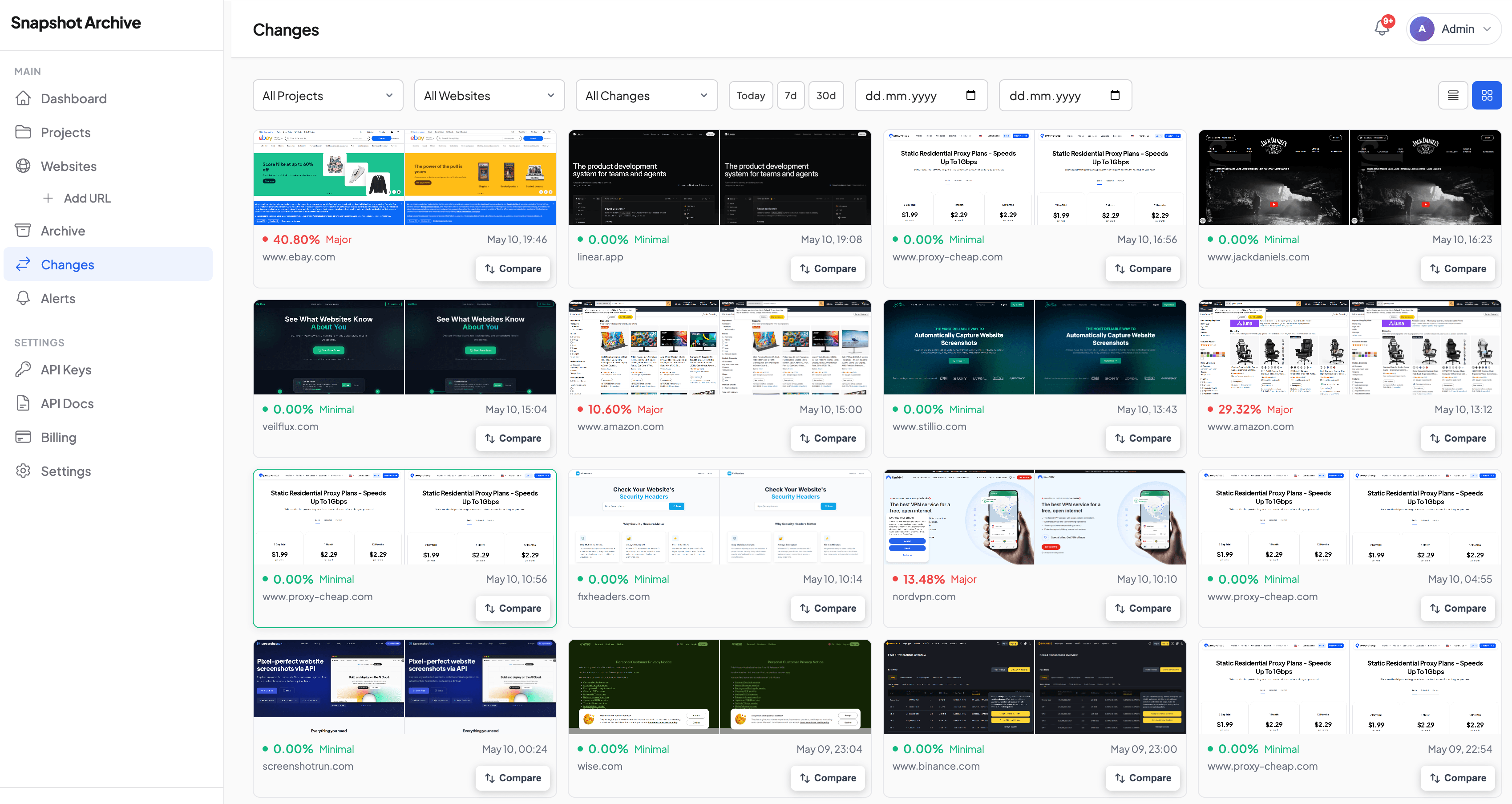
The competitor monitoring page covers the broader setup for tracking multiple competitor pages: pricing is usually the highest-value URL in that list.
Add one competitor's pricing page on the free plan, set daily captures, and see what the visual diff catches over two weeks. The first change a scraper would have missed tends to make the case for expanding to your full competitive set.
Frequently Asked Questions
Price scraping extracts raw numbers from HTML. Visual monitoring captures the rendered page as a screenshot — layout, packaging, promotional elements, and design context included. Scraping works for ecommerce catalogs with structured product data. Screenshots work for SaaS pricing pages, service tiers, and any page where the visual presentation carries as much meaning as the number.
Daily, unless you have a reason not to. Two weeks of daily captures gives you a baseline. Pricing pages change less frequently than other pages, but the changes are high-impact and you want the exact date. Ecommerce pricing in competitive categories may need captures every few hours.
Tier restructuring, feature repackaging between plans, comparison table layout changes, "most popular" badge shifts, promotional banners, annual/monthly toggle defaults, and removal of free tiers. These visual signals influence buyer decisions but leave no trace when scrapers extract raw data.
Yes. Every capture is timestamped with the URL. Export to PDF for procurement disputes or competitive audits.
Start with your three to five direct competitors' pricing pages. Add comparison and enterprise pages if they exist separately. Five to fifteen URLs is a practical range — enough for pattern recognition across your competitive set without generating unnecessary volume.