
Visualping alternative for teams that need a real archive
If you're evaluating a Visualping alternative, the key question is what happens after a change is detected. Visualping tells you something changed. Snapshot Archive shows you exactly what every page looked like (yesterday, last quarter, two years ago) with cryptographic proof. If you need a visual record, not just a notification, this is the Visualping alternative worth evaluating.
What Visualping Does Well
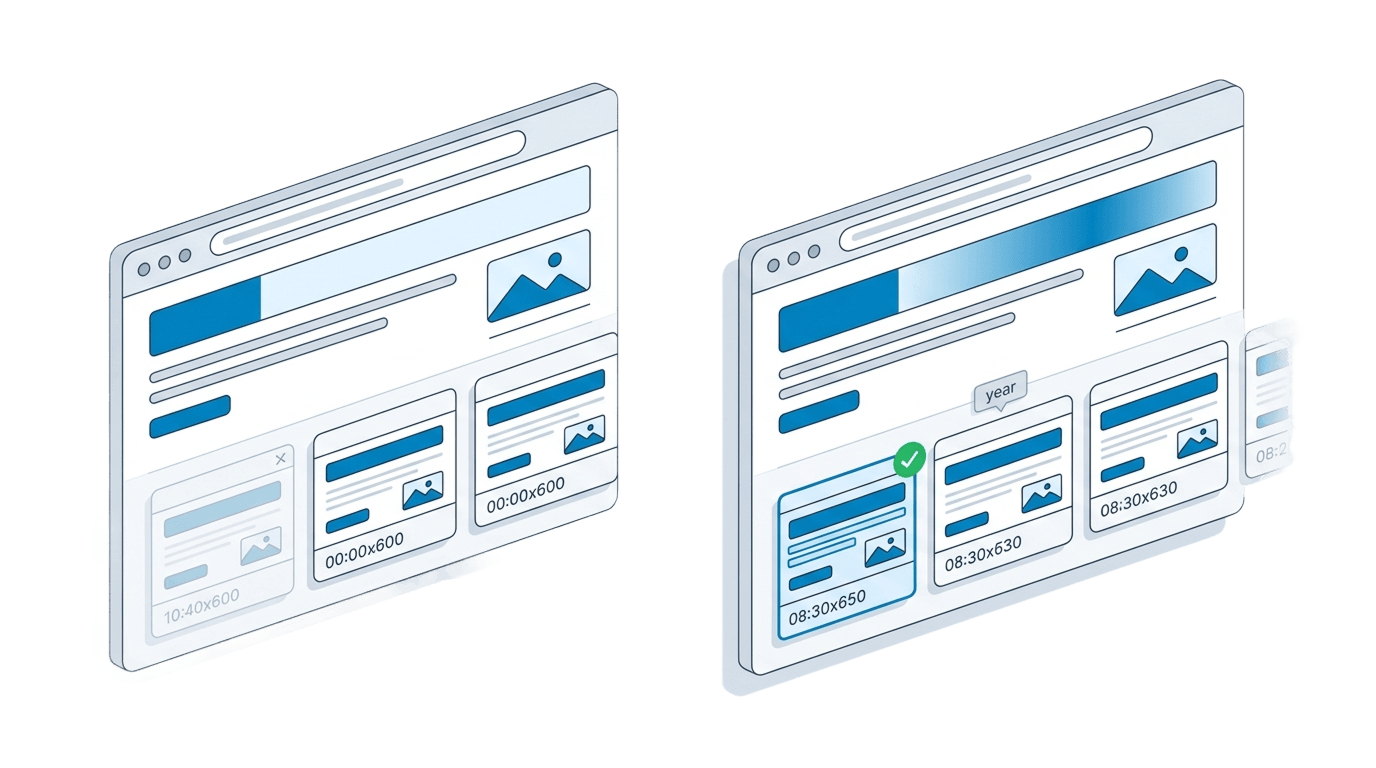
Visualping is a website change monitoring tool with over 2 million users and Fortune 500 clients. The Chrome extension alone makes setup faster than anything else in this category. Its four detection modes (visual, text, element, and combined) cover most monitoring scenarios, and AI-powered change summaries help teams triage alerts without opening every page.
Setup is genuinely easy. A Chrome extension lets you select any region of a page and start monitoring in clicks. On the integration side, every plan (including the free tier) gets API access and webhooks. SMS alerts, Google Sheets exports, and Zapier connections round out a solid notification stack.
The free plan (5 pages, 150 checks per month) is generous enough for personal use. If your only question is "did this page change?": Visualping answers it well.
Why Teams Look for a Visualping Alternative
Visualping retains change history for 3 months on most plans, stretching to 12 months only on the highest tier. Snapshot Archive starts at the same 90-day window on Starter, but scales to 1 year on Pro and 3 years on Business, a ceiling that matters for compliance and legal teams. Once history rolls off, it is gone. there is no retrieval option.
Per-check billing creates unpredictable costs. Visualping bills by the number of checks consumed, not by the number of URLs monitored. That distinction matters. Monitoring 50 pages hourly burns through 36,000 checks in a single month: well beyond the 20,000-check Business plan at roughly $100/month. Teams frequently discover mid-cycle that they need to reduce frequency or drop pages to stay within budget.
We have talked to teams who turned off their monitoring alerts entirely, not because the tool broke, but because they stopped trusting it. Dynamic ads, rotating banners, cookie consent popups, and A/B tests all trigger change notifications on Visualping. After enough false alarms, people ignore every alert, including the ones that matter. Our guide to false positives in screenshot monitoring breaks down why this happens and how tunable sensitivity thresholds with ignore zones solve it.
Visualping captures what fits in the browser viewport at the moment of the check. Anything below the fold (pricing tables, FAQ sections, legal disclaimers) is not recorded. For competitive intelligence or terms and privacy tracking, that gap is a liability. The difference between full-page and viewport screenshots is not cosmetic. It determines whether you have a complete record or a partial one.
No chain of evidence for legal or compliance use. Visualping does not generate SHA-256 hashes, does not offer certified PDF exports, and does not burn UTC timestamps into captured images. If you need to prove in court or to a regulator what a webpage displayed on a specific date, Visualping screenshots carry no more weight than a personal screenshot. Teams handling legal evidence or compliance archiving need more than a PNG in a dashboard.
Visualping vs Snapshot Archive: Feature Comparison
| Feature | Visualping | Snapshot Archive |
|---|---|---|
| Screenshot type | Viewport only | Full-page screenshots from Starter |
| Change detection modes | Visual, text, element, combined | Visual with tunable sensitivity + ignore zones |
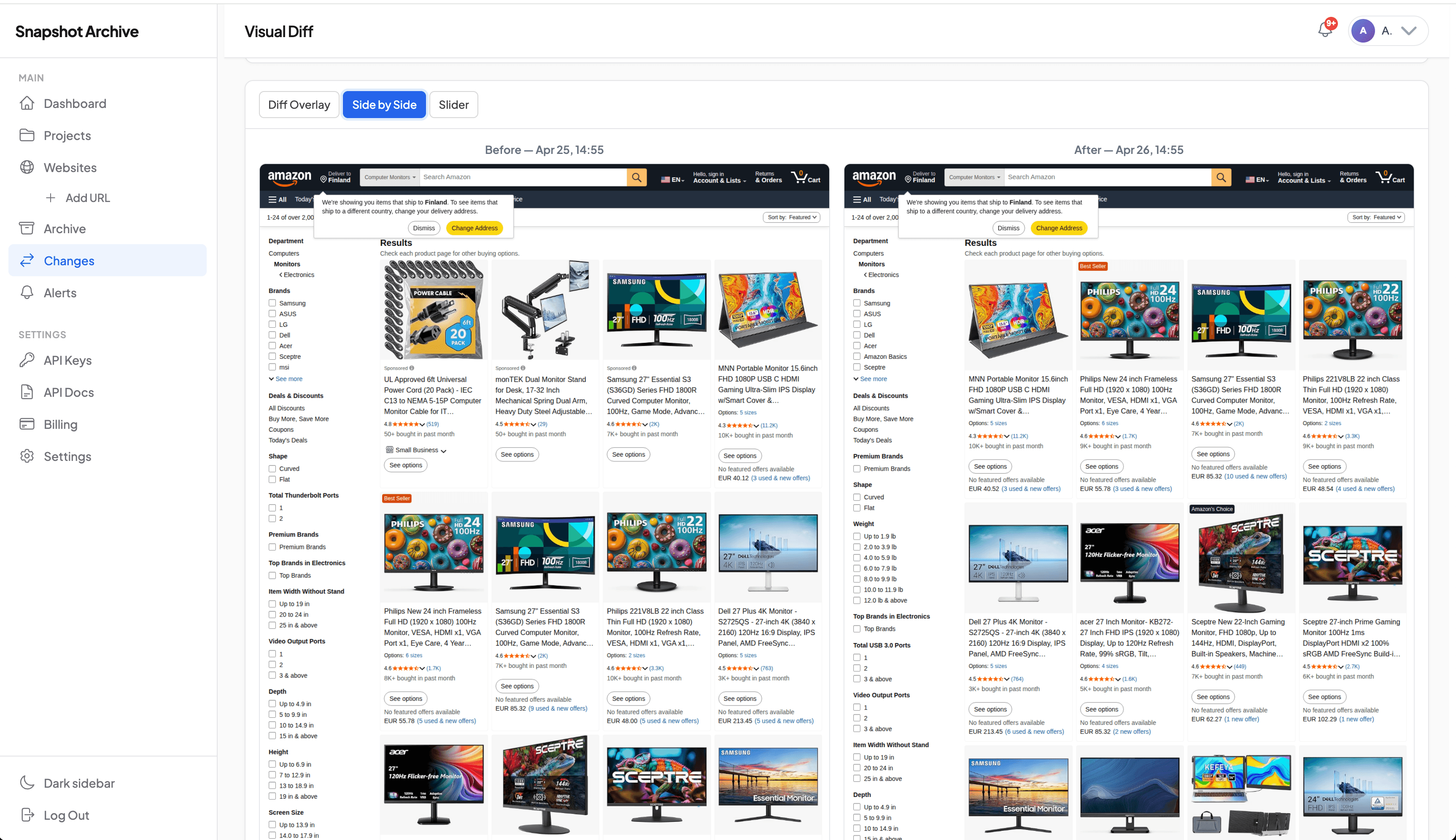
| Visual diff / screenshot comparison | Side-by-side | Overlay, side-by-side, and slider |
| History retention | 3 months (default), 12 months max | 90 days (Starter) to 3 years (Business) |
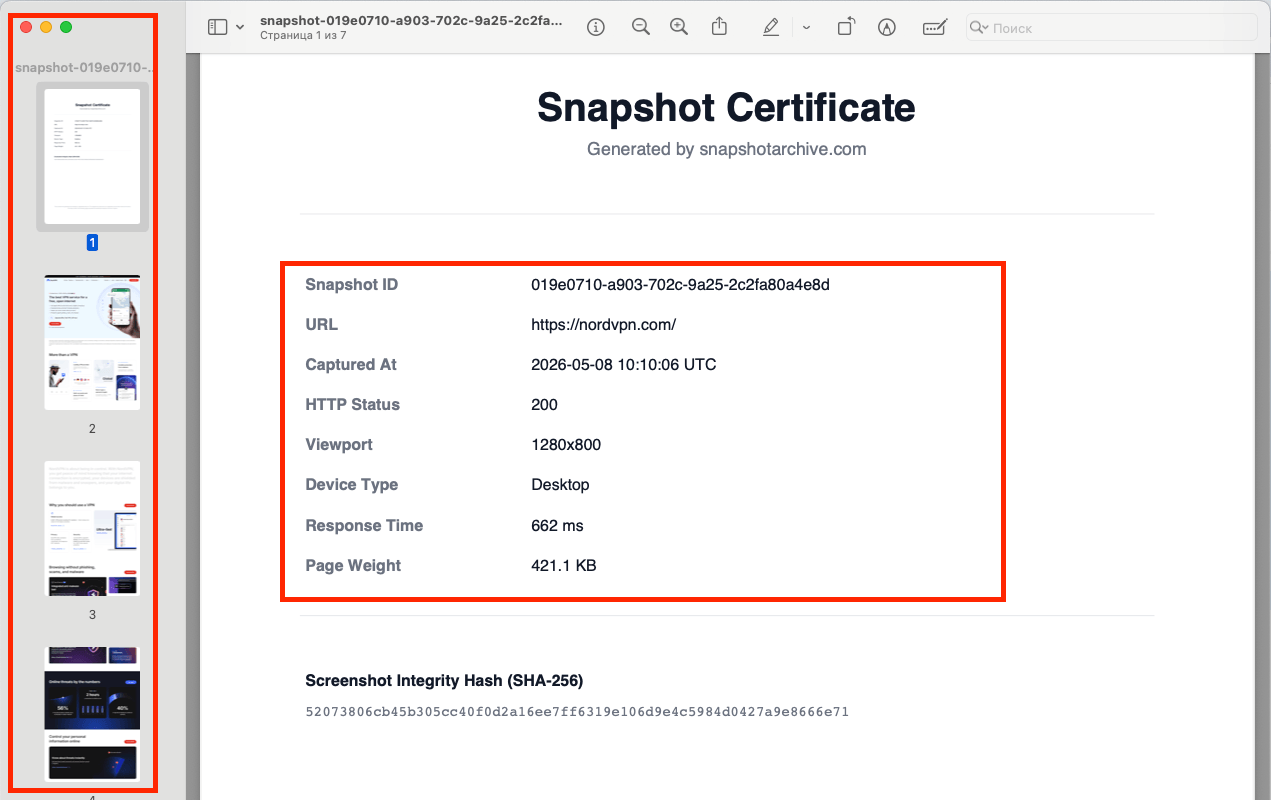
| PDF export with SHA-256 hash | No | Yes, Snapshot Certificate |
| UTC timestamp watermark | No | Yes. burned into image |
| Billing model | Per check consumed | Flat per-URL pricing |
| Slack integration | Business plan ($100+/mo) | From Starter ($14/mo) |
| Webhooks | All plans | From Pro ($39/mo) |
| REST API | All plans | From Pro ($39/mo) |
| Chrome extension | Yes | No |
| AI change summaries | Yes | No |
| Monitoring + ignore zones | Element selection | Visual zones with adjustable sensitivity |
| SMS alerts | Yes | No |
| Scheduled screenshots | Check-based intervals | Fixed schedule per URL |
Why archiving is a different problem than change detection
Visualping was built to answer one question: "Did something change?" That is valuable, but it is only half the picture. The other half ("What did this page look like on March 14th at 09:00 UTC, and can I prove it?") is a question Visualping was never designed to answer.
Snapshot Archive, as a website archiving tool, was built for that second question. Every scheduled screenshot is stored as a full-page capture with a UTC timestamp watermark, exportable as a certified PDF with a SHA-256 hash. The archive is the product, not a side effect of change detection.
We built Snapshot Archive for exactly these workflows. A legal team tracking a competitor's misleading claims needs evidence that holds up. Not an alert paired with a screenshot that expires in 90 days. A compliance officer monitoring regulated content needs a continuous, tamper-evident record across years, not months. A brand manager running competitor monitoring wants to scroll back through a competitor's pricing page history, not just know that it changed.
Change alerts are part of Snapshot Archive: we detect changes and notify via email, Slack, or webhook. But the alert is a trigger to review the archive. The archive is what you keep.
Pricing: Visualping vs Snapshot Archive
| Visualping | Snapshot Archive | |
|---|---|---|
| Free | 5 pages, 150 checks/month | 3 URLs, daily checks, 30-day retention |
| Entry | ~$10/month, 1,000 checks | $14/month, 20 URLs, 90-day retention |
| Mid | ~$100/month, 20,000 checks | $39/month, 50 URLs, 1-year retention |
| High | $3,000+/year (enterprise) | $129/month, 3-year retention |
The pricing models reflect different product philosophies. Visualping charges per check, every time a URL is loaded and compared, a credit is consumed. As covered above, frequency and page count multiply together, and the bill gets ugly fast.
We chose flat per-URL pricing deliberately. You pay for the number of URLs and the retention period. Increasing capture frequency from daily to every 6 hours does not change the bill. For teams running price monitoring or tracking multiple competitor sites, this predictability matters when the finance team asks what the tool will cost next quarter.
See the full breakdown on our pricing page. Or start with the free plan to test it on your own pages.
When Visualping Is the Better Choice
If you need text-level change detection with AI summaries, SMS alerts, a Chrome extension for quick setup, or deep Zapier integration. Visualping is the stronger tool. It is purpose-built for real-time change notification across many detection modes, and its free tier is more generous for casual use. Teams that only need to know that something changed, without maintaining a long-term visual archive or producing evidence-grade records, will find Visualping covers their needs well.
No credit card required. Monitor 3 URLs with daily captures and 30-day retention on the free plan. When you need full-page screenshots, certified PDFs, and multi-year retention, plans start at $14/month.
Try Snapshot Archive FreeFrequently Asked Questions
At the entry level they're close. Our free plan covers 3 sites, theirs covers 5 pages at 150 checks a month. Once you're paying, it depends on what you weight. For raw check volume Visualping's pricing is competitive, but if long retention is part of what you need, our plans include multi-year archives at price points where Visualping still caps history at a year. Compare your real page count and how long you need to keep snapshots, not just the headline monthly figure.
Not as a separate mode. We do visual (pixel) diffing only, so a text edit shows up when it visibly changes the page. Visualping's dedicated text mode can catch wording changes while ignoring layout, which ours doesn't do. If text-only monitoring is central to your work, that's a real difference to weigh.
No. We deliberately show you the diff itself (the highlighted regions, the percentage, the pixel count) rather than an AI paraphrase of it. Some people prefer the summary, and for them Visualping is the better fit. We'd rather show the evidence than describe it.
By plan: 30 days on Free, 90 days on Starter, one year on Pro, two years on Growth, and three years on Business. Every capture stays in the archive for that whole window, not just the latest one, which is what makes long-range comparison possible.
Email on every plan, with Slack, Discord, and Telegram added from Starter up, and webhooks (signed with HMAC-SHA256) from Pro. The change email includes a preview of the diff with the changed areas highlighted in red, so you can triage from your inbox. Our change alerts page lists the full set.
Yes. Each snapshot exports as a PDF certificate carrying a SHA-256 hash of the image and full capture metadata, generated server-side with no manual step. Anyone can recompute the hash to confirm the image is unaltered. That's the piece built specifically for legal and compliance use.
Yes, full-page capture is on by default for paid plans, and the diff runs on the full-page image when it's available. The Free plan captures the viewport only. We compared the two capture modes in full page versus viewport screenshots.