
Website archiving for law firms
A client calls on Thursday afternoon. Their competitor changed the product claims on their website, and the version your team reviewed last week is gone. No cached copy, no saved PDF, nothing. The paralegal opens Chrome, but the page already looks different again. That evidence gap is exactly the kind of problem law firms run into when web content matters to a case and nobody was archiving it.
Website archiving for law firms closes that gap. Pages get captured on a schedule, each version stored with a timestamp and metadata. When you need to show what a page said on a specific date, the archive is already there. The real issue isn't whether web content is relevant to your work. What matters is whether you'll have a record when you need it.
Why website archiving matters for law firms
Legal work touches the web more than most firms acknowledge. IP disputes hinge on what a competitor's product page showed last month. Contract talks reference terms published on a company's website. Compliance reviews depend on whether a client's landing pages meet advertising standards. And in litigation, opposing parties have a habit of quietly editing their public-facing content once they sense a dispute is coming.
Most of this content lives on pages that nobody thinks to save until it's too late. We hear some version of this story from nearly every firm that signs up. By then, the page has changed, and you're left arguing about what it used to say without proof.
What kinds of pages law firms typically archive
The list varies by practice area, but we see a few patterns across the firms that use Snapshot Archive.
IP and trademark teams track competitor product pages, e-commerce listings, and domains that may be infringing on client marks. A confusingly similar logo might appear gradually: first in a blog post, then on the homepage. Weekly scheduled captures build a visual timeline that trademark database services (Clarivate, Corsearch) miss entirely, because those services monitor filings, not live websites.
Litigation teams capture opposing party websites, public statements, and social media pages early in a dispute. Content changes fast once the other side knows a case is coming. An automated archive running in the background catches what manual checks miss.
During due diligence, the target company's website becomes a primary source: pricing pages, product claims, terms of service, marketing copy. That record of what was publicly represented before closing becomes valuable if post-deal reality doesn't match pre-deal promises.
Advertising claims, consent banners, and regulatory disclosures drift over time. Compliance-focused practices use archiving to catch the drift before an audit does. A dated archive showing continuous compliance is far stronger than someone's memory of what the page said last quarter.
The problem with manual screenshots and the Wayback Machine
Most firms start with the same approach: a paralegal takes a Chrome screenshot when someone asks for it. That works until you need to prove when the screenshot was taken. A browser screenshot has no independently verified timestamp and no URL metadata baked in. Without a supporting declaration, it's easy to challenge, and even with one, it's weaker than a capture with cryptographic proof.
The Wayback Machine seems like a backup plan, but it crawls on its own schedule. Some pages get captured weekly. Others go months between snapshots. Archive.org has historically removed cached pages when a site updated its robots.txt, and site owners can still request takedowns, so evidence you were counting on can disappear before trial. We covered the specifics in our Wayback Machine comparison.
Generic change detection tools (Visualping, ChangeTower) solve part of the problem but create new ones. Without severity filtering, cookie banners, ad rotations, and minor layout shifts trigger constant alerts. Your team learns to ignore them, which defeats the purpose.
How automated archiving actually works for legal teams
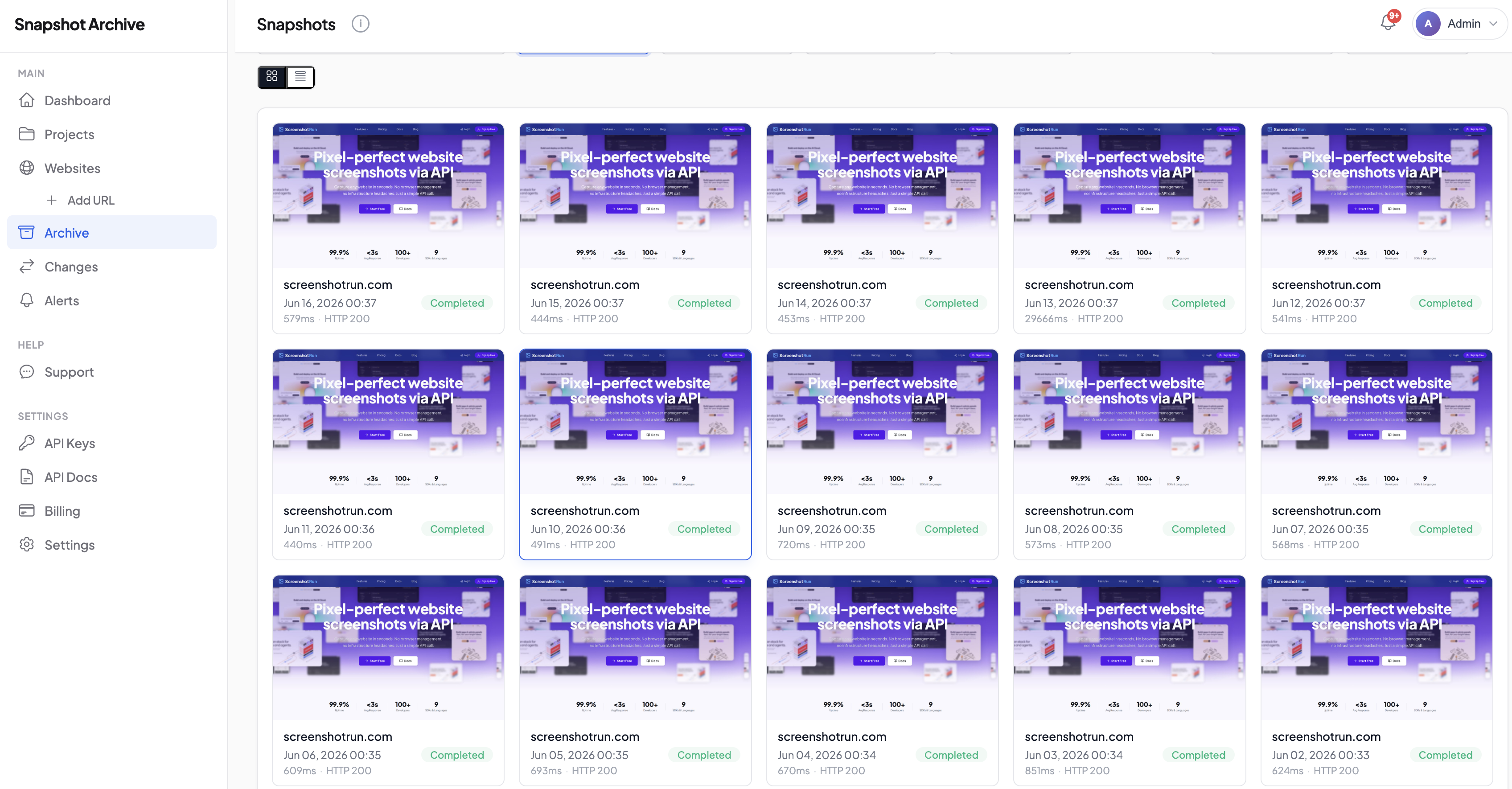
In Snapshot Archive, you organize monitored URLs into projects: one per matter, client, or practice area. A trademark dispute gets its own project with the opposing party's site, their marketplace listings, and any reseller pages. Compliance matters get their own project too.
Capture frequency depends on how fast content changes. Daily works for most legal monitoring. Every six hours makes sense for active disputes where content shifts quickly. Weekly is enough for watch-list domains you're keeping an eye on without urgency.
Full-page mode captures everything, not just what's visible in the browser window. That matters because disclaimers, terms, and product details often live below the fold. We default to full-page for this reason.
When a page changes, change alerts go to the assigned attorney or paralegal. We filter noise with three severity levels: minor (pixel-level shifts like ad rotations), moderate (text edits and layout changes), and major (substantial content added or removed). Most firms set alerts at moderate and review major changes right away.
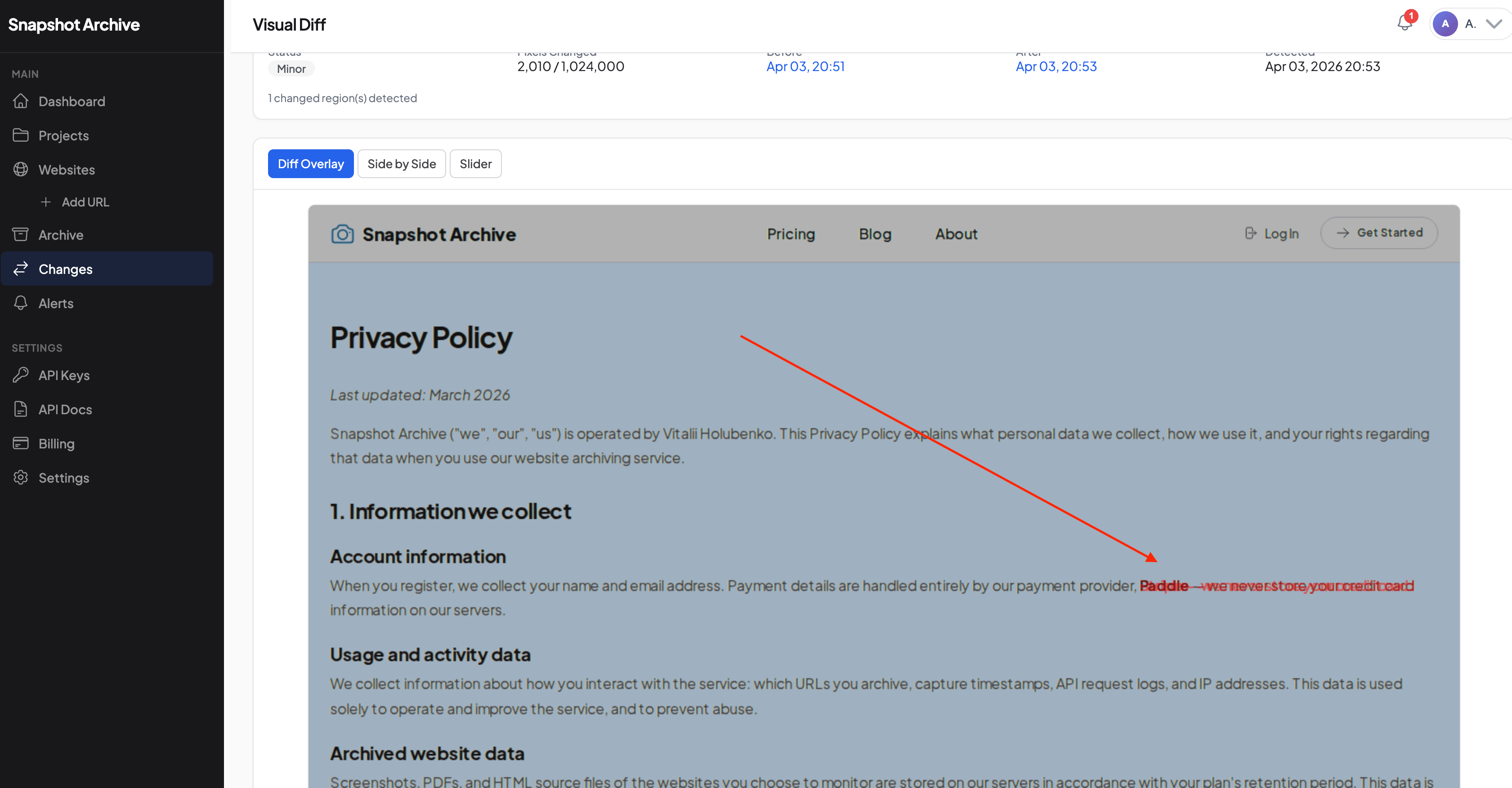
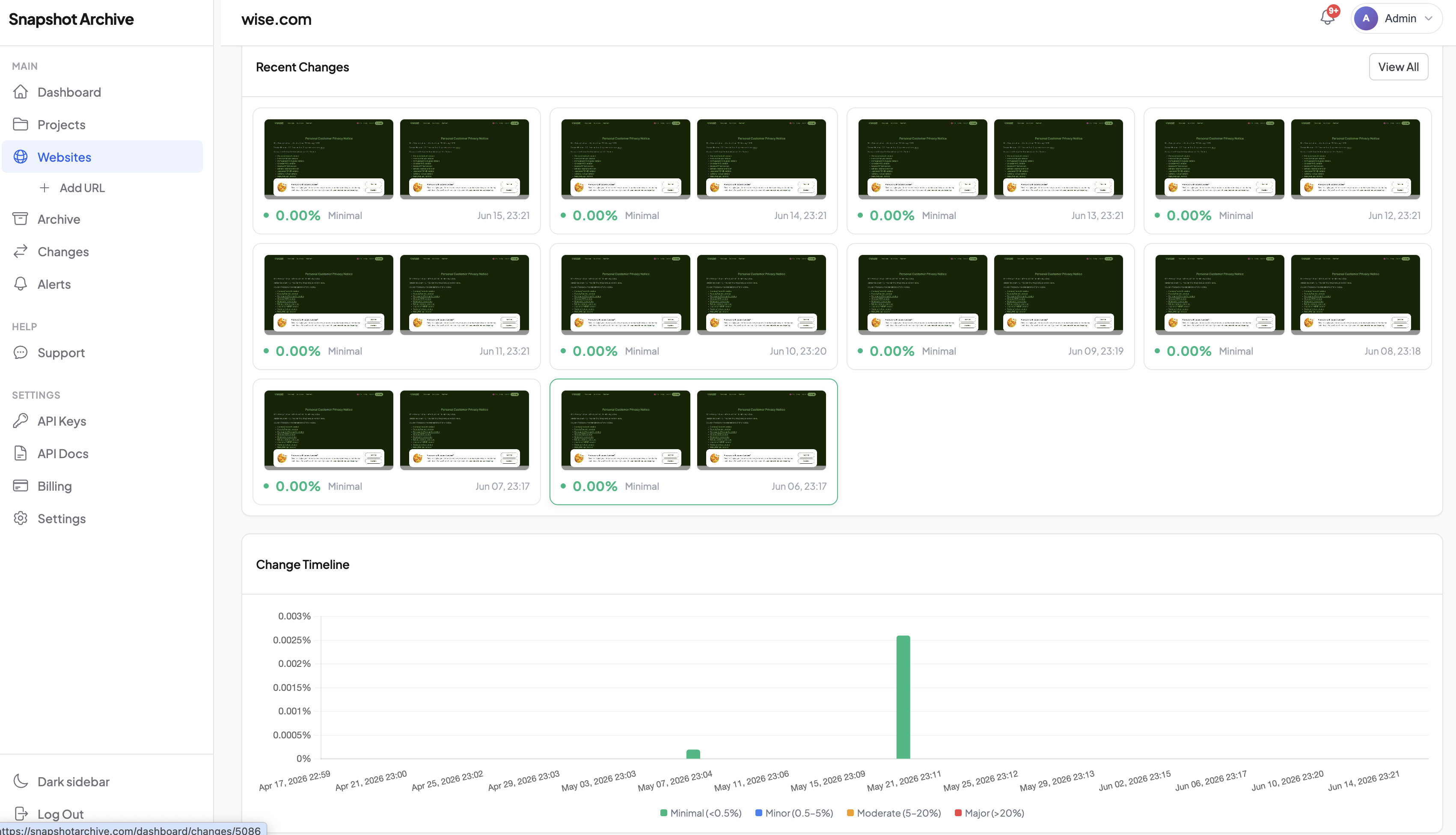
Visual diff shows exactly what changed between two captures. The overlay mode highlights differences in red, side-by-side puts both versions next to each other, and the slider lets you drag between old and new. When a competitor rewrites their product claims, you see the exact changes instantly.
A typical setup for a mid-size practice
Rather than a hypothetical, what we see most often from firms with 10 to 50 monitored URLs.
A paralegal or junior associate sets up one project per active matter. Each project contains the opposing party's website, any third-party pages relevant to the dispute (marketplace listings, regulatory filings pages, social media profiles), and the client's own compliance pages if regulatory exposure exists. That's usually 5 to 15 URLs per matter.
Capture frequency starts at daily for active matters and weekly for the watch list. Change alerts route to the attorney responsible for that matter, set at moderate severity. The first week is a calibration period: if a monitored page triggers too many minor alerts (cookie banners, ad rotations), the team either adjusts the severity threshold or uses clip-to-element to capture just the section that matters.
After the first month, most firms have a rhythm. New matters get a project, URLs get added as they surface during research, and the archive grows in the background without anyone babysitting it. When someone needs a screenshot from three weeks ago, it's already there.
Timestamps, hashes, and metadata: building a defensible record
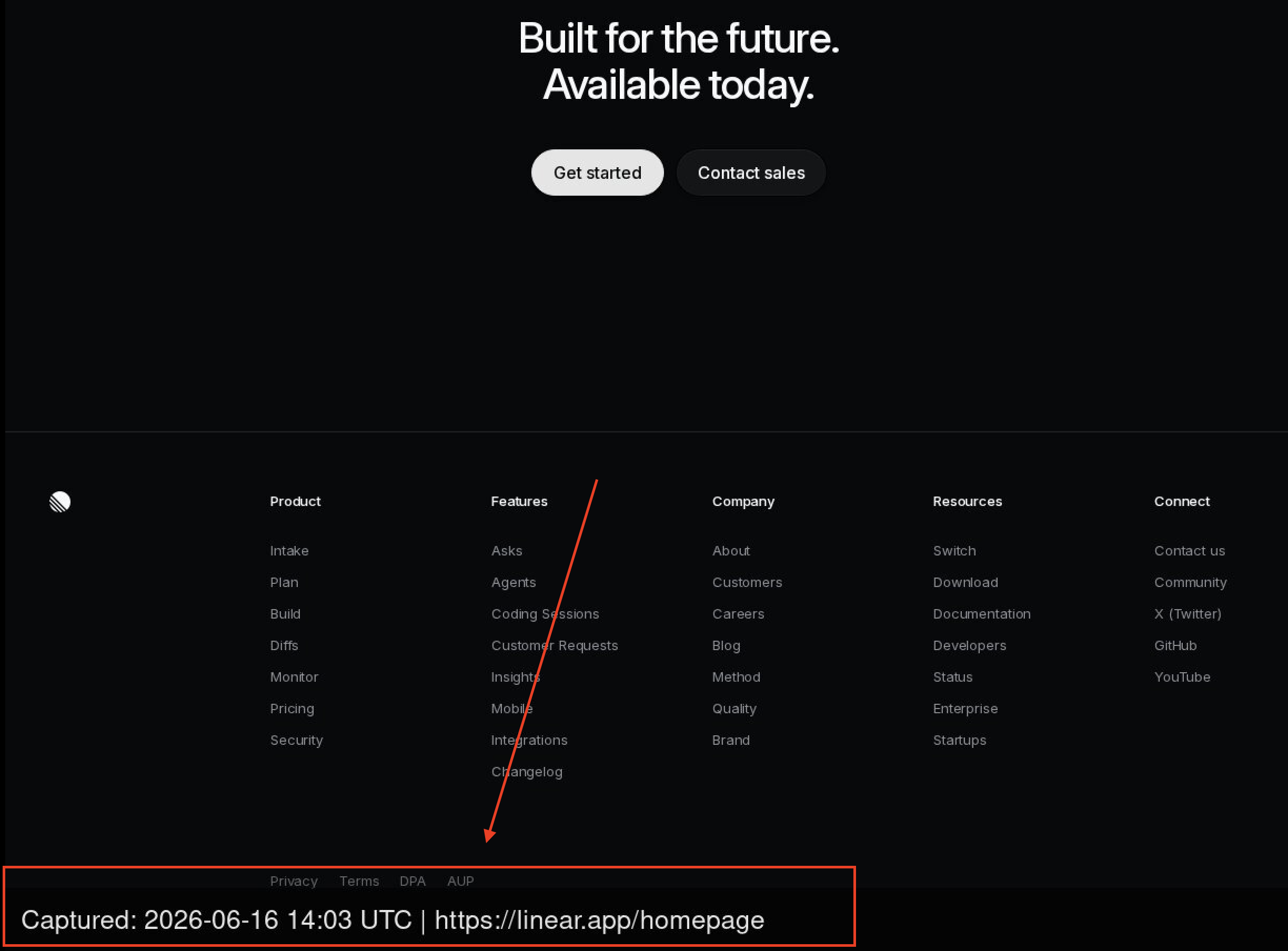
Every capture in Snapshot Archive includes a timestamp, source URL, and metadata. Watermarked screenshots burn the date and URL directly into the image, so the proof of when and where is visible without opening any file properties.
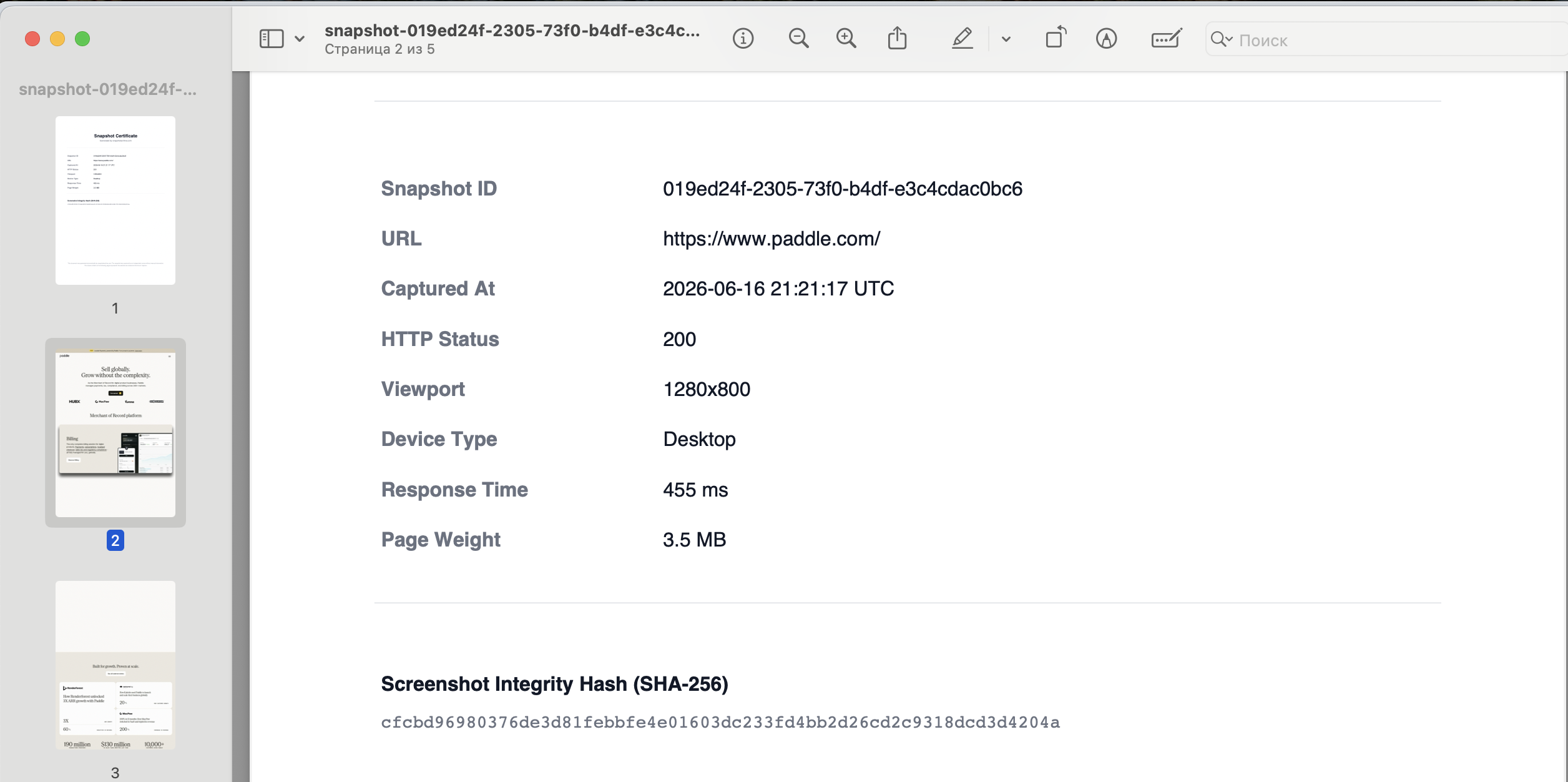
For situations where you need something more formal, the PDF export adds a SHA-256 certificate: a cryptographic hash generated at the moment of capture, along with the HTTP status code, response time, and page weight. That metadata package gives you a verifiable record that the capture is authentic and unaltered. Our screenshots as legal evidence guide walks through how courts evaluate this kind of evidence.
What screenshot archiving doesn't cover (and what to use instead)
We capture visual screenshots with metadata and cryptographic hashing. We don't produce WARC files (the format that preserves full HTML and JavaScript for interactive replay). If your case requires showing how a page behaved when clicked, tools like MirrorWeb or PageFreezer handle that at enterprise pricing.
Legal hold management, eDiscovery workflows, and login-gated pages like PACER fall outside what we do. And we're honest about the edges: highly dynamic pages that render differently on every load (live dashboards, geolocation-personalized content) can generate false positives that severity filtering doesn't fully catch. We're improving that, but it's a real limit today.
For the core workflow (tracking what web pages say, when they change, and producing timestamped proof that holds up) screenshot archiving covers the gap at a fraction of what enterprise tools cost.
How to test this on your first matter
Pick the matter where someone on your team has been manually checking a website. Add the five to ten URLs that matter most and set captures to daily. Within a week, you'll either catch a change you would have missed, or you'll have a record showing nothing changed. In compliance work, documented stability is evidence too.
Our terms-of-service tracking guide covers how to set capture frequency for policy pages, and the retention guide helps match archive duration to your matter's timeline. The free plan covers three websites with 30-day retention, enough to test the workflow on one active matter before deciding whether you need the longer history on Starter or Pro.
Start archiving websites today
Free plan includes 3 websites with daily captures. No credit card required.
Create free accountFrequently Asked Questions
Law firms add relevant government URLs (USCIS policy pages, SEC guidance, state agency portals) to a monitoring project and set daily captures. When a page changes, the system sends an alert to the assigned attorney or paralegal. Visual diff highlights exactly what moved, so you can assess the impact without reading the entire page line by line.
It depends on your practice area. IP firms track competitor product pages and suspected infringing domains. Immigration practices monitor USCIS policy manuals and consulate pages. Corporate teams archive target company websites during M&A diligence. Litigation groups capture opposing party sites and public statements before disputes formalize.
Daily captures work for most legal monitoring needs. Government regulatory pages rarely update more than once per day. For time-sensitive matters like active trademark disputes, every six hours gives tighter coverage. Watch-list domains with low change frequency can run weekly.
Yes. Clip-to-element targeting lets you capture just the section you care about, using a CSS selector. This is especially useful for long government pages where only one policy subsection is relevant to your case. It also makes change detection more precise by filtering out unrelated page elements.
Retention depends on your practice area and applicable statutes of limitation. Active litigation matters may need archives for the duration of the case plus appeals. Regulatory compliance monitoring typically requires one to three years of history. The Starter plan keeps 90 days, Pro holds one year, and Business retains three years. PDF exports with SHA-256 certificates serve as permanent offline records beyond those windows.