Features Visual Diff Change Detection Scheduled Screenshots Watermark & Timestamp PDF Export API Pricing Blog How It Works About Contact
Back to Blog

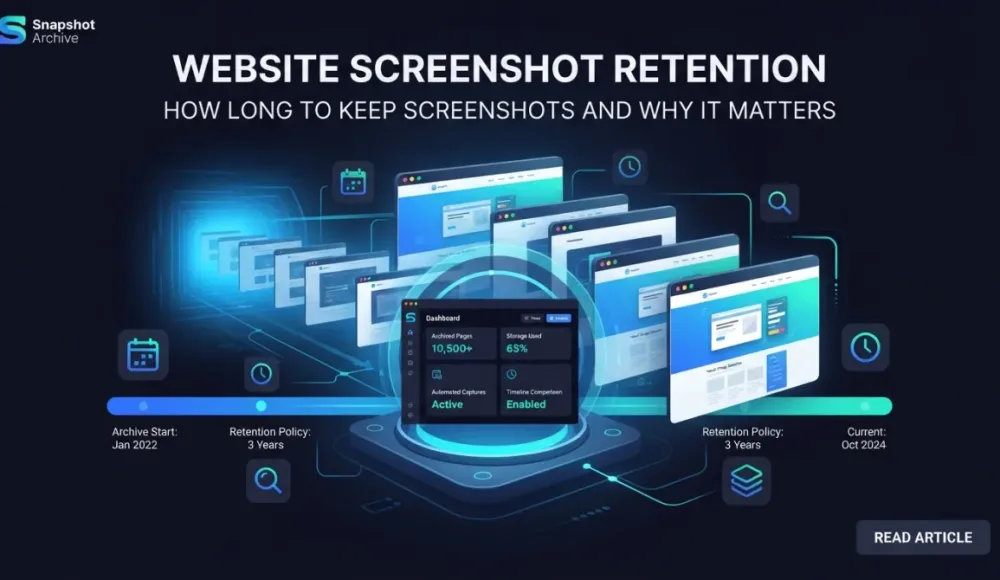
Website Screenshot Retention: How Long to Keep Screenshots and Why It Matters
Website Screenshot Retention: How Long to Keep Screenshots and Why It Matters

Once you have set up automated screenshot capture, the process runs on its own — screenshots are taken on schedule, the archive grows, and everything works as expected. But after a couple of months you start noticing how quickly the storage fills up, and that's when the obvious question comes up: how long do we actually need to keep all of this?

There is no single answer, and that's actually a good thing — it means you can tailor retention to what you're doing instead of following a one-size-fits-all rule. A compliance department at a brokerage firm has one set of requirements, while an e-commerce manager tracking competitor pricing has a completely different set. The mistake most teams make is getting it wrong in one of two directions: deleting too early and losing evidence they'll need later, or keeping everything indefinitely and paying for storage that nobody ever opens. We put together this guide to help you find the right balance, based on your industry, your use case, and the regulations that may apply to you.

Delete too early — you lose evidence. Keep too long — you pay for storage nobody uses. The right retention period sits somewhere in between, and it depends on your industry.

Why screenshot retention is a policy question, not a storage question

Screenshots are records. Once you start treating them that way, retention stops being about disk space and becomes about risk management.

In regulated industries like financial services and healthcare, there are specific rules about how long you must keep records of public-facing communications — and your website falls into that category. If your marketing team updates a landing page and the old version disappears, the only proof of what it said last quarter might be sitting in your screenshot archive. We covered how to collect screenshots that hold up as evidence in our guide to screenshots as legal evidence — but even the best-collected evidence is worthless if you've already deleted it.

Even outside of compliance, there are practical reasons to think about retention. Legal disputes can surface months or even years after an event. If someone claims your website advertised a feature it never had or showed a price that was never offered, timestamped screenshots settle the argument quickly. Without them, you're left in a "he said, she said" situation with no evidence on either side. That said, keeping every screenshot of every page forever is wasteful — most screenshots lose their value after a certain point, and the real question is figuring out where that point is for your particular situation.

Retention periods by industry

Different industries operate under different regulatory requirements, and these directly affect how long you should keep your screenshot archives. The table below maps common industries to their typical retention obligations.

Industry

Key regulation

Recommended retention

Why

Financial services

SEC Rule 17a-4, FINRA 4511

6–7 years

Broker-dealer record-keeping obligations

Healthcare

HIPAA + state laws

6–10 years

Policy/procedure records; state extensions

E-commerce

Consumer protection, IRS

3–5 years

Statute of limitations + tax records

Legal / professional services

Limitations Act, local statutes

6+ years

Contract claim liability window

SaaS / technology

None specific

2–3 years

Contractual dispute window

Media / publishing

None specific

1–3 years

Editorial auditing, competitive intel

Financial services: 6 to 7 years

SEC Rule 17a-4 requires broker-dealers to retain records for up to six years, and FINRA Rule 4511 imposes similar obligations. Both rules cover public-facing communications, which means your website falls squarely into scope — product descriptions, performance figures, disclaimers, and anything a customer might rely on when making a decision. Adding a seventh year gives you a comfortable buffer against audits that start right at the edge of the retention window.

Financial services is probably the strictest industry when it comes to record-keeping. Firms that fail to comply face investigations and fines, and in some cases they simply cannot defend themselves in disputes because the records no longer exist. The screenshots you delete today might turn out to be the evidence you need in three years — and in this industry, that's not a hypothetical scenario, it's how enforcement actually works.

Healthcare: 6 to 10 years

HIPAA requires covered entities to retain records related to policies and procedures for a minimum of six years, but individual state laws often push that number higher — some US states require medical records to be kept for ten years or more. If your healthcare organization's website includes patient-facing information, consent forms, or service descriptions, six years is a reasonable baseline. Ten years is the safer choice if you operate across multiple states, because you'll need to meet the strictest requirement among all of them.

E-commerce: 3 to 5 years

There is no single regulation that tells online retailers how long to keep website screenshots, but several overlapping concerns point toward a 3-to-5-year window. Consumer protection disputes typically carry a statute of limitations of two to four years depending on the jurisdiction. Tax authorities like the IRS require supporting records for at least three years (and up to seven in certain cases). Advertising claims can be challenged years after they were originally published — which matters if your product pages or promotional banners make specific promises about features, pricing, or guarantees.

For most e-commerce stores, keeping screenshots of product pages, pricing pages, and promotional banners for at least three years covers the majority of scenarios. Extending to five years adds protection for tax-related documentation and longer-tail consumer disputes.

Legal and professional services: 6+ years

Law firms, consulting agencies, and other professional services typically follow the UK Limitations Act (six years for contract claims) or equivalent statutes in their own jurisdiction. If your firm's website makes claims about services, qualifications, or results, you want a screenshot archive that stretches back at least as far as your liability window — because the moment a client disputes what your site said two years ago, the only thing that settles the argument is a timestamped capture.

SaaS and technology: 2 to 3 years

Most SaaS companies don't face the same regulatory pressure as financial or healthcare organizations, so the main reasons to retain screenshots tend to be internal — tracking your own product pages, monitoring feature announcements, and keeping a record of how your pricing evolved over time. Two to three years is usually enough to cover any contractual dispute window while keeping storage costs under control. If you're also monitoring competitor pages, those screenshots can have a shorter retention — competitive intelligence loses relevance faster than your own business records.

Media and publishing: 1 to 3 years

If you're archiving competitor sites, news portals, or your own editorial pages, the content tends to lose relevance faster than in other industries. One to three years is enough for most editorial auditing and competitive intelligence needs, though you should extend retention if you're involved in legal proceedings or regulatory monitoring where the archived content might serve as evidence.

Retention periods by use case

Industry is one axis, but use case is another. The same company might need very different retention periods depending on what type of screenshots it's dealing with — compliance archives and QA screenshots have almost nothing in common when it comes to how long they stay useful.

Use case

Recommended retention

Notes

Compliance archiving

6–7 years

Matches regulatory minimums + buffer

Legal evidence

6+ years

Statute of limitations for contracts/fraud

Competitor monitoring

6–12 months

Trends lose value quickly

Brand monitoring

1–2 years

Track partner/directory misuse

SEO tracking

1–2 years

SERP and landing page analysis

Internal QA

30–90 days

Discard after release validation

Ad verification

1–3 years

Advertiser contract windows

Compliance archiving

If you take screenshots to prove what your website showed at a given point in time for regulatory purposes, your retention period is dictated by the regulation itself — for most regulated industries, that means six to seven years. These screenshots need to include timestamps, and ideally they should be stored in a way that proves they haven't been tampered with. We covered the technical requirements for legally valid screenshots — including watermarks, metadata, and chain of custody — in our guide to screenshots as legal evidence.

Legal evidence and dispute resolution

Screenshots that may serve as evidence should be retained for at least as long as the statute of limitations in your jurisdiction allows claims to be filed. In the US, that typically means three to six years for contract disputes and up to six years for fraud. When in doubt, lean toward the longer end — deleting a screenshot that later turns out to be a key piece of evidence in a lawsuit is a mistake you cannot undo. The cost of keeping an extra year of screenshots is a few dollars; the cost of not having them when you need them can be a lost case.

Competitor monitoring

Competitive intelligence has a short shelf life. A competitor's pricing page from last quarter might provide interesting context, but it's rarely something you'll act on directly. Six to twelve months of competitor screenshots is usually enough to spot trends, track positioning shifts, and compare seasonal patterns. If you're running a deeper competitive analysis project — like tracking how SaaS pricing pages evolve over time — stretching to a full year makes sense, but beyond that the data starts gathering dust.

Brand and reputation monitoring

If you're tracking mentions of your brand on partner sites, review platforms, or directories, one to two years of screenshots gives you enough history to see trends and respond to misuse. Beyond that window, the value drops off sharply — unless you're actively building a case for legal action, in which case you should treat those screenshots as legal evidence and retain accordingly.

SEO tracking

Screenshots of SERP positions or landing page variations are useful for short-term analysis, and one to two years of data is generally enough to identify meaningful trends. Older screenshots rarely add new insight unless you're doing a long-term study of algorithm behavior, which most teams aren't.

Internal QA and design review

Screenshots taken for QA purposes — verifying that a deployment looks correct or confirming that a design change went through as expected — have the shortest useful life of any category. Thirty to ninety days is enough, because once a release has been validated and shipped, older QA screenshots are just taking up space. If something broke after deployment, you'd know within the first week — not three months later.

Ad verification and sponsored content

If you publish sponsored content or run display ads, you may need to prove to advertisers that their content appeared as agreed. One to three years covers most advertiser contract windows, though some agreements specify their own retention requirements — so check the fine print before you set a blanket policy.

Building a retention policy: a practical checklist

Knowing the recommended periods is one thing, but turning them into a working policy requires a few concrete steps.

Start by mapping your screenshot types. List every type of screenshot you take and identify who uses each one. Compliance screenshots go in one bucket, competitor monitoring in another, QA checks in a third — and each bucket gets its own retention rule. This matters because a single blanket retention period will either be too short for your compliance needs or too long for your QA screenshots, and you'll end up either exposed or paying for storage you don't need.

Next, check your regulatory obligations. If you operate in a regulated industry, start with the regulation and work backward. FINRA requires six years? That's your minimum. HIPAA says six? That's your floor. Don't guess — verify with your legal team or compliance officer, because the penalty for guessing wrong is usually worse than the cost of asking.

Whatever your minimum turns out to be, add a buffer of six to twelve months on top of it. Regulations define minimums, not targets, and a small buffer protects you if a dispute or audit starts right as you were about to delete old records. The storage cost for six extra months is negligible; the cost of not having a screenshot you need is not.

Automate the cleanup. Manual deletion doesn't scale, and it introduces human error — someone forgets, someone deletes the wrong folder, someone keeps everything "just in case" and the archive balloons. If your archiving tool supports automatic deletion after a set period, use it. This keeps storage costs predictable and removes the risk of accidental mistakes in either direction.

Document everything. Write down your retention policy and include the rationale behind each retention period. If you ever need to explain to a regulator or a court why you do or don't have a particular screenshot, a documented policy is your best defense. "We have a policy and we followed it" is a strong position; "we deleted it, I'm not sure why" is not.

And review the policy annually. Regulations change, your business changes, and the types of screenshots you're taking may shift as you add new use cases or drop old ones. A retention policy that made sense last year might need adjustments — set a calendar reminder so you don't find out the hard way.

Storage costs and retention: the numbers are smaller than you think

Longer retention means more storage, but how much more? Here's a rough estimate based on typical screenshot sizes.

URLs monitored (daily)

1 year

3 years

7 years

10

~1.8 GB

~5.4 GB

~12.6 GB

50

~9 GB

~27 GB

~63 GB

200

~36 GB

~108 GB

~252 GB

These numbers assume an average screenshot size of around 500 KB, which is typical for a full-page PNG at 1280px width. Actual sizes vary — heavy pages with lots of images can produce screenshots of 1–2 MB, while simple text pages (like a Terms of Service page) might come in under 200 KB.

At current cloud storage prices — roughly $0.02–0.03 per GB per month — even the heaviest scenario in the table above costs less than $8 per month in raw storage. For most teams, the cost of keeping screenshots for a few extra years is negligible compared to the risk of deleting something you might need later. When the choice is between $5/month in storage and a $50,000 dispute you can't defend, the math is straightforward.

Even at 200 URLs per day, seven years of screenshots costs less than $8/month in storage. The cost of keeping them is almost always smaller than the cost of not having them.

GDPR and data minimization: keep what you can justify

There's an important caveat for teams operating in the EU or archiving EU-based websites. GDPR requires that you keep personal data only as long as it's necessary for its stated purpose, so if your screenshots capture personal information — customer names, email addresses visible in forms, user-generated content — you need to be able to justify why you're keeping those screenshots for the duration you've chosen.

In practice, this comes down to two things. First, document a clear purpose for each type of screenshot you retain — "we keep competitor pricing screenshots for 12 months to track competitive positioning" is a legitimate purpose; "we keep everything because we might need it someday" is not. Second, if your screenshots routinely capture personal data, consider whether you can mask or redact that data before archiving, or at the very least, limit who has access to the archive.

GDPR doesn't tell you to delete everything after a fixed period. What it says is that you should keep data only as long as you have a legitimate reason to do so. A well-documented retention policy with clear purposes for each category of screenshot satisfies this requirement — and it also happens to be exactly the kind of documentation that makes audits go smoothly.

GDPR does not say "delete everything after X days." It says: keep data only as long as you have a legitimate reason. A documented policy with clear purposes is how you meet that standard.

What happens when you get retention wrong

Getting retention wrong usually leads to one of two outcomes, and neither is pleasant.

Deleting too early means losing records you might need down the road. A financial services firm that deletes website screenshots after two years — when the regulation requires six — is exposed to fines and enforcement action. An e-commerce company that removes pricing page screenshots before a consumer protection complaint is resolved has no way to prove what the price actually was. And in both cases, there's no going back — you can't re-create a screenshot of what a page looked like 18 months ago.

Keeping too long is less dangerous, but it still creates real problems. Excess data drives up storage costs, makes it harder to find a specific screenshot when you need one, and can create GDPR liability if those screenshots contain personal information. In some legal situations, holding onto data beyond its stated purpose can actually work against you — a court might question why you retained records if your own policy said you should have deleted them.

The solution isn't perfection. It's having a reasonable policy, applying it consistently, and reviewing it regularly. Most retention mistakes happen not because the policy was wrong, but because there was no policy at all.

Setting up retention the right way from the start

Screenshot retention isn't a one-size-fits-all decision — it depends on your industry, what you're using the screenshots for, and which regulations apply to your business. But the practical approach is the same regardless of your situation: figure out the longest regulatory or legal window that applies to you, add a buffer, and automate the cleanup of everything else.

If you're not in a regulated industry, two to three years covers most scenarios. If you are, check the specific requirements and use those as your baseline — don't round down, and don't rely on memory when you can document the policy instead.

Snapshot Archive stores all screenshots with timestamps and makes it easy to configure different retention periods for different URL groups. If you're still managing this manually, or if you haven't thought about retention at all, it's worth putting a proper policy in place before your archive grows large enough to become a problem — or worse, before a dispute surfaces and you discover the screenshot you need was deleted last month.

Start archiving websites today

Free plan includes 3 websites with daily captures. No credit card required.

Create free account

More from the blog

View all posts
How to Track Terms of Service & Privacy Policy Changes
· 11 min read

How to Track Terms of Service & Privacy Policy Changes

Terms of service and privacy policy pages change without warning. Here is how to set up automated screenshot monitoring so you always know what changed and when.

When layout shifts break your price monitoring: a real Amazon tracking story
· 4 min read

When layout shifts break your price monitoring: a real Amazon tracking story

We set up price monitoring on an Amazon product page and immediately started getting 22% diff alerts — not because the price changed, but because a promotional banner kept appearing and disappearing in the navigation, shifting the entire layout down by a few dozen pixels. Here's how we figured out what was happening and what we'd recommend doing about it.

How to Hide Cookie Banners, Popups and Age Gates From Automated Screenshots
· 10 min read

How to Hide Cookie Banners, Popups and Age Gates From Automated Screenshots

We tested click selector on three real sites — Hetzner (cookie banner), Fine Wine & Good Spirits and CWSpirits (age verification). One CSS selector in the settings, and every screenshot comes back clean.