
Getting Started
The Snapshot Archive API lets you capture website screenshots, manage monitors, retrieve snapshots, and detect visual changes — all programmatically. API access is available on Starter plans and above.
https://api.snapshotarchive.com/v1
Quick Start
Four steps to capture your first screenshot via the API.
1. Get your API key
Go to Dashboard → API Keys and create a new key. Copy it — you won't see it again.
2. Create a monitor
The response includes the monitor's id — save it, you'll use it in the next steps.
curl -X POST https://api.snapshotarchive.com/v1/monitors \
  -H "Authorization: Bearer YOUR_API_KEY" \
  -H "Content-Type: application/json" \
  -H "Accept: application/json" \
  -d '{
    "url": "https://example.com",
    "frequency_minutes": 720,
    "device_type": "desktop",
    "viewport_width": 1920,
    "viewport_height": 1080
}'$response = Http::withToken('YOUR_API_KEY')
->post('https://api.snapshotarchive.com/v1/monitors', [
'url' => 'https://example.com',
'frequency_minutes' => 720,
'device_type' => 'desktop',
'viewport_width' => 1920,
'viewport_height' => 1080,
]);
$monitor = $response->json('data');import requests
response = requests.post(
'https://api.snapshotarchive.com/v1/monitors',
headers={
'Authorization': 'Bearer YOUR_API_KEY',
'Accept': 'application/json',
},
json={
'url': 'https://example.com',
'frequency_minutes': 720,
'device_type': 'desktop',
'viewport_width': 1920,
'viewport_height': 1080,
}
)
monitor = response.json()['data']const response = await fetch('https://api.snapshotarchive.com/v1/monitors', {
method: 'POST',
headers: {
'Authorization': 'Bearer YOUR_API_KEY',
'Content-Type': 'application/json',
'Accept': 'application/json',
},
body: JSON.stringify({
url: 'https://example.com',
frequency_minutes: 720,
device_type: 'desktop',
viewport_width: 1920,
viewport_height: 1080,
}),
});
const { data: monitor } = await response.json();3. Trigger a snapshot
Use the id from the create response (step 2) to trigger a capture. The response gives you a snapshot_id to track progress.
# Use the monitor ID returned from step 2 (e.g. 42)
curl -X POST https://api.snapshotarchive.com/v1/monitors/42/trigger \
  -H "Authorization: Bearer YOUR_API_KEY" \
  -H "Accept: application/json"

# Response: {"data": {"message": "Snapshot queued successfully.", "snapshot_id": "9e8f7a6b-..."}}
4. Get the result
Use the snapshot_id from step 3 to poll until the capture is complete, then download the screenshot.
# Poll until status is "completed" or "failed"
curl https://api.snapshotarchive.com/v1/snapshots/9e8f7a6b-... \
  -H "Authorization: Bearer YOUR_API_KEY" \
  -H "Accept: application/json"

# Once completed, download the screenshot
curl -L https://api.snapshotarchive.com/v1/snapshots/9e8f7a6b-.../screenshot \
  -H "Authorization: Bearer YOUR_API_KEY" \
-o screenshot.png- Monitor ID — returned when you create a monitor or list monitors (
data.idordata[].id) - Snapshot UUID — returned when you trigger a snapshot (
data.snapshot_id) or list snapshots - Project ID — returned when you create or list projects
- Diff ID — returned when you list diffs for a monitor
GET /v1/monitors to get their IDs programmatically.
Authentication
All API requests require a Bearer token in the Authorization header. Generate API keys from your Dashboard.
Authorization: Bearer YOUR_API_KEY
Accept: application/json
Content-Type: application/jsonEvery response includes JSON. Always send Accept: application/json to ensure proper error formatting. For POST/PATCH requests, also send Content-Type: application/json.
Plan Limits
API access is available on Starter plans and above. Each plan has different limits for monitors, capture frequency, and data retention.
| Feature | Free | Starter | Pro | Growth | Business |
|---|---|---|---|---|---|
| API Access | — | ✓ | ✓ | ✓ | ✓ |
| Monitors | 3 | 20 | 50 | 100 | 200 |
| Min Frequency | Daily | Every 12h | Every 6h | Hourly | Every 30 min |
| Retention | 30 days | 90 days | 1 year | 2 years | 3 years |
| Visual Diff | — | ✓ | ✓ | ✓ | ✓ |
| PDF / HTML Export | — | ✓ | ✓ | ✓ | ✓ |
| API Keys | 0 | 5 | 5 | 5 | 5 |
| Price | Free | $14/mo | $39/mo | $79/mo | $129/mo |
plan_exceeded status. Upgrade your plan to reactivate them.
Projects
Projects let you organize monitors into groups. Every account has a default project. Monitors can optionally belong to a project.
Returns a paginated list of your projects.
Query Parameters
| Parameter | Type | Description |
|---|---|---|
per_page | integer | Items per page (default: 20) |
sort | string | Sort field: created_at (default), updated_at, name |
order | string | Sort direction: desc (default) or asc |
Request Example
curl "https://api.snapshotarchive.com/v1/projects" \
  -H "Authorization: Bearer YOUR_API_KEY" \
-H "Accept: application/json"projects = requests.get(f'{BASE}/projects', headers=headers).json()
for project in projects['data']:
print(f"ID: {project['id']} | {project['name']} | {project['monitors_count']} monitors")
# Use the project ID to filter monitors
project_id = projects['data'][0]['id']const { data: projects } = await fetch(`${BASE}/projects`, { headers }).then(r => r.json());
projects.forEach(p => {
console.log(`ID: ${p.id} | ${p.name} | ${p.monitors_count} monitors`);
});
// Use the project ID to filter monitors
const projectId = projects[0].id;Response
{
  "data": [
    {
      "id": 1,
      "name": "My Website",
      "description": "Production site monitoring",
      "is_default": true,
      "monitors_count": 5,
      "created_at": "2026-01-15T10:30:00Z",
      "updated_at": "2026-01-15T10:30:00Z"
    }
  ],
  "meta": {
    "current_page": 1,
    "per_page": 20,
    "total": 1,
    "last_page": 1
  }
}Create a new project.
Request Body
| Field | Type | Required | Description |
|---|---|---|---|
name | string | Yes | Project name (max 255 characters) |
description | string | No | Project description (max 1000 characters) |
curl -X POST https://api.snapshotarchive.com/v1/projects \
  -H "Authorization: Bearer YOUR_API_KEY" \
  -H "Content-Type: application/json" \
  -H "Accept: application/json" \
-d '{"name": "My Website", "description": "Production monitoring"}'$response = Http::withToken('YOUR_API_KEY')
->post('https://api.snapshotarchive.com/v1/projects', [
'name' => 'My Website',
'description' => 'Production monitoring',
]);
$project = $response->json('data');response = requests.post(
'https://api.snapshotarchive.com/v1/projects',
headers={'Authorization': 'Bearer YOUR_API_KEY', 'Accept': 'application/json'},
json={'name': 'My Website', 'description': 'Production monitoring'}
)
project = response.json()['data']const response = await fetch('https://api.snapshotarchive.com/v1/projects', {
method: 'POST',
headers: {
'Authorization': 'Bearer YOUR_API_KEY',
'Content-Type': 'application/json',
'Accept': 'application/json',
},
body: JSON.stringify({
name: 'My Website',
description: 'Production monitoring',
}),
});
const { data: project } = await response.json();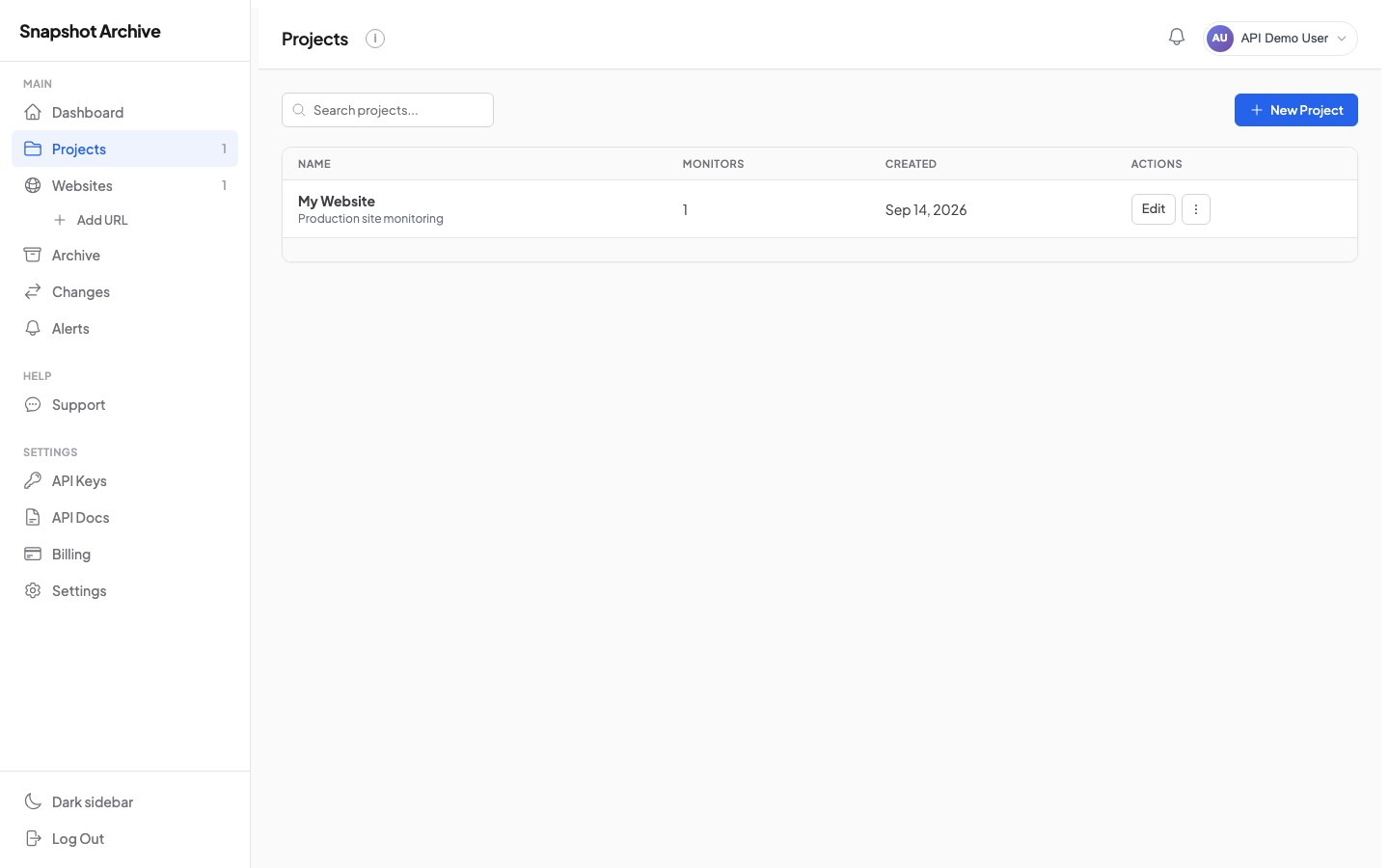
Retrieve a single project by ID.
Update a project. Send only the fields you want to change.
Delete a project. Returns 204 No Content on success.
Monitors
Monitors are the core resource. Each monitor tracks a URL and captures screenshots on a schedule. You can configure viewport size, device type, authentication, and many other capture options.
Returns a paginated list of your monitors.
Query Parameters
| Parameter | Type | Description |
|---|---|---|
per_page | integer | Items per page (default: 20) |
project_id | integer | Filter monitors by project |
status | string | Filter by status: active, paused, error, plan_exceeded |
url | string | Search monitors by URL (partial match) |
name | string | Search monitors by name (partial match) |
tag | string | Filter monitors by tag name (exact match) |
sort | string | Sort field: created_at (default), updated_at, url, name, status, last_snapshot_at, next_snapshot_at |
order | string | Sort direction: desc (default) or asc |
Request Example
# List all active monitors
curl "https://api.snapshotarchive.com/v1/monitors?status=active" \
  -H "Authorization: Bearer YOUR_API_KEY" \
  -H "Accept: application/json"

# Search by URL
curl "https://api.snapshotarchive.com/v1/monitors?url=example.com" \
  -H "Authorization: Bearer YOUR_API_KEY" \
-H "Accept: application/json"import requests
API_KEY = 'YOUR_API_KEY'
BASE = 'https://api.snapshotarchive.com/v1'
headers = {'Authorization': f'Bearer {API_KEY}', 'Accept': 'application/json'}
# List monitors
response = requests.get(f'{BASE}/monitors', headers=headers, params={'status': 'active'})
monitors = response.json()
# Access the data
for monitor in monitors['data']:
print(f"ID: {monitor['id']} | {monitor['url']} | Status: {monitor['status']}")
# Get a specific monitor's ID for use in other endpoints
monitor_id = monitors['data'][0]['id'] # e.g. 42
print(f"\nUse this ID for snapshots: GET /v1/monitors/{monitor_id}/snapshots")const API_KEY = 'YOUR_API_KEY';
const BASE = 'https://api.snapshotarchive.com/v1';
const headers = { 'Authorization': `Bearer ${API_KEY}`, 'Accept': 'application/json' };
// List monitors
const res = await fetch(`${BASE}/monitors?status=active`, { headers });
const { data: monitors, meta } = await res.json();
// Access the data
monitors.forEach(m => {
console.log(`ID: ${m.id} | ${m.url} | Status: ${m.status}`);
});
// Get a specific monitor's ID for use in other endpoints
const monitorId = monitors[0].id; // e.g. 42
console.log(`\nUse this ID for snapshots: GET /v1/monitors/${monitorId}/snapshots`);Response
{
  "data": [
    {
      "id": 42,
      "project_id": 1,
      "url": "https://example.com",
      "name": "Example Homepage",
      "status": "active",
      "frequency_minutes": 720,
      "viewport_width": 1920,
      "viewport_height": 1080,
      "full_page": false,
      "device_type": "desktop",
      "diff_enabled": true,
      "diff_threshold_percent": 50,
      "watermark_enabled": false,
      "alert_enabled": false,
      "last_snapshot_at": "2026-07-24T08:00:00Z",
      "next_snapshot_at": "2026-07-24T20:00:00Z",
      "created_at": "2026-01-15T10:30:00Z",
      "updated_at": "2026-07-24T08:00:05Z",
      "project": {
        "id": 1,
        "name": "My Website"
      }
    }
  ],
  "meta": {
    "current_page": 1,
    "per_page": 20,
    "total": 5,
    "last_page": 1
  }
}data[].id field (e.g. 42) is the monitor ID. Use it in other endpoints like /v1/monitors/42/snapshots, /v1/monitors/42/trigger, and /v1/monitors/42/diffs.
Create a new monitor. The monitor starts capturing immediately on its schedule.
Request Body
| Field | Type | Required | Description |
|---|---|---|---|
url | string | Yes | URL to monitor (max 2048 chars) |
name | string | No | Display name (max 255 chars) |
project_id | integer | No | Project to assign monitor to |
frequency_minutes | integer | Yes | Capture interval in minutes (min: 30, subject to plan limits) |
device_type | string | Yes | desktop or mobile |
viewport_width | integer | Yes | Browser width in pixels (320–3840) |
viewport_height | integer | Yes | Browser height in pixels (480–2160) |
full_page | boolean | No | Capture the full scrollable page (default: false) |
delay_seconds | integer | No | Wait before capture, 0–30 seconds |
wait_for_selector | string | No | CSS selector to wait for before capture |
click_selector | string | No | CSS selector to click before capture |
clip_selector | string | No | CSS selector to clip screenshot to a specific element |
hide_selectors | array | No | CSS selectors to hide (e.g. cookie banners) |
disable_animations | boolean | No | Disable CSS animations/transitions |
http_auth_user | string | No | HTTP Basic Auth username |
http_auth_password | string | No | HTTP Basic Auth password |
cookies | array | No | Custom cookies (max 20). Each: {name, value, domain} |
diff_threshold_percent | number | No | Visual diff sensitivity, 0–100 (default: 50) |
watermark_enabled | boolean | No | Add timestamp watermark to screenshots |
alert_enabled | boolean | No | Enable change alerts |
alert_email | string | No | Email for change notifications |
alert_webhook_url | string | No | Webhook URL for change notifications |
alert_slack_webhook_url | string | No | Slack webhook URL for notifications |
curl -X POST https://api.snapshotarchive.com/v1/monitors \
  -H "Authorization: Bearer YOUR_API_KEY" \
  -H "Content-Type: application/json" \
  -H "Accept: application/json" \
  -d '{
    "url": "https://example.com",
    "name": "Example Homepage",
    "project_id": 1,
    "frequency_minutes": 360,
    "device_type": "desktop",
    "viewport_width": 1920,
    "viewport_height": 1080,
    "full_page": true,
    "hide_selectors": [".cookie-banner", "#popup"],
    "diff_threshold_percent": 30,
    "alert_enabled": true,
    "alert_email": "[email protected]"
}'$response = Http::withToken('YOUR_API_KEY')
->post('https://api.snapshotarchive.com/v1/monitors', [
'url' => 'https://example.com',
'name' => 'Example Homepage',
'project_id' => 1,
'frequency_minutes' => 360,
'device_type' => 'desktop',
'viewport_width' => 1920,
'viewport_height' => 1080,
'full_page' => true,
'hide_selectors' => ['.cookie-banner', '#popup'],
'diff_threshold_percent' => 30,
'alert_enabled' => true,
'alert_email' => '[email protected]',
]);
$monitor = $response->json('data');response = requests.post(
'https://api.snapshotarchive.com/v1/monitors',
headers={'Authorization': 'Bearer YOUR_API_KEY', 'Accept': 'application/json'},
json={
'url': 'https://example.com',
'name': 'Example Homepage',
'project_id': 1,
'frequency_minutes': 360,
'device_type': 'desktop',
'viewport_width': 1920,
'viewport_height': 1080,
'full_page': True,
'hide_selectors': ['.cookie-banner', '#popup'],
'diff_threshold_percent': 30,
'alert_enabled': True,
'alert_email': '[email protected]',
}
)
monitor = response.json()['data']const response = await fetch('https://api.snapshotarchive.com/v1/monitors', {
method: 'POST',
headers: {
'Authorization': 'Bearer YOUR_API_KEY',
'Content-Type': 'application/json',
'Accept': 'application/json',
},
body: JSON.stringify({
url: 'https://example.com',
name: 'Example Homepage',
project_id: 1,
frequency_minutes: 360,
device_type: 'desktop',
viewport_width: 1920,
viewport_height: 1080,
full_page: true,
hide_selectors: ['.cookie-banner', '#popup'],
diff_threshold_percent: 30,
alert_enabled: true,
alert_email: '[email protected]',
}),
});
const { data: monitor } = await response.json();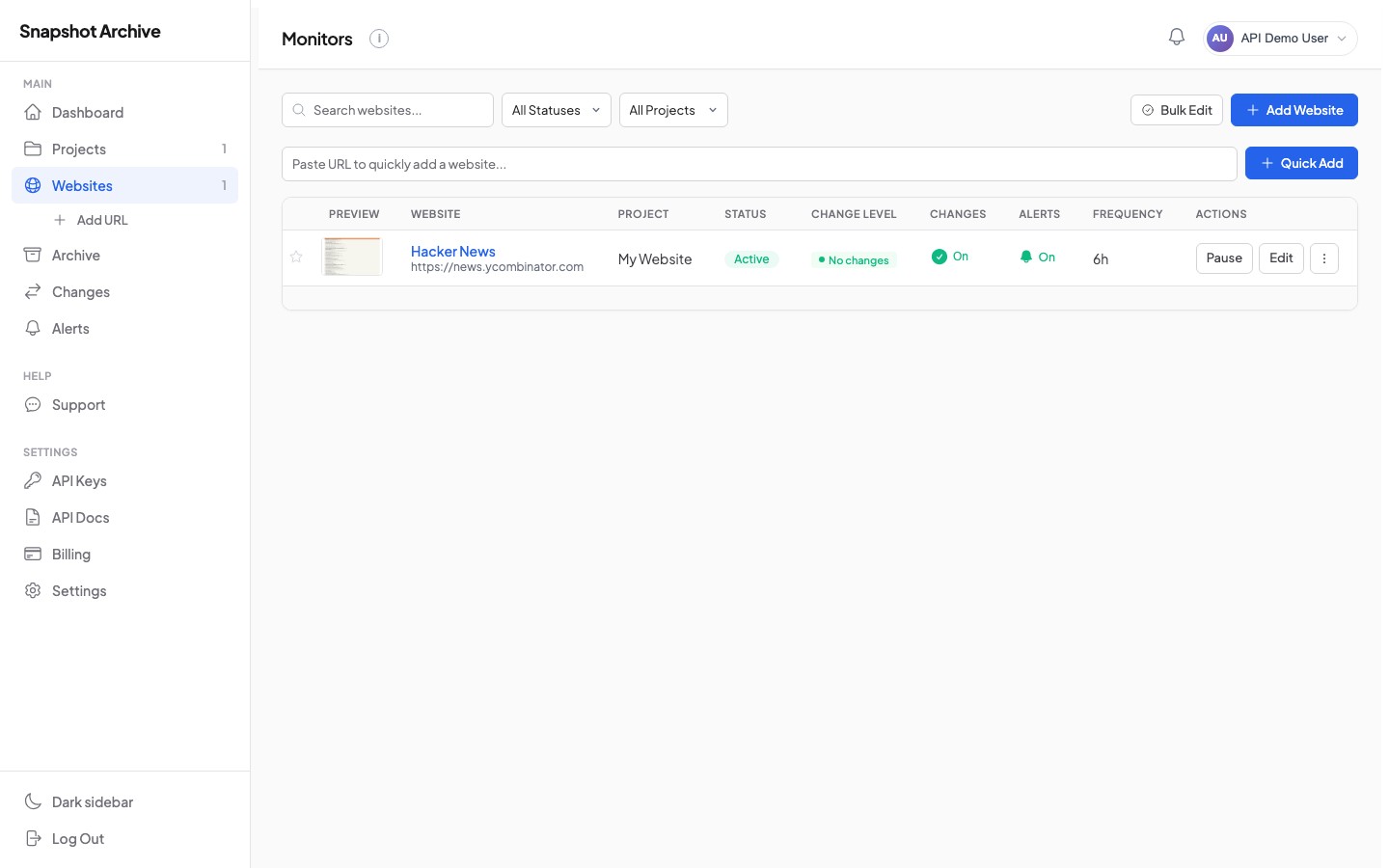
Retrieve a single monitor with its latest snapshot.
Update a monitor. Send only the fields you want to change.
# Pause a monitor
curl -X PATCH https://api.snapshotarchive.com/v1/monitors/42 \
  -H "Authorization: Bearer YOUR_API_KEY" \
  -H "Content-Type: application/json" \
  -H "Accept: application/json" \
-d '{"status": "paused"}'Delete a monitor and all its snapshots. Returns 204 No Content.
Trigger an immediate snapshot capture. Returns 202 Accepted — the snapshot is processed asynchronously.
{
  "data": {
    "message": "Snapshot queued successfully.",
    "snapshot_id": "9e8f7a6b-5c4d-3e2f-1a0b-9c8d7e6f5a4b"
  }
}GET /v1/snapshots/{snapshot_id} until status changes from pending to completed or failed. Typical capture time is 10–30 seconds.
Snapshots
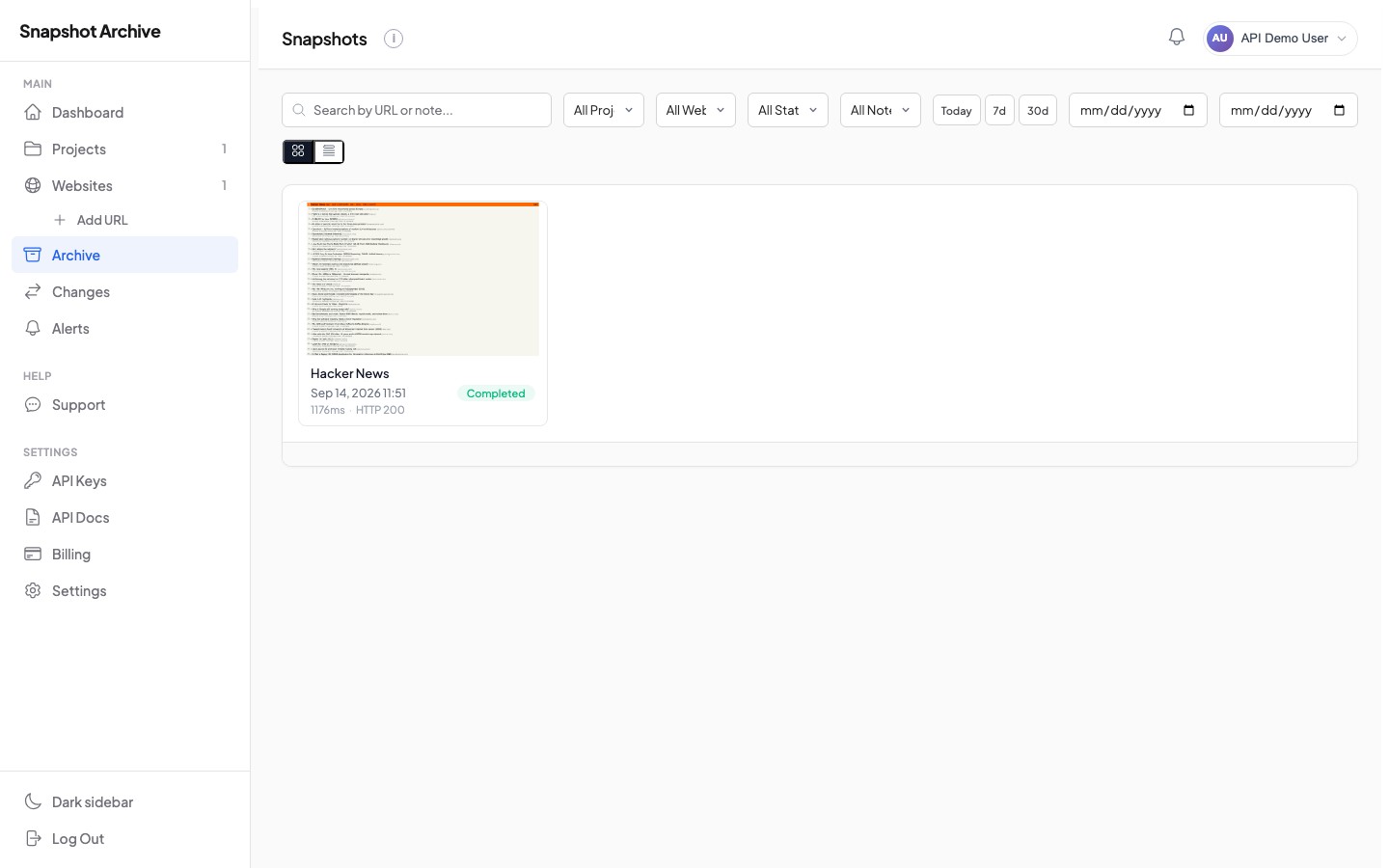
Snapshots are the captured screenshots. Each snapshot includes the screenshot image, and optionally a PDF export and HTML source.
Returns a paginated list of snapshots for a specific monitor, newest first.
Query Parameters
| Parameter | Type | Description |
|---|---|---|
per_page | integer | Items per page (default: 20) |
captured_after | string | Only snapshots captured after this date/time (ISO 8601, e.g. 2026-09-01 or 2026-09-01T00:00:00Z) |
captured_before | string | Only snapshots captured before this date/time |
status | string | Filter by status: completed, failed, pending, processing |
sort | string | Sort field: captured_at (default), created_at, http_status, response_time_ms, page_weight_bytes |
order | string | Sort direction: desc (default) or asc |
Request Example
# List snapshots for monitor 42 (get monitor ID from GET /v1/monitors)
curl "https://api.snapshotarchive.com/v1/monitors/42/snapshots?status=completed&captured_after=2026-09-01" \
  -H "Authorization: Bearer YOUR_API_KEY" \
-H "Accept: application/json"# Get monitor ID first, then list its snapshots
monitors = requests.get(f'{BASE}/monitors', headers=headers, params={'url': 'example.com'}).json()
monitor_id = monitors['data'][0]['id'] # e.g. 42
snapshots = requests.get(
f'{BASE}/monitors/{monitor_id}/snapshots',
headers=headers,
params={'status': 'completed', 'captured_after': '2026-09-01'}
).json()
for snap in snapshots['data']:
print(f"{snap['id'][:8]}... | {snap['captured_at']} | HTTP {snap['http_status']}")// Get monitor ID first, then list its snapshots
const monitors = await fetch(`${BASE}/monitors?url=example.com`, { headers }).then(r => r.json());
const monitorId = monitors.data[0].id; // e.g. 42
const params = new URLSearchParams({ status: 'completed', captured_after: '2026-09-01' });
const { data: snapshots } = await fetch(
`${BASE}/monitors/${monitorId}/snapshots?${params}`, { headers }
).then(r => r.json());
snapshots.forEach(s => {
console.log(`${s.id.slice(0, 8)}... | ${s.captured_at} | HTTP ${s.http_status}`);
});Response
{
  "data": [
    {
      "id": "9e8f7a6b-5c4d-3e2f-1a0b-9c8d7e6f5a4b",
      "monitor_id": 42,
      "status": "completed",
      "http_status": 200,
      "response_time_ms": 1250,
      "page_weight_bytes": 2456789,
      "error_message": null,
      "captured_at": "2026-07-24T08:00:15Z",
      "created_at": "2026-07-24T08:00:00Z"
    }
  ],
  "meta": {
    "current_page": 1,
    "per_page": 20,
    "total": 150,
    "last_page": 8
  }
}Get the most recent completed snapshot for a monitor, with signed download URLs. This is a shortcut — instead of listing snapshots and picking the first one, you get the latest in a single call.
# Get the latest screenshot for monitor 42
curl https://api.snapshotarchive.com/v1/monitors/42/latest-snapshot \
  -H "Authorization: Bearer YOUR_API_KEY" \
  -H "Accept: application/json"
Returns 404 if the monitor has no completed snapshots yet.
Retrieve a snapshot with signed download URLs for all available files.
Request Example
# Use the snapshot UUID from trigger response or snapshots list
curl "https://api.snapshotarchive.com/v1/snapshots/9e8f7a6b-5c4d-3e2f-1a0b-9c8d7e6f5a4b" \
  -H "Authorization: Bearer YOUR_API_KEY" \
-H "Accept: application/json"# Get snapshot details with download URLs
snapshot_uuid = '9e8f7a6b-5c4d-3e2f-1a0b-9c8d7e6f5a4b' # from trigger or list
snapshot = requests.get(f'{BASE}/snapshots/{snapshot_uuid}', headers=headers).json()['data']
# Download the screenshot
if snapshot['files']['screenshot_url']:
img = requests.get(snapshot['files']['screenshot_url'])
with open('screenshot.png', 'wb') as f:
f.write(img.content)// Get snapshot details with download URLs
const snapshotId = '9e8f7a6b-5c4d-3e2f-1a0b-9c8d7e6f5a4b'; // from trigger or list
const { data: snapshot } = await fetch(`${BASE}/snapshots/${snapshotId}`, { headers })
.then(r => r.json());
console.log(`Status: ${snapshot.status}`);
console.log(`Screenshot: ${snapshot.files.screenshot_url}`);Response
{
  "data": {
    "id": "9e8f7a6b-5c4d-3e2f-1a0b-9c8d7e6f5a4b",
    "monitor_id": 42,
    "status": "completed",
    "http_status": 200,
    "response_time_ms": 1250,
    "page_weight_bytes": 2456789,
    "meta_data": {
      "title": "Example Domain",
      "description": "This domain is for use in examples..."
    },
    "error_message": null,
    "captured_at": "2026-07-24T08:00:15Z",
    "created_at": "2026-07-24T08:00:00Z",
    "files": {
      "screenshot_url": "https://snapshots.snapshotarchive.com/...",
      "pdf_url": "https://snapshots.snapshotarchive.com/...",
      "html_url": "https://snapshots.snapshotarchive.com/..."
    }
  }
}
Download Files
Download the screenshot image. If the monitor has watermarking enabled, the watermark is applied dynamically. Otherwise, redirects to a signed storage URL.
Download the PDF export. Requires Starter plan or above.
Download the HTML source. Requires Starter plan or above.
Download all files (screenshot, PDF, HTML) as a ZIP archive. Requires Starter plan or above.
Polling Example
After triggering a snapshot, poll until it's ready:
#!/bin/bash
# Trigger snapshot
RESPONSE=$(curl -s -X POST https://api.snapshotarchive.com/v1/monitors/42/trigger \
  -H "Authorization: Bearer YOUR_API_KEY" \
  -H "Accept: application/json")

SNAPSHOT_ID=$(echo $RESPONSE | jq -r '.data.snapshot_id')

# Poll until completed
while true; do
  STATUS=$(curl -s https://api.snapshotarchive.com/v1/snapshots/$SNAPSHOT_ID \
    -H "Authorization: Bearer YOUR_API_KEY" \
    -H "Accept: application/json" | jq -r '.data.status')

  echo "Status: $STATUS"

  if [ "$STATUS" = "completed" ] || [ "$STATUS" = "failed" ]; then
    break
  fi

  sleep 5
done// Trigger snapshot
$trigger = Http::withToken('YOUR_API_KEY')
->post('https://api.snapshotarchive.com/v1/monitors/42/trigger');
$snapshotId = $trigger->json('data.snapshot_id');
// Poll until completed
do {
sleep(5);
$snapshot = Http::withToken('YOUR_API_KEY')
->get("https://api.snapshotarchive.com/v1/snapshots/{$snapshotId}")
->json('data');
} while (in_array($snapshot['status'], ['pending', 'processing']));
// Download screenshot
if ($snapshot['status'] === 'completed') {
$screenshotUrl = $snapshot['files']['screenshot_url'];
}import time
import requests
API_KEY = 'YOUR_API_KEY'
BASE = 'https://api.snapshotarchive.com/v1'
headers = {'Authorization': f'Bearer {API_KEY}', 'Accept': 'application/json'}
# Trigger snapshot
trigger = requests.post(f'{BASE}/monitors/42/trigger', headers=headers)
snapshot_id = trigger.json()['data']['snapshot_id']
# Poll until completed
while True:
time.sleep(5)
snap = requests.get(f'{BASE}/snapshots/{snapshot_id}', headers=headers).json()['data']
if snap['status'] in ('completed', 'failed'):
break
# Download screenshot
if snap['status'] == 'completed':
screenshot_url = snap['files']['screenshot_url']
img = requests.get(screenshot_url)
with open('screenshot.png', 'wb') as f:
f.write(img.content)const API_KEY = 'YOUR_API_KEY';
const BASE = 'https://api.snapshotarchive.com/v1';
const headers = {
'Authorization': `Bearer ${API_KEY}`,
'Accept': 'application/json',
};
// Trigger snapshot
const trigger = await fetch(`${BASE}/monitors/42/trigger`, {
method: 'POST', headers,
});
const { data: { snapshot_id } } = await trigger.json();
// Poll until completed
const sleep = ms => new Promise(r => setTimeout(r, ms));
let snapshot;
do {
await sleep(5000);
const res = await fetch(`${BASE}/snapshots/${snapshot_id}`, { headers });
snapshot = (await res.json()).data;
} while (['pending', 'processing'].includes(snapshot.status));
// Download screenshot
if (snapshot.status === 'completed') {
const img = await fetch(snapshot.files.screenshot_url);
// save to file or process the image
}Diffs
Visual diffs compare consecutive snapshots to detect changes. Each diff includes a change percentage and a highlighted diff image showing what changed.
Returns a paginated list of diffs for a specific monitor.
Query Parameters
| Parameter | Type | Description |
|---|---|---|
per_page | integer | Items per page (default: 20) |
created_after | string | Only diffs created after this date/time (ISO 8601) |
created_before | string | Only diffs created before this date/time |
min_change_percent | number | Only diffs with change ≥ this percentage (e.g. 5 for 5%+) |
max_change_percent | number | Only diffs with change ≤ this percentage |
is_significant | boolean | Filter by significance: true or false |
sort | string | Sort field: created_at (default), change_percent |
order | string | Sort direction: desc (default) or asc |
Request Example
# List diffs for monitor 42 (get monitor ID from GET /v1/monitors)
curl "https://api.snapshotarchive.com/v1/monitors/42/diffs?is_significant=true" \
  -H "Authorization: Bearer YOUR_API_KEY" \
-H "Accept: application/json"# Get monitor ID first
monitors = requests.get(f'{BASE}/monitors', headers=headers, params={'url': 'example.com'}).json()
monitor_id = monitors['data'][0]['id']
# List significant diffs
diffs = requests.get(
f'{BASE}/monitors/{monitor_id}/diffs',
headers=headers,
params={'is_significant': 'true', 'sort': 'change_percent', 'order': 'desc'}
).json()
for diff in diffs['data']:
print(f"Diff #{diff['id']}: {diff['change_percent']}% change on {diff['created_at']}")// Get monitor ID first
const monitors = await fetch(`${BASE}/monitors?url=example.com`, { headers }).then(r => r.json());
const monitorId = monitors.data[0].id;
// List significant diffs
const params = new URLSearchParams({ is_significant: 'true', sort: 'change_percent', order: 'desc' });
const { data: diffs } = await fetch(`${BASE}/monitors/${monitorId}/diffs?${params}`, { headers })
.then(r => r.json());
diffs.forEach(d => {
console.log(`Diff #${d.id}: ${d.change_percent}% change on ${d.created_at}`);
});Response
{
  "data": [
    {
      "id": 789,
      "monitor_id": 42,
      "change_percent": 12.5,
      "pixel_count_changed": 28500,
      "pixel_count_total": 228000,
      "is_significant": true,
      "created_at": "2026-07-24T08:00:20Z",
      "snapshot_before": {
        "id": "abc12345-...",
        "captured_at": "2026-07-23T08:00:15Z"
      },
      "snapshot_after": {
        "id": "def67890-...",
        "captured_at": "2026-07-24T08:00:15Z"
      }
    }
  ],
  "meta": {
    "current_page": 1,
    "per_page": 20,
    "total": 30,
    "last_page": 2
  }
}Retrieve a single diff with a signed URL for the diff image.
Request Example
# Use the diff ID from the diffs list response
curl "https://api.snapshotarchive.com/v1/diffs/789" \
  -H "Authorization: Bearer YOUR_API_KEY" \
-H "Accept: application/json"# Get diff details with the diff image URL
diff_id = 789 # from the diffs list response
diff = requests.get(f'{BASE}/diffs/{diff_id}', headers=headers).json()['data']
print(f"Change: {diff['change_percent']}%")
print(f"Diff image: {diff['diff_image_url']}")// Get diff details with the diff image URL
const diffId = 789; // from the diffs list response
const { data: diff } = await fetch(`${BASE}/diffs/${diffId}`, { headers }).then(r => r.json());
console.log(`Change: ${diff.change_percent}%`);
console.log(`Diff image: ${diff.diff_image_url}`);Response
{
  "data": {
    "id": 789,
    "monitor_id": 42,
    "change_percent": 12.5,
    "pixel_count_changed": 28500,
    "pixel_count_total": 228000,
    "is_significant": true,
    "diff_image_url": "https://snapshots.snapshotarchive.com/...",
    "created_at": "2026-07-24T08:00:20Z",
    "snapshot_before": {
      "id": "abc12345-...",
      "captured_at": "2026-07-23T08:00:15Z"
    },
    "snapshot_after": {
      "id": "def67890-...",
      "captured_at": "2026-07-24T08:00:15Z"
    }
  }
}
Account Info
Retrieve your account details and current plan information.
Returns your account profile and active plan.
Request Example
curl "https://api.snapshotarchive.com/v1/account" \
  -H "Authorization: Bearer YOUR_API_KEY" \
-H "Accept: application/json"account = requests.get(f'{BASE}/account', headers=headers).json()['data']
print(f"Plan: {account['plan']['name']}")
print(f"Monitors limit: {account['plan']['monitors_limit']}")
print(f"API access: {account['plan']['api_access']}")const { data: account } = await fetch(`${BASE}/account`, { headers }).then(r => r.json());
console.log(`Plan: ${account.plan.name}`);
console.log(`Monitors limit: ${account.plan.monitors_limit}`);Response
{
  "data": {
    "id": 1,
    "name": "John Doe",
    "email": "[email protected]",
    "timezone": "America/New_York",
    "created_at": "2026-01-15T10:30:00Z",
    "plan": {
      "name": "Pro",
      "slug": "pro",
      "monitors_limit": 50,
      "retention_days": 365,
      "min_frequency_minutes": 360,
      "api_access": true,
      "diff_enabled": true,
      "snapshot_package": true
    }
  }
}
Usage Stats
Check your current resource usage against plan limits.
Returns current usage for monitors, API keys, and today's snapshot count.
Request Example
curl "https://api.snapshotarchive.com/v1/account/usage" \
  -H "Authorization: Bearer YOUR_API_KEY" \
-H "Accept: application/json"usage = requests.get(f'{BASE}/account/usage', headers=headers).json()['data']
monitors = usage['monitors']
print(f"Monitors: {monitors['used']}/{monitors['limit']} ({monitors['remaining']} remaining)")
print(f"Snapshots today: {usage['snapshots_today']}")const { data: usage } = await fetch(`${BASE}/account/usage`, { headers }).then(r => r.json());
console.log(`Monitors: ${usage.monitors.used}/${usage.monitors.limit}`);
console.log(`Snapshots today: ${usage.snapshots_today}`);Response
{
  "data": {
    "monitors": {
      "used": 12,
      "limit": 50,
      "remaining": 38
    },
    "api_keys": {
      "used": 2,
      "limit": 5,
      "remaining": 3
    },
    "snapshots_today": 24
  }
}
Pagination
All list endpoints return paginated results. Use the meta object to navigate through pages.
Query Parameters
| Parameter | Type | Description |
|---|---|---|
page | integer | Page number (default: 1) |
per_page | integer | Items per page (default: 20) |
{
  "meta": {
    "current_page": 2,
    "per_page": 20,
    "total": 85,
    "last_page": 5
  }
}# Get page 3 with 50 items per page
curl "https://api.snapshotarchive.com/v1/monitors?page=3&per_page=50" \
-H "Authorization: Bearer YOUR_API_KEY" \
-H "Accept: application/json"Rate Limits
API requests are rate-limited to ensure fair usage. Rate limit information is included in response headers.
| Header | Description |
|---|---|
X-RateLimit-Limit | Max requests per minute |
X-RateLimit-Remaining | Remaining requests in current window |
Retry-After | Seconds to wait (only on 429 responses) |
If you exceed the rate limit, you'll receive a 429 Too Many Requests response. Wait for the duration indicated in the Retry-After header before making another request.
Error Codes
All errors return a consistent JSON structure with an error code, human-readable message, and HTTP status.
{
  "error": {
    "code": "monitor_limit_exceeded",
    "message": "You have reached the maximum number of monitors for your plan.",
    "status": 422
  }
}
HTTP Status Codes
| Code | Meaning |
|---|---|
200 | Success |
201 | Resource created |
202 | Request accepted (async processing) |
204 | Deleted successfully (no content) |
401 | Invalid or missing API key |
403 | Feature not available on your plan |
404 | Resource not found |
422 | Validation error or plan limit exceeded |
429 | Rate limit exceeded |
500 | Internal server error |
Error Codes Reference
| Error Code | HTTP | Description |
|---|---|---|
monitor_limit_exceeded | 422 | Monitor count exceeds your plan limit. Upgrade or delete existing monitors. |
frequency_not_allowed | 422 | Requested frequency is lower than your plan allows. |
feature_not_available | 403 | Your plan does not include this feature (PDF, HTML export, etc.). |
not_found | 404 | The requested resource or file does not exist. |
422 responses from validation, the response includes a message field with details and an errors object mapping field names to error messages.
{
  "message": "The url field is required.",
  "errors": {
    "url": ["The url field is required."],
    "frequency_minutes": ["The frequency minutes field is required."]
  }
}Filtering & Sorting
All list endpoints support filtering and sorting via query parameters. Combine multiple filters in a single request to narrow down results.
How Filters Work
Filters are passed as query parameters. Only records matching all specified filters are returned (AND logic). Omitted filters have no effect.
Date Filters
Date parameters accept ISO 8601 format. You can use a date (2026-09-01) or a full timestamp (2026-09-01T14:30:00Z).
# Snapshots from September 2026
curl "https://api.snapshotarchive.com/v1/monitors/42/snapshots?captured_after=2026-09-01&captured_before=2026-09-30" \
  -H "Authorization: Bearer YOUR_API_KEY" \
  -H "Accept: application/json"

# Only completed snapshots, oldest first
curl "https://api.snapshotarchive.com/v1/monitors/42/snapshots?status=completed&sort=captured_at&order=asc" \
  -H "Authorization: Bearer YOUR_API_KEY" \
  -H "Accept: application/json"

# Diffs with more than 5% visual change
curl "https://api.snapshotarchive.com/v1/monitors/42/diffs?min_change_percent=5&sort=change_percent&order=desc" \
  -H "Authorization: Bearer YOUR_API_KEY" \
  -H "Accept: application/json"

# Search monitors by URL
curl "https://api.snapshotarchive.com/v1/monitors?url=example.com&status=active" \
  -H "Authorization: Bearer YOUR_API_KEY" \
  -H "Accept: application/json"
Filter Reference
| Endpoint | Available Filters |
|---|---|
/v1/monitors | project_id, status, url, name, tag |
/v1/monitors/{id}/snapshots | captured_after, captured_before, status |
/v1/monitors/{id}/diffs | created_after, created_before, min_change_percent, max_change_percent, is_significant |
Sorting
All list endpoints accept sort and order parameters. If not specified, results are sorted by creation date, newest first.
| Endpoint | Sortable Fields |
|---|---|
/v1/projects | created_at, updated_at, name |
/v1/monitors | created_at, updated_at, url, name, status, last_snapshot_at, next_snapshot_at |
/v1/monitors/{id}/snapshots | captured_at, created_at, http_status, response_time_ms, page_weight_bytes |
/v1/monitors/{id}/diffs | created_at, change_percent |
Guide: Get a Snapshot by Date
A common task is retrieving the screenshot of a specific page as it appeared on a particular date. Use the captured_after and captured_before filters with per_page=1 to get exactly the snapshot you need.
Step 1: Find your monitor
First, list your monitors to get the ID of the one you need. You can search by URL:
# Find monitor by URL
curl "https://api.snapshotarchive.com/v1/monitors?url=example.com" \
  -H "Authorization: Bearer YOUR_API_KEY" \
  -H "Accept: application/json"

# Response includes: "data": [{"id": 42, "url": "https://example.com", ...}]
# Use the "id" value (42) in the next step
Step 2: Find the closest snapshot to a specific date
# Get the screenshot from September 5, 2026
# Use captured_before to get the latest snapshot on or before that date
curl "https://api.snapshotarchive.com/v1/monitors/42/snapshots?captured_before=2026-09-05T23:59:59Z&status=completed&per_page=1" \
  -H "Authorization: Bearer YOUR_API_KEY" \
  -H "Accept: application/json"

# The first item in "data" is the closest snapshot before that date
# Use the snapshot UUID to download the image:
curl -L "https://api.snapshotarchive.com/v1/snapshots/SNAPSHOT_UUID/screenshot" \
  -H "Authorization: Bearer YOUR_API_KEY" \
-o screenshot-sept5.pngimport requests
API_KEY = 'YOUR_API_KEY'
BASE = 'https://api.snapshotarchive.com/v1'
headers = {'Authorization': f'Bearer {API_KEY}', 'Accept': 'application/json'}
# Step 1: Find the monitor by URL
monitors = requests.get(f'{BASE}/monitors', headers=headers, params={'url': 'example.com'}).json()
monitor_id = monitors['data'][0]['id'] # e.g. 42
print(f"Monitor ID: {monitor_id}")
# Step 2: Get the closest snapshot on or before September 5
response = requests.get(
f'{BASE}/monitors/{monitor_id}/snapshots',
headers=headers,
params={
'captured_before': '2026-09-05T23:59:59Z',
'status': 'completed',
'per_page': 1,
}
)
snapshots = response.json()['data']
if snapshots:
snapshot = snapshots[0]
print(f"Found: {snapshot['captured_at']}")
# Step 3: Download the image
detail = requests.get(f"{BASE}/snapshots/{snapshot['id']}", headers=headers).json()['data']
img = requests.get(detail['files']['screenshot_url'])
with open('screenshot-sept5.png', 'wb') as f:
f.write(img.content)
else:
print("No snapshot found for that date")const API_KEY = 'YOUR_API_KEY';
const BASE = 'https://api.snapshotarchive.com/v1';
const headers = { 'Authorization': `Bearer ${API_KEY}`, 'Accept': 'application/json' };
// Step 1: Find the monitor by URL
const monitors = await fetch(`${BASE}/monitors?url=example.com`, { headers }).then(r => r.json());
const monitorId = monitors.data[0].id; // e.g. 42
console.log(`Monitor ID: ${monitorId}`);
// Step 2: Get the closest snapshot on or before September 5
const params = new URLSearchParams({
captured_before: '2026-09-05T23:59:59Z',
status: 'completed',
per_page: '1',
});
const snapshotsRes = await fetch(`${BASE}/monitors/${monitorId}/snapshots?${params}`, { headers });
const { data: snapshots } = await snapshotsRes.json();
if (snapshots.length > 0) {
const snapshot = snapshots[0];
console.log(`Found: ${snapshot.captured_at}`);
// Step 3: Get download URLs
const detail = await fetch(`${BASE}/snapshots/${snapshot.id}`, { headers }).then(r => r.json());
console.log('Screenshot URL:', detail.data.files.screenshot_url);
} else {
console.log('No snapshot found for that date');
}Guide: Detect Visual Changes
Snapshot Archive automatically compares consecutive snapshots and generates visual diffs. Use the diffs API to find pages that have changed, filter by change magnitude, and alert on significant updates.
You need a monitor ID to query diffs. Get it from GET /v1/monitors (see Monitors) or by searching: GET /v1/monitors?url=example.com.
Find all significant changes this week
# Get significant diffs from the past 7 days for monitor 42
curl "https://api.snapshotarchive.com/v1/monitors/42/diffs?created_after=2026-09-07&is_significant=true&sort=change_percent&order=desc" \
  -H "Authorization: Bearer YOUR_API_KEY" \
  -H "Accept: application/json"

# Get only large changes (>10% pixel difference)
curl "https://api.snapshotarchive.com/v1/monitors/42/diffs?min_change_percent=10" \
  -H "Authorization: Bearer YOUR_API_KEY" \
-H "Accept: application/json"from datetime import datetime, timedelta
# Check all monitors for significant changes this week
monitors = requests.get(f'{BASE}/monitors?status=active', headers=headers).json()['data']
week_ago = (datetime.now() - timedelta(days=7)).strftime('%Y-%m-%d')
for monitor in monitors:
diffs = requests.get(
f"{BASE}/monitors/{monitor['id']}/diffs",
headers=headers,
params={
'created_after': week_ago,
'is_significant': 'true',
'sort': 'change_percent',
'order': 'desc',
}
).json()
if diffs['meta']['total'] > 0:
top_diff = diffs['data'][0]
print(f"{monitor['url']}: {top_diff['change_percent']}% change on {top_diff['created_at']}")// Check all monitors for significant changes this week
const weekAgo = new Date(Date.now() - 7 * 86400000).toISOString().split('T')[0];
const monitors = await fetch(`${BASE}/monitors?status=active`, { headers }).then(r => r.json());
for (const monitor of monitors.data) {
const params = new URLSearchParams({
created_after: weekAgo,
is_significant: 'true',
sort: 'change_percent',
order: 'desc',
});
const diffs = await fetch(`${BASE}/monitors/${monitor.id}/diffs?${params}`, { headers })
.then(r => r.json());
if (diffs.meta.total > 0) {
const top = diffs.data[0];
console.log(`${monitor.url}: ${top.change_percent}% change on ${top.created_at}`);
}
}min_change_percent=3 or use is_significant=true which respects your monitor's configured diff threshold.
Guide: Bulk Download Screenshots
Need to download all screenshots for a monitor within a date range? Paginate through the results and download each file. Here's how to automate it.
First, get your monitor ID from GET /v1/monitors or GET /v1/monitors?url=example.com. Then use it in the scripts below.
#!/bin/bash
API_KEY="YOUR_API_KEY"
MONITOR_ID=42
BASE="https://api.snapshotarchive.com/v1"
OUTPUT_DIR="./screenshots"
mkdir -p "$OUTPUT_DIR"

PAGE=1
while true; do
  RESPONSE=$(curl -s "$BASE/monitors/$MONITOR_ID/snapshots?captured_after=2026-09-01&captured_before=2026-09-30&status=completed&per_page=20&page=$PAGE" \
    -H "Authorization: Bearer $API_KEY" \
    -H "Accept: application/json")

  # Extract snapshot IDs
  IDS=$(echo "$RESPONSE" | jq -r '.data[].id')
  [ -z "$IDS" ] && break

  for ID in $IDS; do
    DATE=$(echo "$RESPONSE" | jq -r ".data[] | select(.id==\"$ID\") | .captured_at[:10]")
    curl -sL "$BASE/snapshots/$ID/screenshot" \
      -H "Authorization: Bearer $API_KEY" \
      -o "$OUTPUT_DIR/$DATE-$ID.png"
    echo "Downloaded: $DATE-$ID.png"
  done

  LAST_PAGE=$(echo "$RESPONSE" | jq '.meta.last_page')
  [ "$PAGE" -ge "$LAST_PAGE" ] && break
  PAGE=$((PAGE + 1))
done

echo "Done! Downloaded to $OUTPUT_DIR"import os, requests
API_KEY = 'YOUR_API_KEY'
BASE = 'https://api.snapshotarchive.com/v1'
headers = {'Authorization': f'Bearer {API_KEY}', 'Accept': 'application/json'}
def download_all_snapshots(monitor_id, date_from, date_to, output_dir='./screenshots'):
os.makedirs(output_dir, exist_ok=True)
page = 1
while True:
response = requests.get(
f'{BASE}/monitors/{monitor_id}/snapshots',
headers=headers,
params={
'captured_after': date_from,
'captured_before': date_to,
'status': 'completed',
'per_page': 20,
'page': page,
}
).json()
for snap in response['data']:
# Get signed URL
detail = requests.get(f"{BASE}/snapshots/{snap['id']}", headers=headers).json()['data']
url = detail['files']['screenshot_url']
if url:
date = snap['captured_at'][:10]
filename = f"{date}-{snap['id'][:8]}.png"
img = requests.get(url)
with open(os.path.join(output_dir, filename), 'wb') as f:
f.write(img.content)
print(f"Downloaded: {filename}")
if page >= response['meta']['last_page']:
break
page += 1
# Download all September 2026 screenshots for monitor 42
download_all_snapshots(42, '2026-09-01', '2026-09-30')import { writeFile, mkdir } from 'fs/promises';
const API_KEY = 'YOUR_API_KEY';
const BASE = 'https://api.snapshotarchive.com/v1';
const headers = { 'Authorization': `Bearer ${API_KEY}`, 'Accept': 'application/json' };
async function downloadAllSnapshots(monitorId, dateFrom, dateTo, outputDir = './screenshots') {
await mkdir(outputDir, { recursive: true });
let page = 1;
while (true) {
const params = new URLSearchParams({
captured_after: dateFrom, captured_before: dateTo,
status: 'completed', per_page: '20', page: String(page),
});
const res = await fetch(`${BASE}/monitors/${monitorId}/snapshots?${params}`, { headers });
const { data, meta } = await res.json();
for (const snap of data) {
const detail = await fetch(`${BASE}/snapshots/${snap.id}`, { headers }).then(r => r.json());
const url = detail.data.files.screenshot_url;
if (url) {
const img = await fetch(url).then(r => r.arrayBuffer());
const date = snap.captured_at.slice(0, 10);
const filename = `${date}-${snap.id.slice(0, 8)}.png`;
await writeFile(`${outputDir}/${filename}`, Buffer.from(img));
console.log(`Downloaded: ${filename}`);
}
}
if (page >= meta.last_page) break;
page++;
}
}
await downloadAllSnapshots(42, '2026-09-01', '2026-09-30');/v1/snapshots/{uuid}/package endpoint to download all files as a single ZIP.
Guide: Webhook Alerts
Snapshot Archive can send webhook notifications when visual changes are detected. Instead of polling the API, set up webhooks on your monitors to get instant alerts.
Configure webhooks
Set the alert_webhook_url field on a monitor to receive HTTP POST notifications when changes are detected.
# Enable webhook alerts on a monitor
curl -X PATCH "https://api.snapshotarchive.com/v1/monitors/42" \
  -H "Authorization: Bearer YOUR_API_KEY" \
  -H "Content-Type: application/json" \
  -H "Accept: application/json" \
  -d '{
    "alert_enabled": true,
    "alert_mode": "instant",
    "alert_webhook_url": "https://your-server.com/webhooks/screenshot-change",
    "diff_enabled": true,
    "diff_threshold_percent": 5
  }'
Alert channels
In addition to custom webhooks, you can send alerts to:
| Field | Description |
|---|---|
alert_email | Email address for notifications |
alert_webhook_url | Custom HTTP endpoint (POST) |
alert_slack_webhook_url | Slack incoming webhook URL |
alert_discord_webhook_url | Discord webhook URL |
alert_telegram_bot_token | Telegram bot token (use with alert_telegram_chat_id) |
diff_threshold_percent to control sensitivity. A value of 5 means only changes affecting 5% or more of the page will trigger an alert. Lower values detect more changes but may generate noise from ad rotations or timestamps.
Changelog
Recent API updates and improvements.
September 14, 2026
- Filtering & Sorting — All list endpoints now support
sortandorderparameters. - Snapshot filters — Filter snapshots by date range (
captured_after,captured_before) andstatus. - Monitor filters — Search monitors by
url,name, filter bystatusandtag. - Diff filters — Filter diffs by date range,
min_change_percent,max_change_percent, andis_significant. - Latest snapshot — New
GET /v1/monitors/{id}/latest-snapshotendpoint for quick access to the most recent screenshot. - Tags API — New
GET /v1/tagsendpoint to list all tags with monitor counts. - Documentation — Added Filtering & Sorting reference, practical use-case guides, and this changelog.
July 2026
- Initial API release with Projects, Monitors, Snapshots, Diffs, Account endpoints.
- Authentication via Bearer API keys.
- Rate limiting: 60 requests/minute per API key.