How to track SaaS pricing page changes automatically
A few months ago, we were putting together a comparison page for one of our own products. We pulled up a competitor's pricing to double-check the numbers — and realized their Pro plan had jumped from $49 to $79. The Starter tier had lost API access entirely. No announcement, no changelog, no tweet. The page just looked different.
We went back and checked — the change had happened at least two weeks earlier. Our comparison page had been showing wrong numbers for half a month. That's awkward enough internally, but if a prospect had used our page to make a decision during that window, we'd have looked either dishonest or out of touch. That experience is one of the reasons we started building automated screenshot monitoring into our own workflow, and we know we're not the only team that's been burned by exactly this kind of silent update.
Pricing pages change quietly. A plan gets renamed, a feature migrates to a higher tier, an annual discount shrinks from 20% to 15%. None of it gets announced — you just have to be watching. So let's talk about how to set that up: what to monitor, how often, and what to do when you catch a change.
Why pricing pages are the most honest page on any SaaS website
Marketing pages can say anything. Pricing pages have to be specific — they list exact numbers, exact features per tier, exact limitations. When a company changes their pricing page, it usually reflects a real strategic decision, not a copywriting experiment or a seasonal refresh.
A new lower-priced tier means the company is chasing smaller customers. A removed free plan means they're tightening up and focusing on paid conversion. Features migrating from cheap tiers to expensive ones — they're pushing upmarket. A bigger gap between annual and monthly pricing means they want longer commitments. None of this is speculation: it's a direct reflection of a company's go-to-market thinking, published on a public URL for anyone who bothers to check.
The trouble is, nobody checks these pages consistently. You might glance at a competitor's pricing during a quarterly review, but everything that happened between reviews is invisible to you. A competitor could raise prices, test a new tier for two weeks, revert it, and you'd never know any of it happened.
What to actually watch for on a pricing page
Not all changes matter equally. A typo fix or a rewording of a feature description is noise. A price increase or a new tier is a signal. Knowing where to look saves you from chasing irrelevant diffs.
Plan prices and billing toggles are the obvious starting point — watch both monthly and annual prices, because sometimes only one changes. A company might keep monthly prices flat but reduce the annual discount from 20% to 15%, which effectively raises the price without the headline number changing. It's a subtle move, and without a screenshot comparison you'd almost certainly miss it.
Feature lists per tier are where the most overlooked changes happen. If a competitor moves "SSO" or "custom integrations" from their $99 plan to their $199 plan, that changes the competitive landscape for every mid-market deal in your pipeline. These feature shifts rarely get announced, because no company wants to draw attention to moving value behind a higher paywall.
New or removed plans tell their own story. Adding an Enterprise tier with a "contact us" label instead of a price signals a move toward larger customers and a sales-led motion. Removing a Starter plan means they're tired of supporting low-value accounts. Both of these are strategic shifts that deserve a response from your side — adjusting your positioning, updating your comparison pages, or briefing your sales team.
Usage limits — API call limits, seat counts, storage caps — are the fine print that often changes first. A competitor might keep the same price but cut the included seats from 10 to 5, which is a price increase in disguise. And promotional banners deserve attention too: if a competitor runs a "40% off annual plans" promotion, you want to know about it while it's live, not after it's over.
The manual approach breaks down within two weeks
Some teams try to track pricing manually. The typical setup: someone bookmarks five or ten competitor pricing pages, checks them every Monday morning, and pastes screenshots into a Notion doc or a Google Sheet. This works for about two weeks. Then someone goes on vacation, or the Monday check gets pushed to Tuesday, then Thursday, then it stops entirely. Even when it works, you're only checking once a week — so you might miss a change that was live for three days during a promotional window and already reverted by the time you look. We wrote more about why this pattern fails in our comparison of manual vs automated screenshots.
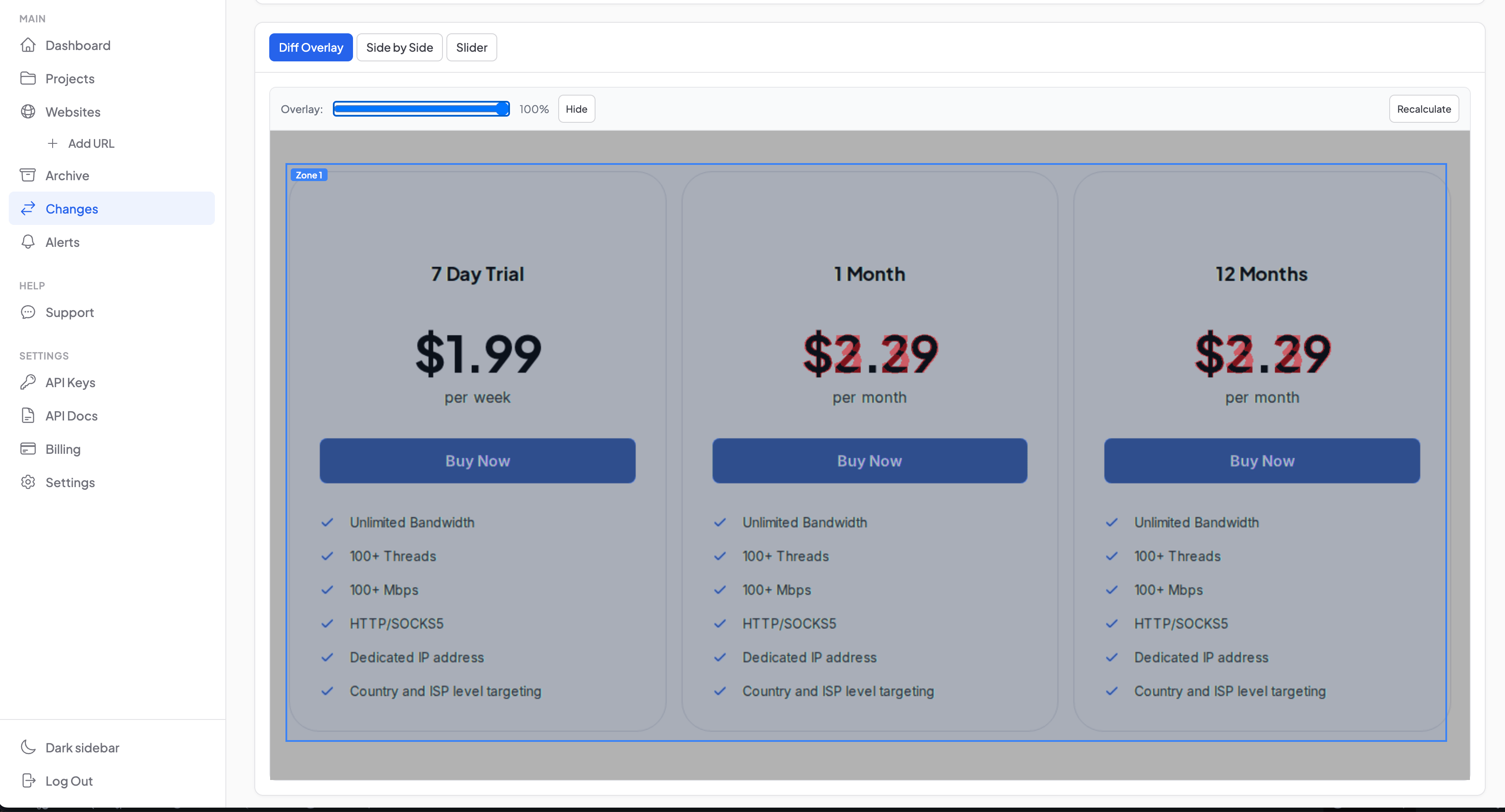
The other problem with manual checking is that it relies on memory. If you're looking at a pricing page and trying to recall what it said last week, you probably won't notice that the Growth plan went from "up to 50 users" to "up to 25 users." Visual comparison works much better than memory, because the diff overlay highlights every pixel that moved — including the small changes your eyes would skip right over.
How automated screenshot monitoring replaces all of this
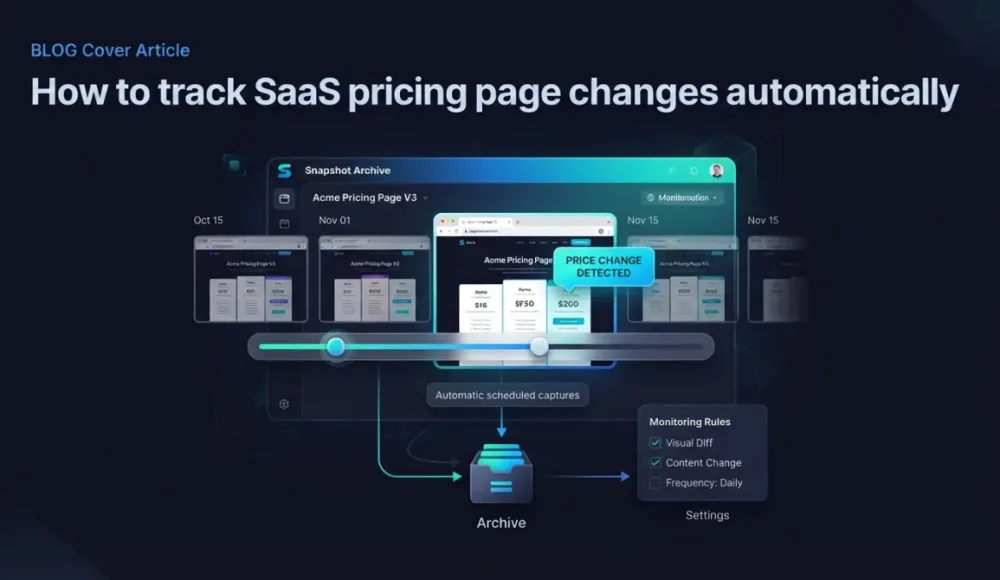
The idea is simple: take a screenshot of a pricing page on a schedule, compare it to the previous screenshot, and flag anything that changed. No scraping setup, no CSS selectors to maintain, no custom code that breaks when the competitor redesigns their page.
Instead of parsing HTML — which fails every time a page layout changes — you capture what the page actually looks like, the same thing a visitor sees. Then you compare screenshots over time to detect visual differences. A typical setup with Snapshot Archive takes about two minutes.
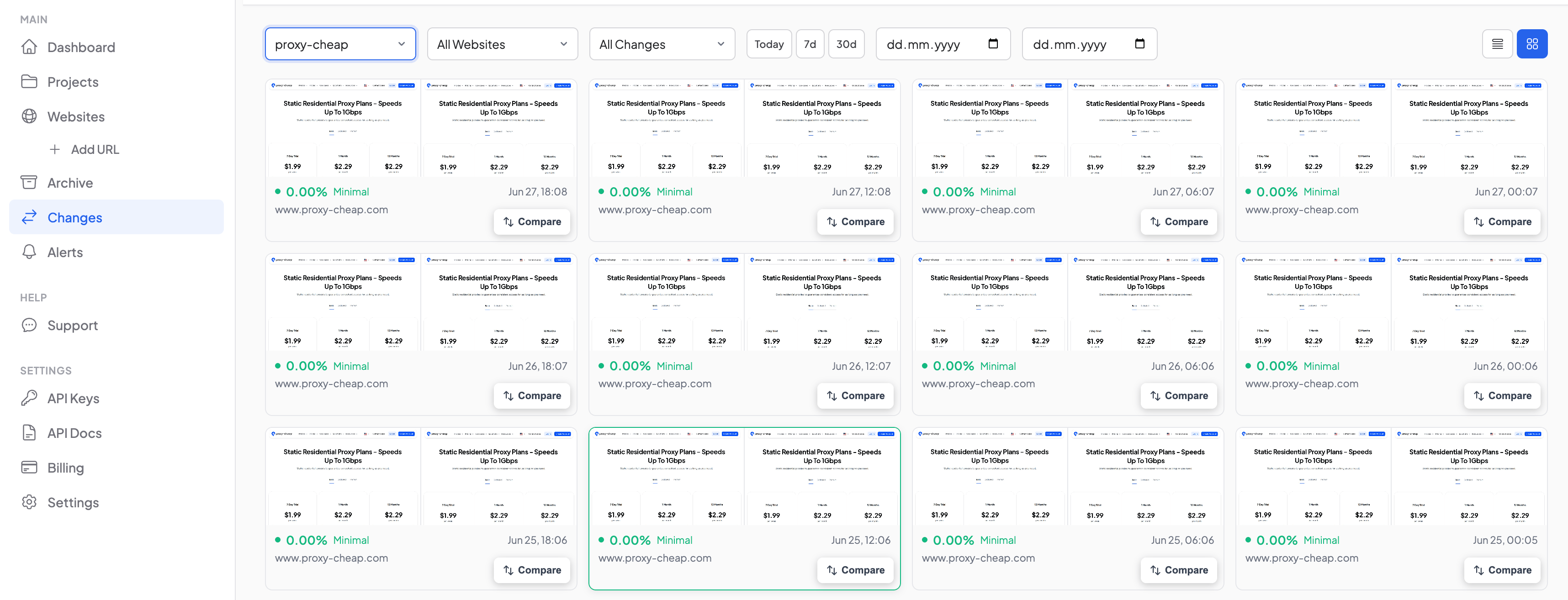
Start by adding each competitor's pricing page as a monitored URL — something like https://competitor.com/pricing. For most SaaS pricing pages, daily screenshots are plenty, since pricing doesn't change hourly. If you're in a fast-moving market or tracking a promotional window, every 6 or 12 hours works better. Make sure to enable full-page capture — pricing tables almost always sit below the fold, and a viewport-only screenshot will miss them entirely.
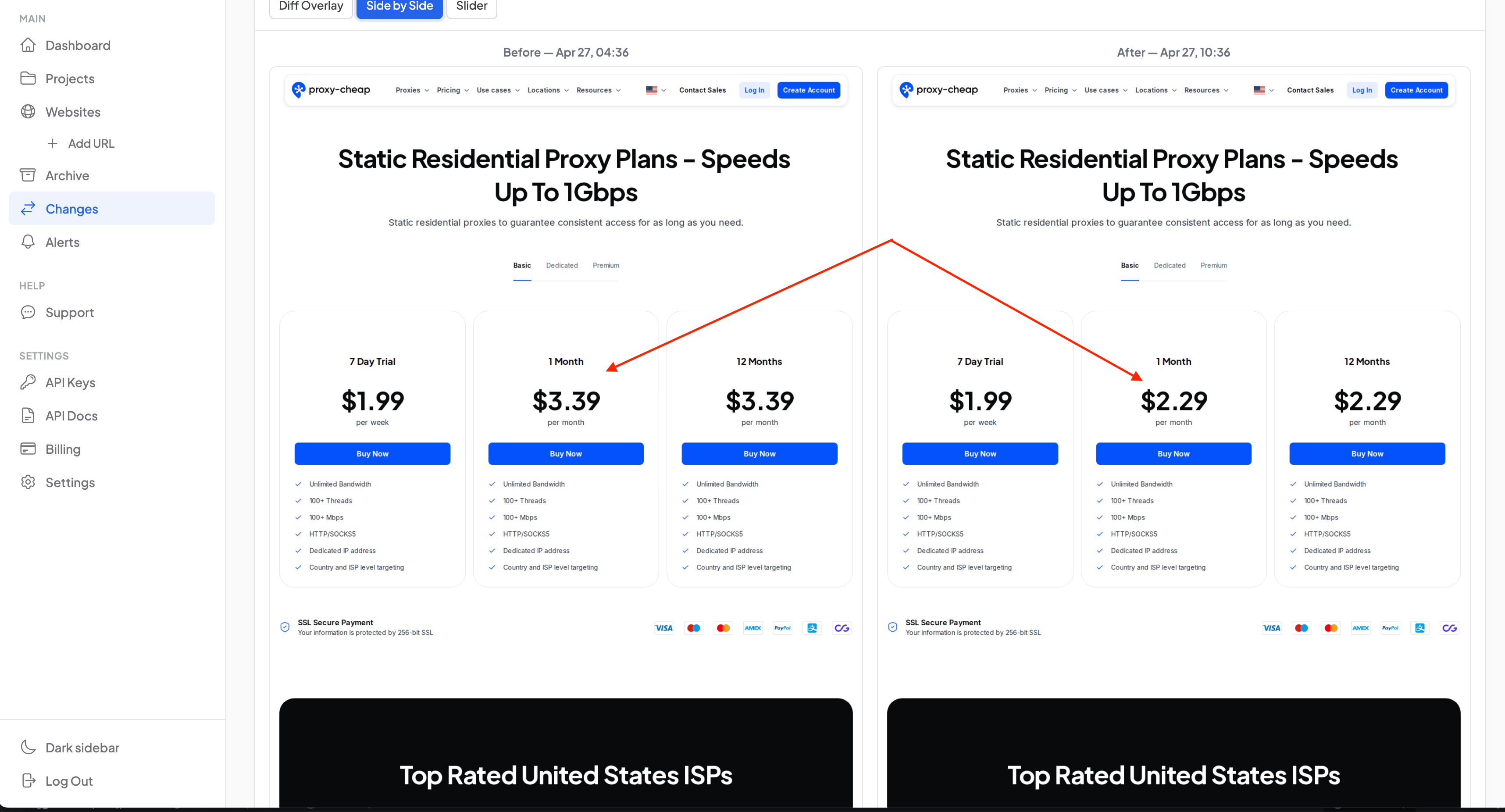
From there, visual diff does the work. Every time a new screenshot is taken, it gets compared to the previous one pixel by pixel. If something changed — a price, a feature list, a banner — the differences get highlighted. No scrolling through screenshots trying to spot the difference, no relying on memory. The tool marks it for you, and if the change exceeds your sensitivity threshold, you get a notification.
What visual diff catches that text-based monitoring misses
Some tools monitor pricing pages by scraping the HTML or tracking specific text elements. That works for straightforward cases, but it has failure points that come up regularly on modern SaaS pricing pages.
JavaScript-rendered pricing is the biggest one. Many SaaS pricing pages load prices dynamically — through toggles, sliders, or scripts that pull data from an API. A text scraper might see the static HTML and miss the actual prices that render in the browser. Visual diff doesn't care how the price got onto the page — it just compares what's visible.
Layout changes are another gap. A competitor moves from three pricing columns to four, or they swap the order of plans, or they add a "Most Popular" badge to a different tier. Text scrapers won't catch any of this if the underlying HTML elements stayed the same. A visual screenshot catches it all, because the page looks different — and that's exactly what gets compared.
Promotional overlays also create blind spots for text monitoring. Banner ads, countdown timers, special offer popups — these are visual elements that affect the pricing message but don't always live in the main pricing HTML. A screenshot captures everything the visitor sees, including overlays and banners that a scraper would never parse.
How many competitors to monitor and how often
Start with your direct competitors — the ones your prospects actually compare you to during the sales process. For most SaaS companies, that's 5 to 10 products. Add 2 or 3 "aspirational" competitors — larger companies in your space whose pricing moves set the tone for the market — and you have a focused list that covers the landscape without generating overwhelming noise.
You don't need to monitor 50 pricing pages. Pricing changes happen slowly in SaaS compared to e-commerce — most companies change pricing once or twice a year, and some go years without touching it. The point isn't to generate a flood of alerts; it's to make sure you don't miss the important ones when they do happen. For a deeper look at which pages beyond pricing are worth tracking, our guide on competitor pages to monitor covers homepages, changelogs, careers pages, and more. And if you're wondering how long to keep the screenshots once you've collected them, our retention guide has recommendations by industry.
What to do when you catch a change
Catching a pricing change is the easy part. Knowing what to do with it is where the value comes from — a screenshot diff sitting in your archive does nothing until someone acts on it.
Start by classifying the change. A price increase, a price decrease, a restructuring (features moving between tiers), and a new plan entirely each call for a different response. A price increase by a competitor might mean your product is now the more affordable option in a segment you weren't competing in before. A price drop means you need to decide whether to match, differentiate on value, or hold your position and let the competitor's margins shrink.
Then update your sales materials — comparison pages, battlecards, and sales decks need to reflect the current competitive landscape. Outdated competitor pricing in a sales deck is embarrassing at best and costs you deals at worst. If you have a dedicated comparison page on your site (and you probably should), this is where timestamped screenshots come in handy: they prove what the competitor's page said on a specific date, which is useful both for internal documentation and for disputes about advertising claims.
Finally, share with the team. Product, marketing, and sales should all know when a competitor changes pricing — not in the next quarterly review, but the same week it happens. A Slack message with the screenshot diff attached is usually enough to get the right people thinking about the right response.
Comparing approaches: scraping, screenshots, and AI-powered tracking
There are several ways to monitor competitor pricing, and each comes with trade-offs worth understanding before you commit to a tool.
HTML scraping — whether DIY with scripts or through tools like Browse AI — is flexible but fragile. You define CSS selectors or train a bot to extract specific elements, and it works until the competitor redesigns their page, at which point your selectors break and you're back to manual maintenance. For a small number of stable pages it's workable, but the maintenance overhead grows with every URL you add.
AI-powered price extraction (tools like DiffScout, Signum.AI, Changeflow) uses machine learning to read and interpret pricing pages. These tools handle JavaScript rendering and can extract structured pricing data — useful if you need numbers flowing into a spreadsheet or a pricing engine. The downsides are cost (these tend to be enterprise-priced) and accuracy on complex layouts, where the AI can misread which number belongs to which plan.
Visual screenshot monitoring (Snapshot Archive, Stillio, Visualping) captures the full visual state of a page on a schedule. It doesn't extract structured data, but it catches every visual change regardless of how the page is built — prices, layout shifts, promotional banners, badge placements, everything. Simple to set up, no maintenance when pages change, and visual diff highlights exactly what's different between any two captures.
For most SaaS teams that want to keep tabs on 5 to 15 competitor pricing pages, visual screenshot monitoring hits the sweet spot. You don't need structured price data flowing into a spreadsheet — you need to know when something changed and what it looks like now versus before.
A real scenario: catching a stealth price increase before anyone else notices
Say you're running a project management SaaS. One of your competitors has had a $12/user/month Pro plan for two years. On a random Tuesday, they change it to $15/user/month. No blog post, no email to customers, no tweet. They just update the number on the page.
If you're monitoring that page with daily screenshots, you'll see the change the next morning. The visual diff highlights the old price and the new price side by side — you now know something their own customers might not know yet. Update your comparison page to reflect the new pricing. Mention it in sales conversations when prospects bring up that competitor. Consider whether your own pricing has room to adjust. If you're more affordable now, make sure your marketing reflects that before the competitor has a chance to frame their increase as a "value upgrade."
Without monitoring, you'd find out about this change weeks or months later — if at all. And by then, the window to act on it strategically has already closed.
Getting started takes about two minutes
If you want to try monitoring competitor pricing pages without a complex setup, Snapshot Archive's free plan covers up to 3 URLs with daily screenshots and visual diff — enough to watch your top competitors and see whether the workflow fits before you scale up.
Add the URLs, pick a schedule, and forget about it until something changes. That's the whole point: you stop thinking about competitor pricing until there's actually something to think about. And when that moment comes, you'll know about it within 24 hours instead of discovering it at the next quarterly review.
Start archiving websites today
Free plan includes 3 websites with daily captures. No credit card required.
Create free account
Vitalii Holben