
A Wayback Machine alternative you actually control
Looking for a Wayback Machine alternative that gives you control over what gets archived, when, and who can see it? The Wayback Machine preserves the public web's past. Snapshot Archive captures the pages that matter to your business. On your schedule, with tamper-evident evidence.
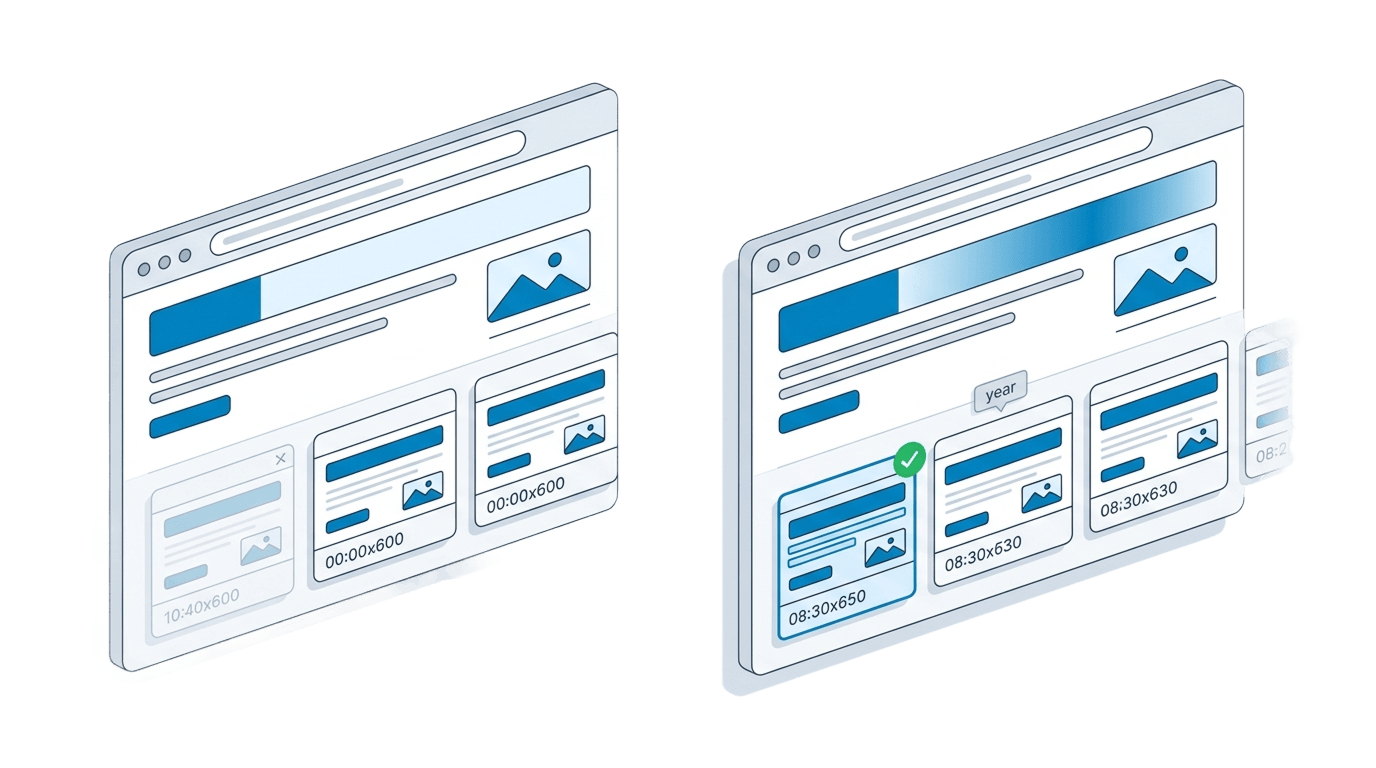
What the Wayback Machine does well
The Internet Archive's Wayback Machine is one of the most important projects on the web. Since 1996, it has indexed over 850 billion pages and made them freely accessible to anyone. That is an extraordinary public good, and nothing we build is meant to replace it.
For researchers, journalists, and the general public, the Wayback Machine is often the only way to see what a website looked like years ago. Its Save Page Now feature lets anyone trigger an on-demand snapshot. Google briefly linked to archived versions from search results, though the integration has been inconsistent.
Why businesses need a Wayback Machine alternative
You do not control the schedule. The Wayback Machine's crawlers decide which pages to save and when. Popular sites may be archived frequently. A competitor's pricing page, a regulatory notice, or a supplier's terms of service? Those might go months (or years) without a single snapshot. When you need proof that a page said something on a specific date, relying on whether a crawler happened to visit is not sufficient.
Anything the Wayback Machine saves is visible to the entire internet. That is by design. It is a public library. But if you are recording competitor pages, internal compliance records, or sensitive contractual language, public visibility is a problem, not a feature.
The Wayback Machine stores raw HTML and attempts to replay it, but pages built with JavaScript frameworks, dynamic content, or client-side rendering frequently display broken layouts, missing images, or blank sections. On top of that, there is no evidence chain: no hashing, no certificates, no timestamp watermarks. In Weinhoffer v. Davie Shoring (2022), a federal court ruled that the Wayback Machine "does not qualify as a source whose accuracy cannot reasonably be questioned." If you need a reliable record of what a page actually looked like (not a broken HTML replay) a pixel-perfect full-page screenshot is the only option. And for legal evidence, you need a verifiable chain of custody: SHA-256 hashes, UTC timestamps, and exportable PDF certificates.
Availability and coverage are declining. In late 2024, a cyberattack took Archive.org offline for weeks and exposed 31 million user records. Through 2025 and into 2026, major publishers have blocked Archive.org's crawlers, causing news page snapshots to drop by 87%. A robots.txt change has historically been able to remove previously archived content. If your compliance or legal workflow depends on a third party's uptime and access rights, that is a single point of failure you cannot control.
Wayback Machine vs Snapshot Archive
| Capability | Wayback Machine | Snapshot Archive |
|---|---|---|
| Price | Free | Free tier available. Paid from $14/mo |
| Capture schedule | Determined by crawler | You set the interval, from every 5 minutes to daily |
| Capture format | HTML replay (often broken on JS-heavy pages) | Pixel-perfect full-page screenshots |
| Privacy | All captures are public | Private to your account by default |
| SHA-256 hash | No | Yes. Every screenshot is hashed |
| PDF certificate | No | Yes: exportable PDF with hash and metadata |
| Timestamp watermark | No | Yes, UTC watermark on every screenshot |
| Change detection | No | Yes. visual diff comparison |
| Alerts | No | Yes: email and webhook alerts |
| API access | Read-only, limited | Full REST API with webhooks |
| Pages behind logins | Excluded | Supported with authenticated sessions |
| Retention guarantee | Subject to robots.txt removal | 30 days to 3 years depending on plan |
| Court admissibility | Contested (Weinhoffer, 2022) | Designed for evidentiary use |
What a private web archive gives you
With scheduled screenshots, you decide exactly which URLs to monitor and how often. Every 5 minutes, every 6 hours, once a day, the schedule is yours. No crawler lottery. No gaps in coverage for the pages that matter to your business. As a website archiving tool, Snapshot Archive puts you in charge of what gets saved and when, with automated screenshots running in the background.
Every snapshot stays private to your account. Tracking competitor pricing? Building a compliance record? Preserving terms of service and privacy policies? Nobody sees it but you.
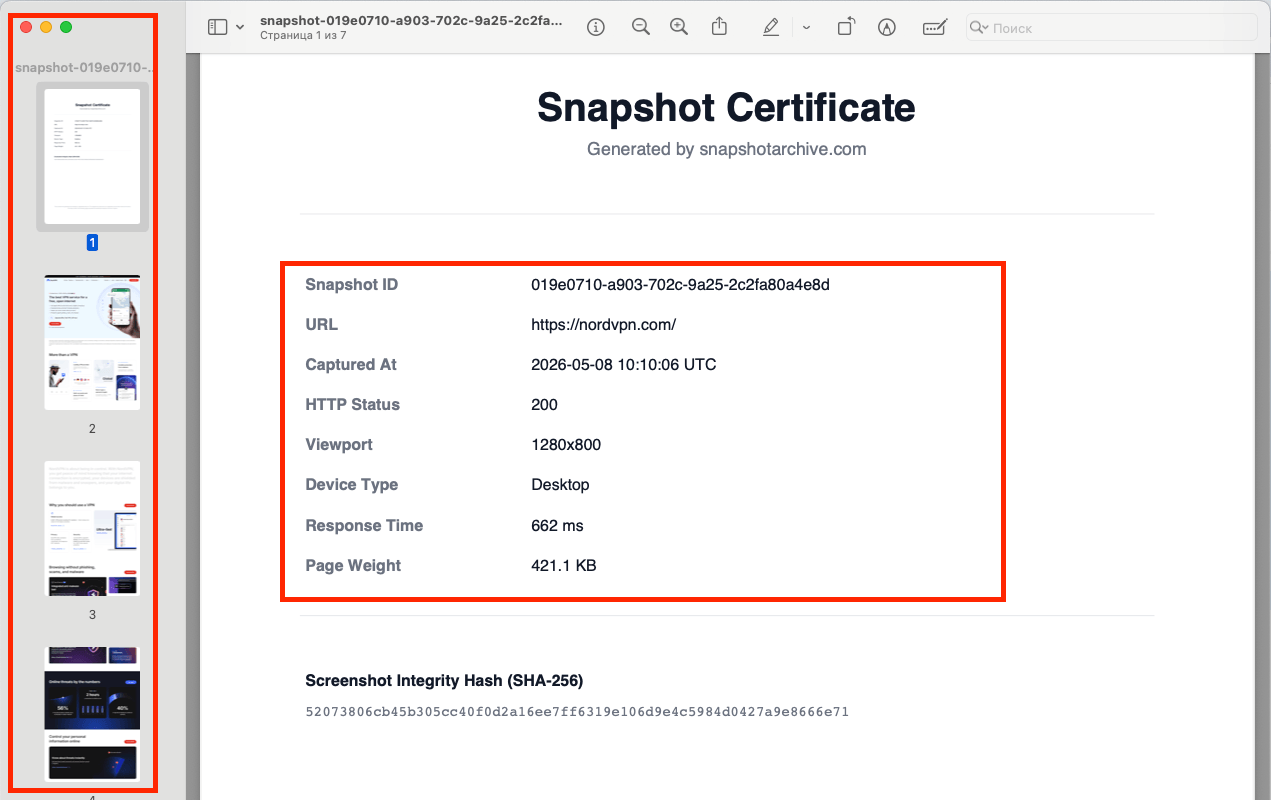
Each screenshot is hashed with SHA-256 at the moment of capture. You can export a PDF certificate that includes the hash, the source URL, and the exact UTC timestamp. A timestamp watermark is embedded directly in the image. This chain of custody is what transforms a screenshot from "a picture someone took" into documentation that holds up under scrutiny. For more on this, see our guide on screenshots as legal evidence.
When a page changes, change detection flags it automatically. Visual diff shows you exactly what moved, and change alerts notify you by email or webhook so you never have to check manually. Pair this with our REST API and you can integrate web archiving into any automated workflow. CI pipelines, compliance dashboards, legal hold systems.
What automated website archiving costs
Look, the Wayback Machine is free. We are not going to pretend otherwise, and we are not going to argue that free is a bad thing. It is a remarkable service funded by donations and grants.
We built Snapshot Archive because we kept running into the same problem: regulatory pages we needed to reference had never been crawled, or the one snapshot from eight months ago was a broken layout with half the content missing.
What you pay for with Snapshot Archive is not "archiving" in the abstract. You are paying for control over what gets captured, privacy over who can see it, proof that it has not been altered, and reliability that does not depend on a third party's crawler schedule or uptime.
We offer a free tier (3 URLs, daily saves, 30 days of retention) so you can evaluate whether first-party archiving solves a problem the Wayback Machine does not. Paid plans start at $14/month for 20 URLs with 6-hour intervals and 90 days of retention. The Pro plan at $39/month adds API access, webhooks, 30-minute intervals, and a full year of retention across 50 URLs. The Business plan at $129/month covers 200 URLs with 5-minute intervals and 3 years of storage. Full details are on our pricing page.
The question is not "why pay when free exists?" The question is whether the pages you are preserving are important enough to require a schedule you control, screenshots you can prove are authentic, and records that stay private. If the answer is yes, that is what the price covers.
When the Wayback Machine is still the right tool
If you want to browse what a website looked like in 2008, the Wayback Machine is the only option and a good one. For academic research, general curiosity, or verifying historical claims about public websites, its depth and breadth are unmatched. We use it ourselves. But when a page matters enough to prove what it said on a specific date, we open Snapshot Archive. The two tools serve different purposes: one preserves the public record of the web, the other gives businesses a private, verifiable, automated archive of the specific pages they depend on. For a deeper look at how the two approaches compare in practice, read our detailed comparison.
Snapshot Archive's free plan includes 3 URLs with daily captures and 30 days of retention. No credit card required.
Create Free AccountFrequently Asked Questions
Not entirely, and we wouldn't claim it is. The Wayback Machine holds the historical web back to 1996, which we can't recreate. We're a replacement for relying on it to capture specific pages going forward, where control, privacy, and proof matter. Most people use both.
No. We capture pages from the moment you add them, so there's no way to archive the past retroactively. For anything before that, the Wayback Machine or Archive.today is your option.
Because free comes with no guarantees. The Internet Archive's crawlers decide what gets saved and when, the result is public, and there's no alert when a page changes. If a specific page being captured on time, kept private, and provable later is worth money to you, that's what you're paying for. If it isn't, the free archive is fine.
They're first-party, which is the key difference. You control the capture, it carries a SHA-256 hash and a timestamp, and the metadata states it was generated automatically without manual editing. A Wayback URL can support a claim, but it's a third-party capture on an unpredictable schedule, so the chain of custody is weaker.
No. Captures live in your account and aren't added to any public index. You can share individual snapshots through sharing links when you want to, but nothing is public by default.
It captures something different. The Wayback Machine stores the page's code and re-renders it, which can break on complex sites. We store the rendered image, so you always see what the page actually showed, though you don't get the underlying HTML to interact with. For a visual record and for evidence, the screenshot is usually what you want; we also bundle the HTML source in the export if you need it.
By plan: daily on Free, every six hours on Starter, every 30 minutes on Pro, every 15 minutes on Growth, and every 5 minutes on Business. Unlike the Wayback Machine's crawl schedule, the timing is yours to set and the capture is guaranteed.
Archive.today is great for grabbing a single page right now and getting a public link, much like the Wayback Machine's Save Page Now. What it doesn't do is capture on a recurring schedule, keep the result private, watch for changes, or hand you a hash-verified certificate. It's a quick save button; we're a standing archive with monitoring and proof built in.
Self-hosting gives you full control and no subscription, which is appealing if you have the time and the infrastructure to run it. The trade-off is that you own the upkeep: the server, the storage, the scheduling, the fixes when a site changes how it loads. We handle all of that, so the choice usually comes down to whether you'd rather maintain software or just have captures show up.