
Compliance website archiving with automated screenshots
Your legal team asks for proof of what your website showed on March 14th. You check the Wayback Machine: a crawl from February and another from April. March doesn't exist. The compliance officer needs a specific date, and you're handing them a gap.
That's the problem with reactive archiving, and it's why compliance website archiving needs to run on a schedule, not on luck. Manual screenshots lack metadata and chain of custody. Nobody can prove they weren't edited after the fact. The Wayback Machine crawls on its own schedule, not yours. Enterprise platforms like PageFreezer or MirrorWeb solve the problem at $30K to $100K a year. That pricing makes sense if you're a Fortune 500 bank. For everyone else, it's a non-starter.
I built Snapshot Archive as the middle ground: scheduled screenshots capture your pages on a fixed cadence with a timestamp and URL watermark baked into each image. When you need to produce evidence, PDF exports include a SHA-256 hash certificate proving the file hasn't been tampered with. You get a verifiable visual record without the enterprise price tag.
What compliance website archiving actually requires
Financial services firms have the most prescriptive rules. SEC 17a-4 and FINRA 2210/3110 require retention of all public-facing communications for at least six years, and auditors actually enforce that timeline. Pharma is a different beast: FDA 21 CFR Part 11 demands timestamps and full audit trails on electronic records. Then there's the FTC, which can come after any advertiser under Section 5 if you can't prove your website claims were truthful when you made them.
Across all of these, one requirement repeats: you need a record of what was published, when it was published, and proof that the record is authentic. Screenshots with metadata hit all three. I wrote a deeper analysis in a post on screenshots as legal evidence if you want the specifics on admissibility.
I want to be upfront about limits, though. Snapshot Archive captures visual screenshots: what the page looked like in a browser. One thing it won't do: capture the underlying HTML for interactive replay. It's not a WORM-storage box for strict SEC 17a-4 either. What it does is capture the visual page, what a person actually saw, with timestamped proof that the record is authentic. For heavily regulated firms that need full e-discovery replay, Snapshot Archive works as a compliance evidence layer alongside a records management system. For everyone else, it's the entire workflow.
Who needs compliance website archiving
Broker-dealers and investment advisors face regulatory website monitoring requirements that mandate retention of everything they publish. Rate disclosures, fee schedules, product descriptions. Any change needs to be documented. A daily screenshot schedule across your public-facing pages builds that record automatically.
Marketing teams face a different kind of exposure, and it's more common than you'd think. The FTC can investigate claims retroactively, and if you can't prove what your landing page said during a specific campaign window, you're arguing from memory against a regulator who expects documentation. I know of a case where a coupon website won a $5,000 lawsuit using timestamped screenshots to prove an offer had expired. The screenshot was the entire defense.
Law firms tend to use archiving from the other direction entirely. They're not archiving their own sites. They're preserving evidence of opposing parties' infringement, false advertising, or contract terms that might change. When the other side edits their page, the archive proves what was there before.
Insurance, healthcare, pharmaceuticals: every industry that publishes regulated content on the web eventually needs to answer the question "What did your website say on this date?" The only good answer is a timestamped archive.
How automated compliance archiving works
Set up scheduled captures
Add every page that carries compliance risk: landing pages with marketing claims, pricing and disclosure pages, terms of service, privacy policies, product pages with specifications or certifications. Snapshot Archive captures full-page screenshots from header to footer, so you get the complete page, not a cropped viewport that misses the disclaimer at the bottom.
Match the capture frequency to your compliance window. Daily works for most cases. If you're running time-sensitive campaigns or publishing rate-sensitive financial disclosures, hourly captures close the gap. I covered retention strategy in detail in a post on how long to keep screenshots. Short version: keep them longer than you think you'll need them.
Enable watermarks for provenance
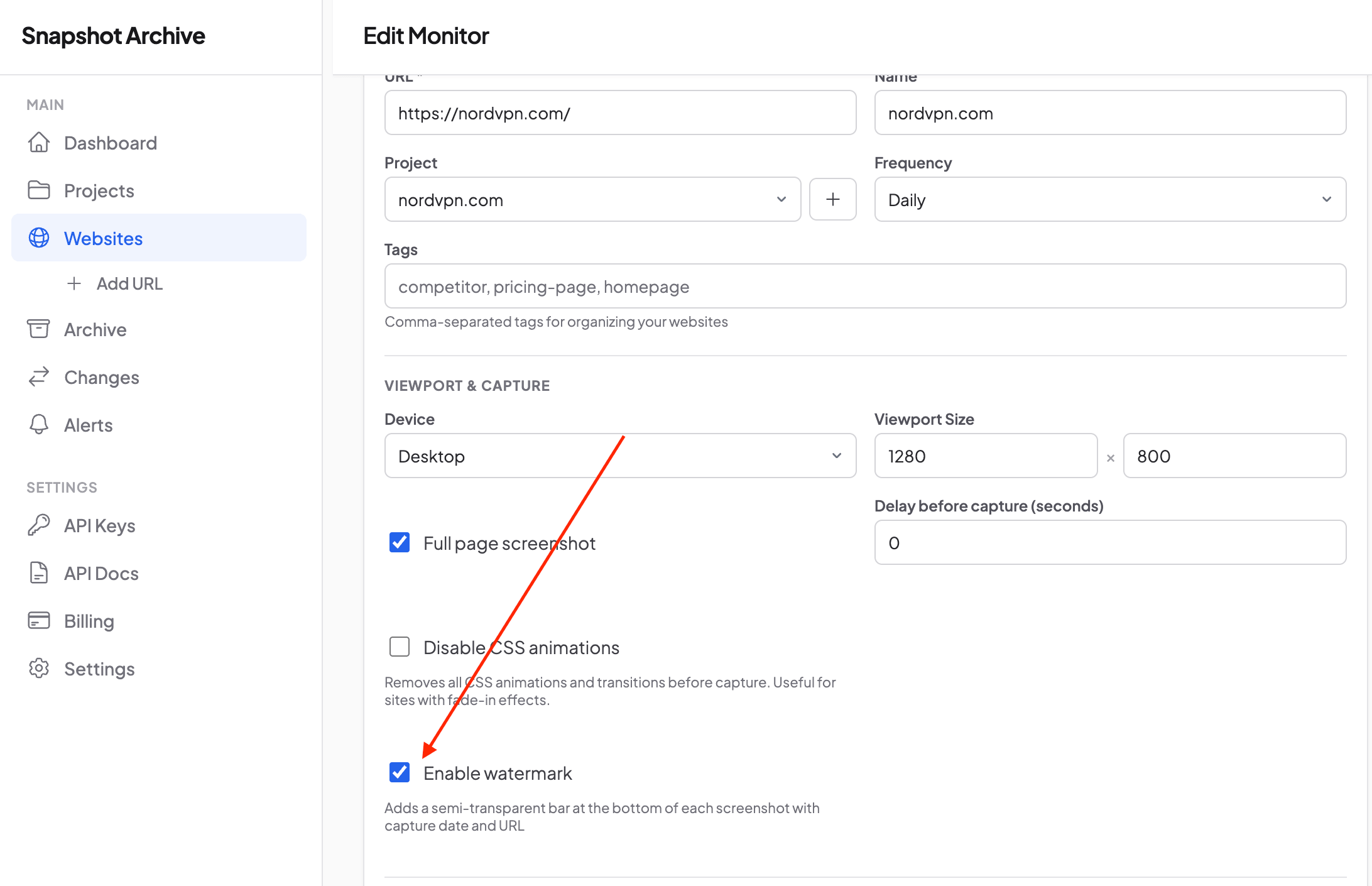
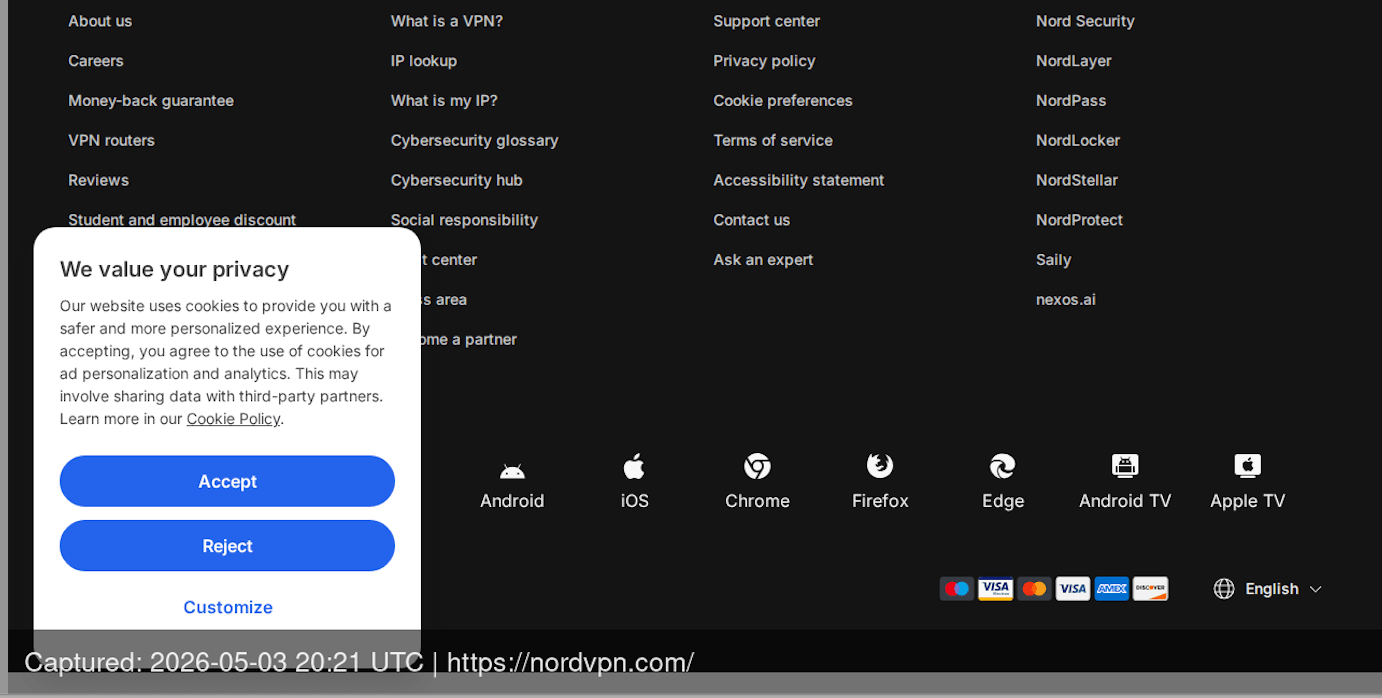
Watermarking stamps every screenshot with the capture timestamp (UTC) and source URL directly on the image. This embeds provenance into the visual record itself. The metadata travels with the file, even if someone pulls the image out of the archive and shares it separately. The watermark feature takes thirty seconds to enable per monitor.
Export PDF evidence packets
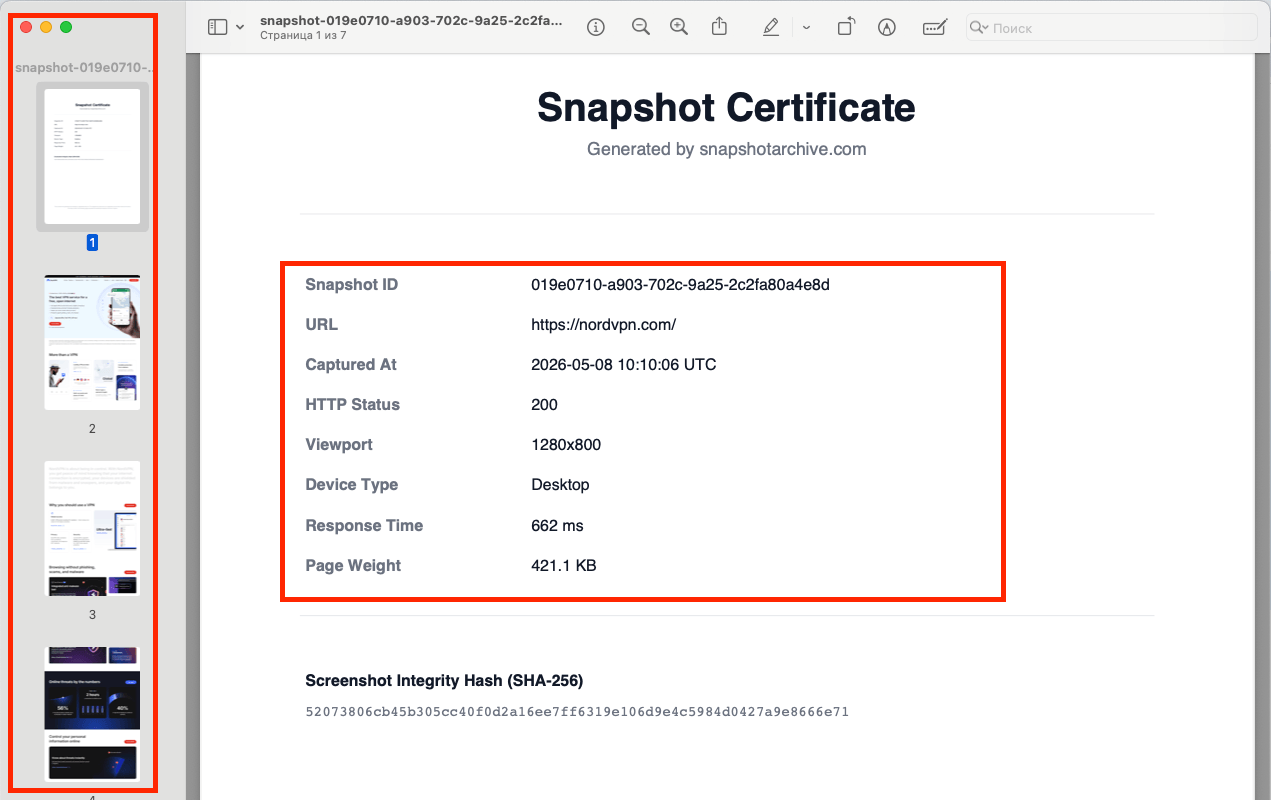
When you need to produce records for an audit or legal proceeding, PDF export generates a document that includes the screenshot, a Snapshot Certificate page with the capture timestamp, URL, HTTP status, viewport dimensions, and a SHA-256 integrity hash. The hash is what makes this defensible in court: any modification to the PDF changes the hash, making tampering detectable. That's the difference between "here's a screenshot I took" and "here's a verified capture with a tamper-evident certificate."
Monitor for unauthorized changes
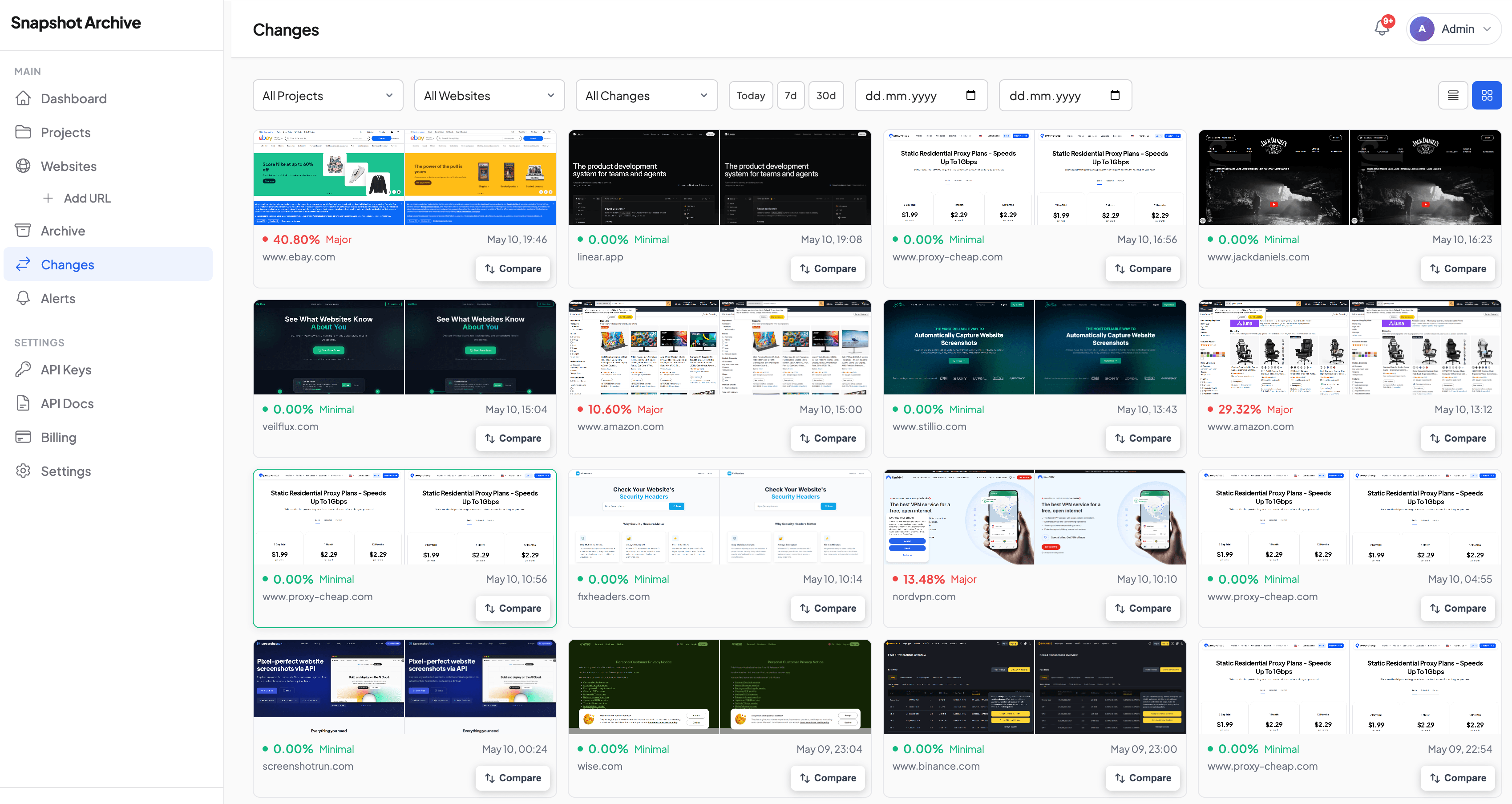
Change alerts catch compliance drift: someone on your team edits a disclosure page without going through the approval process, or a third-party widget changes the content of your page without your knowledge.

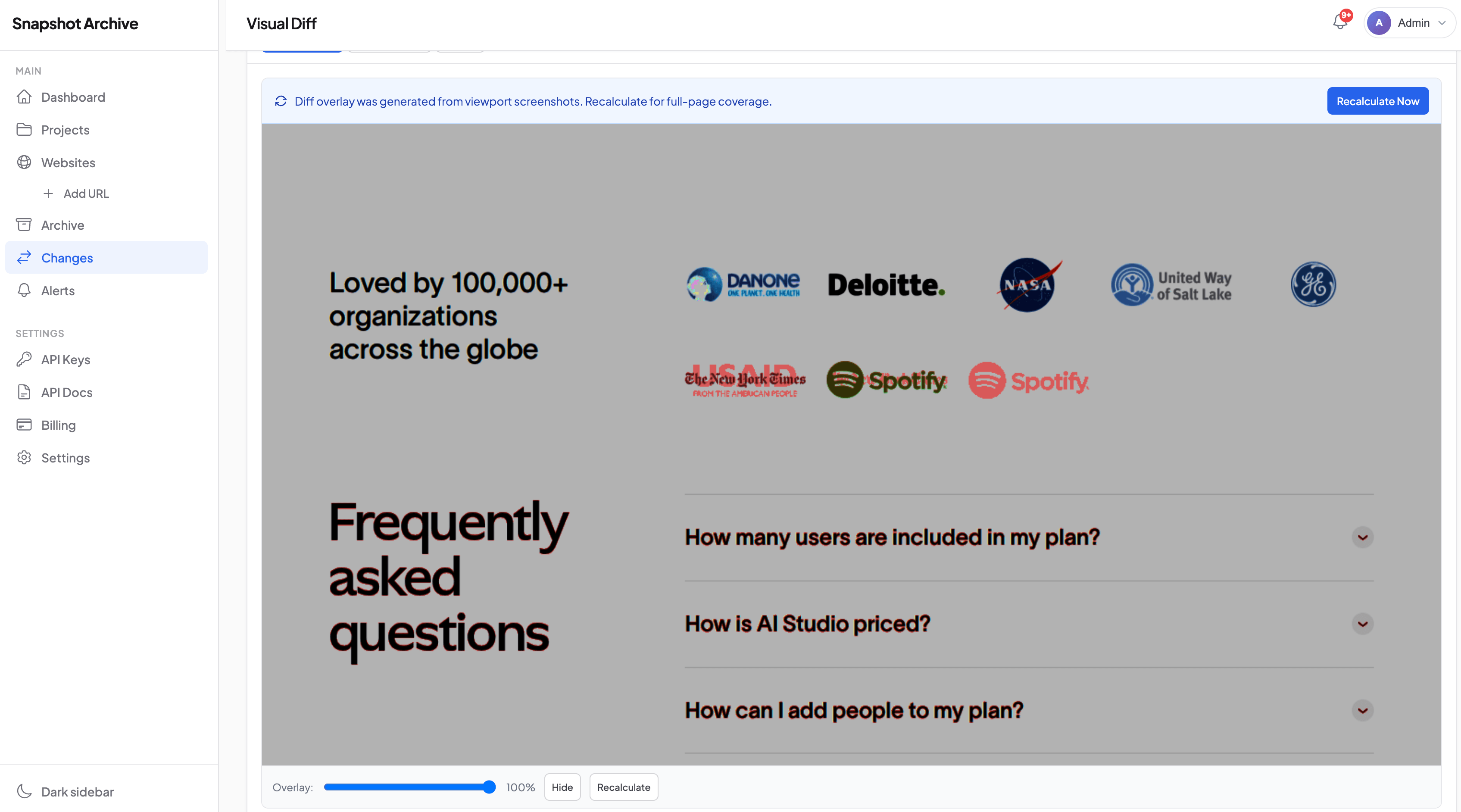
The visual diff shows exactly what changed between captures, so you can assess whether the change creates a compliance risk before it becomes a problem.
Screenshot archiving vs. enterprise WARC archiving
Enterprise archiving platforms like PageFreezer, MirrorWeb, and Hanzo capture the full HTML, CSS, JavaScript, and assets of a web page and store them in WARC format for interactive replay. That's the gold standard for e-discovery: you can reconstruct the exact page and interact with it as if you were browsing it live.
The difference is a $30K to $100K annual contract versus a compliance screenshot tool you set up in five minutes. For 90% of compliance scenarios, the cheaper option covers you. Audits don't ask you to replay an interactive page. They ask: what did this page show on this date? A timestamped screenshot with a SHA-256 certificate answers that.
Where Snapshot Archive fits: if your compliance requirement is "prove what the page looked like on this date," website screenshot evidence is sufficient and dramatically more cost-effective. If your requirement is "reproduce the exact interactive experience for e-discovery," you need a WARC archiver.
Mistakes that create compliance gaps
Manual screenshots are the most common problem. Someone grabs a screenshot in their browser, saves it to a shared drive, and calls it an archive. It lacks timestamp metadata and URL proof. Any editor can modify the image without leaving a trace, and there's no hash to verify against. In a dispute, opposing counsel will challenge the authenticity of a manual screenshot, and they'll be right to.
Then there's the schedule problem. Archiving your homepage daily but your terms of service monthly means you have a 30-day blind spot on the page most likely to matter in a dispute. If you're archiving for compliance, archive everything on the same cadence. The terms and privacy policy monitoring post covers the specific pages most people forget.
And please stop treating the Wayback Machine as a compliance tool. I love it for what it is, but it crawls on its own schedule with no SLA, has gaps in coverage, and you can't request a capture of a specific page at a specific time. It's a public good, not a filing system.
Building your compliance archive checklist
Start with the obvious: your homepage, main landing pages, and anything with pricing or fee disclosures, since regulators and opposing parties look there first. Add your terms of service and privacy policy. These change more often than most teams realize, and every version needs a record. Include product pages carrying specs, certifications, or compliance claims. For marketing campaigns, capture the landing page before launch, during the active window, and after you pull it down.
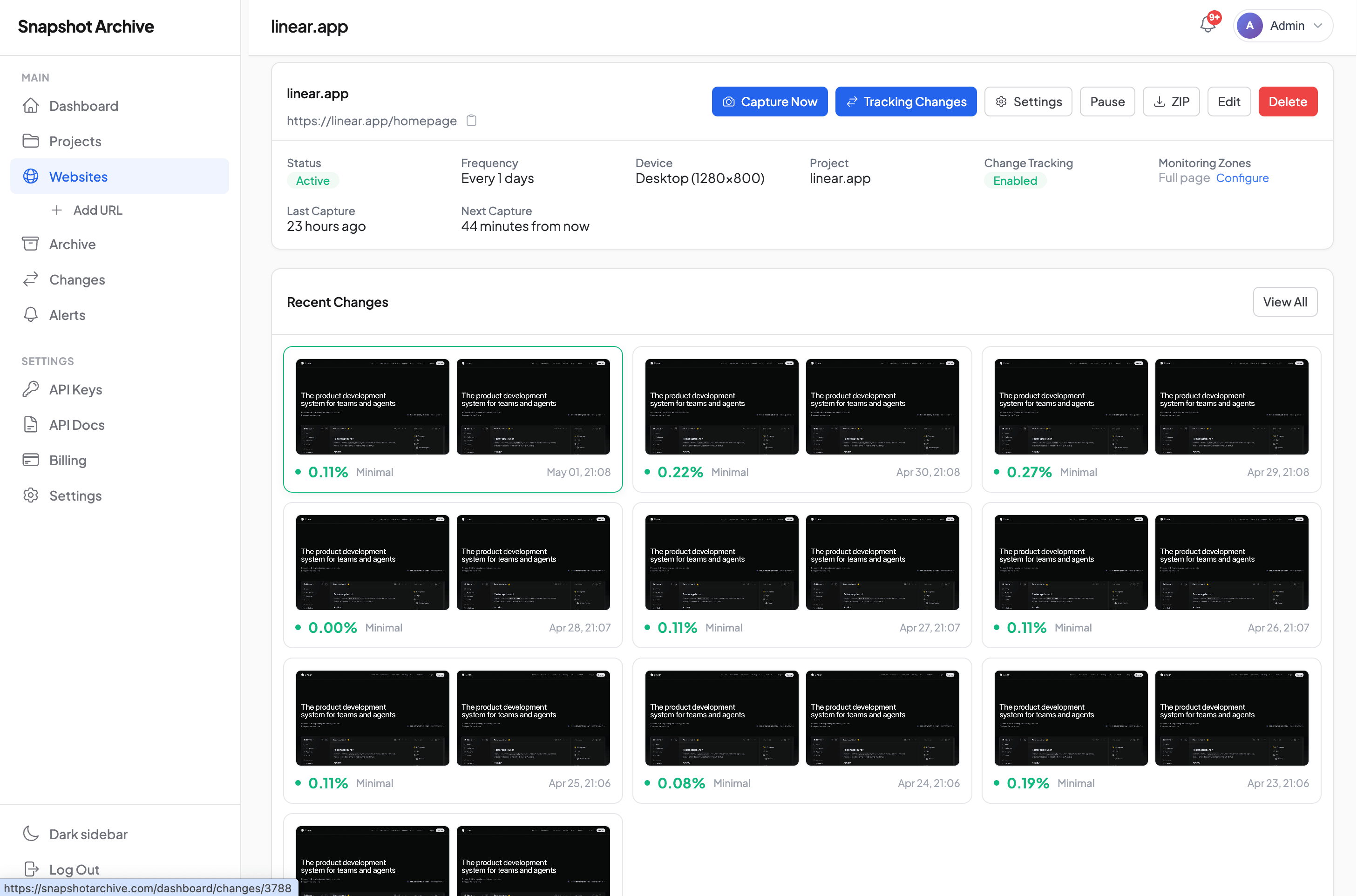
Set daily captures across all of them. Enable watermarks. Export a PDF archive monthly or quarterly for offline storage. That's the baseline. Adjust frequency upward for pages that carry higher regulatory risk.
If you're tracking changes on third-party pages too, such as competitor claims, affiliate content, or vendor terms, the competitor monitoring setup covers the workflow for external URLs.
Set up your compliance archive on the free plan: add your terms of service page, enable daily captures with watermarks, and export your first PDF certificate. That one document, with its SHA-256 hash and capture timestamp, is more defensible than a folder of manual screenshots. It's usually enough to convince a compliance officer that the system works.
Frequently Asked Questions
Daily for most pages. Hourly for rate-sensitive financial disclosures or active marketing campaigns. The key is consistency: gaps in your archive are gaps in your defense.
WARC gives you the whole page — HTML, CSS, JavaScript — so you can replay it interactively. That matters for full e-discovery. Screenshot archiving captures what a visitor actually saw in their browser. If you don't need to click around inside an archived page (and most compliance teams don't), screenshots cost a fraction of what WARC solutions charge.
Snapshot Archive PDF exports include a SHA-256 hash certificate. Any modification to the file changes the hash. The Snapshot Certificate page also records the capture timestamp, URL, HTTP status, and viewport dimensions.
Competitor advertising claims, affiliate and partner landing pages, third-party reviews displaying your brand, vendor terms of service, and any page where your products or services are represented by others. If it could come up in a dispute, archive it.