
 Vitalii Holben
Six types of website changes we actually caught with automated screenshots
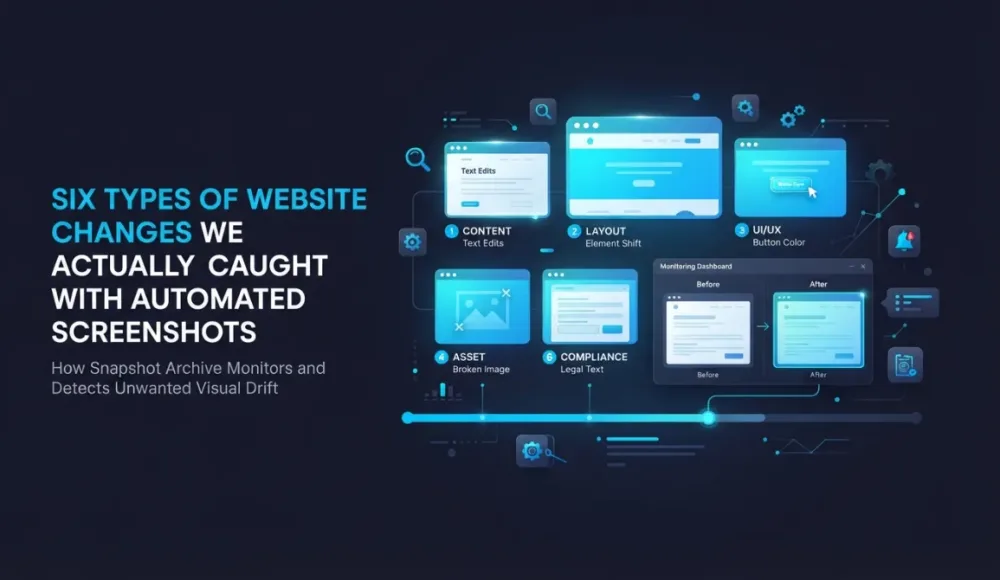
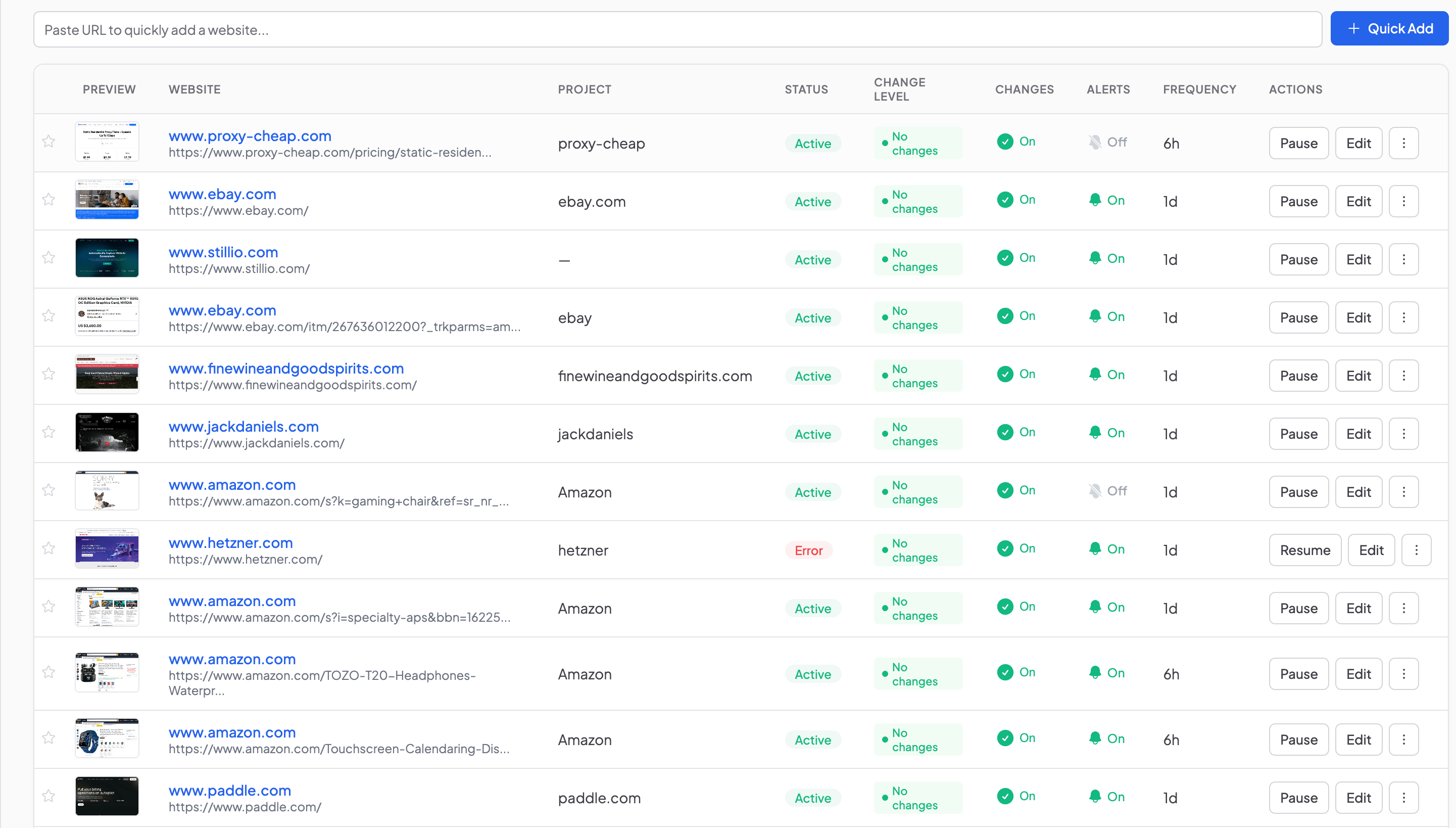
We monitor a few dozen websites. Competitors, marketplaces, payment providers, our own products. Screenshots fire once a day or every six hours, visual diff compares each new capture to the previous one, and if the difference crosses the threshold, a notification lands in our inbox.
Over the past two weeks we caught six types of changes worth paying attention to. Some were obvious, like a full redesign. Others would have slipped past a manual check: a new button in the header, a product lineup that swapped out overnight, a page that quietly went down for a few hours and came back as if nothing happened.
Below are real examples, all pulled from our working dashboard in Snapshot Archive.
A competitor redesigned their entire homepage overnight
One of the sites in our monitoring list is a direct competitor. We added their homepage a few weeks ago, and for a while nothing happened: diff stayed at 0%, screenshots looked identical day after day.
Then the alert came in: 59.30% changed, status Significant.
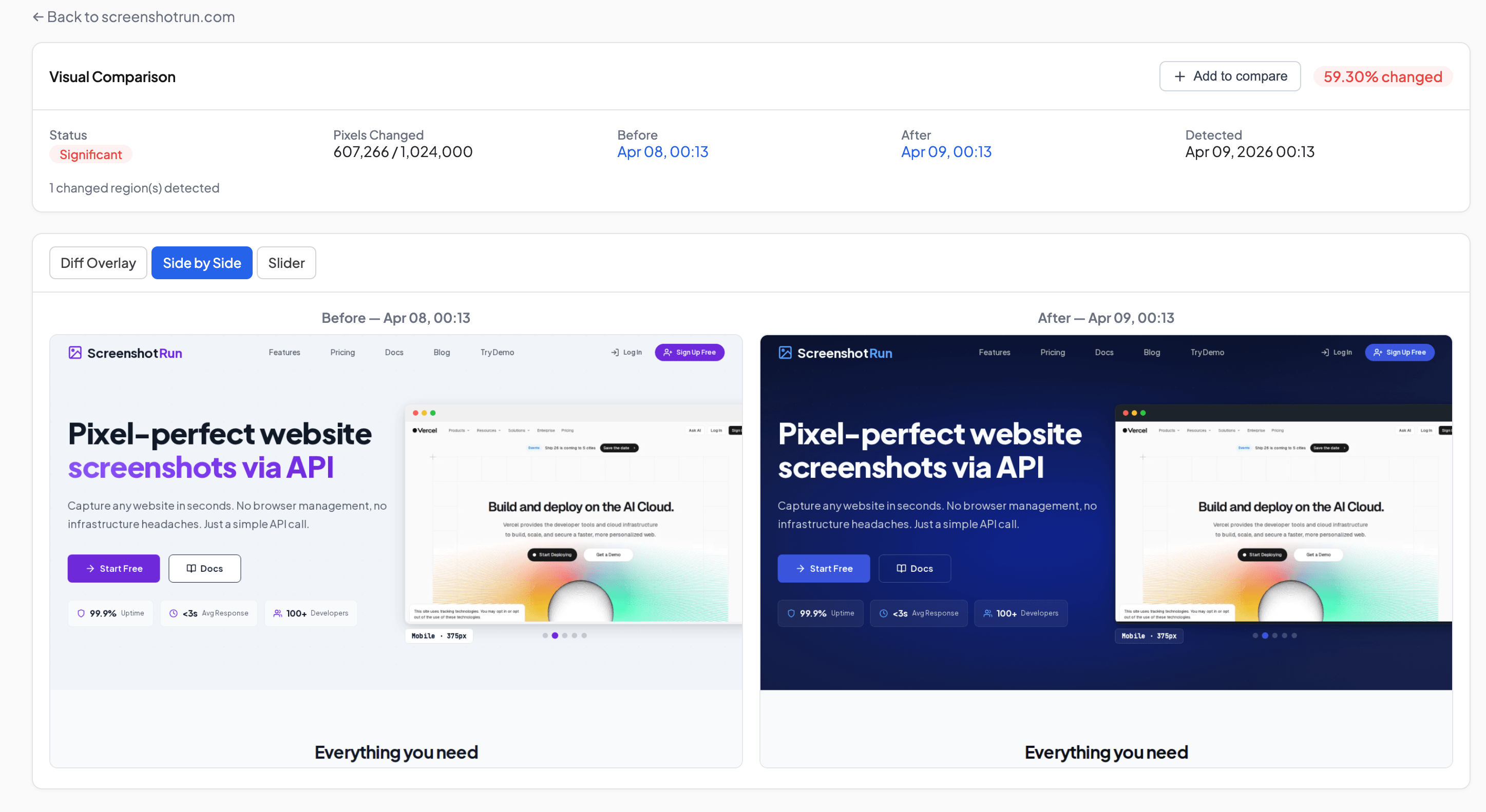
White background turned dark. Buttons changed style. The entire hero section was redrawn from scratch. This wasn't a color tweak or a font swap. It was a full redesign, and it happened between two daily screenshots.
For us this is a useful signal. When a competitor reworks their homepage, there's usually a reason behind it: a positioning shift, a brand refresh, or preparation for a new product launch. Without systematic tracking you might find out weeks later, or never notice at all.
We wrote about which competitor pages are worth monitoring first in a separate article, and the homepage is near the top of that list. Redesigns happen rarely, but each one carries strategic information, and catching it the morning after gives you time to react.
A new button in the navigation. 5% diff, but a clear go-to-market signal
Not every change looks like a redesign. Sometimes diff shows just 5%, and on the screenshot there's one new button. That button can tell you more than the rest of the page combined.
Here's what we caught on paddle.com. A "Book a demo" Button appeared next to "Get started" In the navigation. Diff Overlay flagged 7 changed regions, but the most telling one was that button.
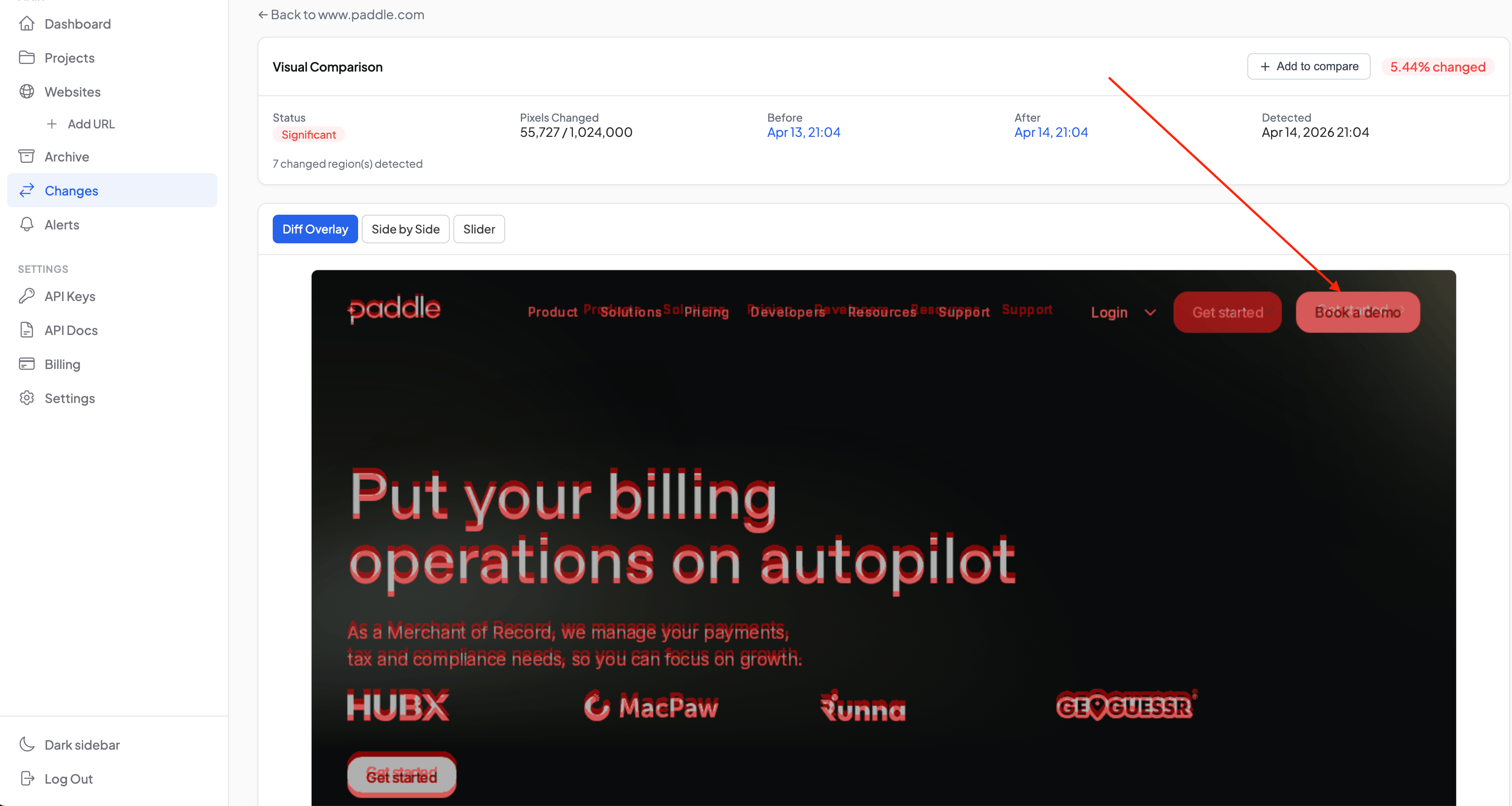
What does it mean in practice? Paddle added a second CTA to their navigation, which signals a shift in their go-to-market approach. Before, all traffic went to self-service signup through "Get started." Now there's a parallel sales-driven funnel. For us as a Paddle customer that's useful context, and for a Paddle competitor it's even more so.
In slider mode you can drag the handle and see before/after on a single screen: no need to flip between tabs.
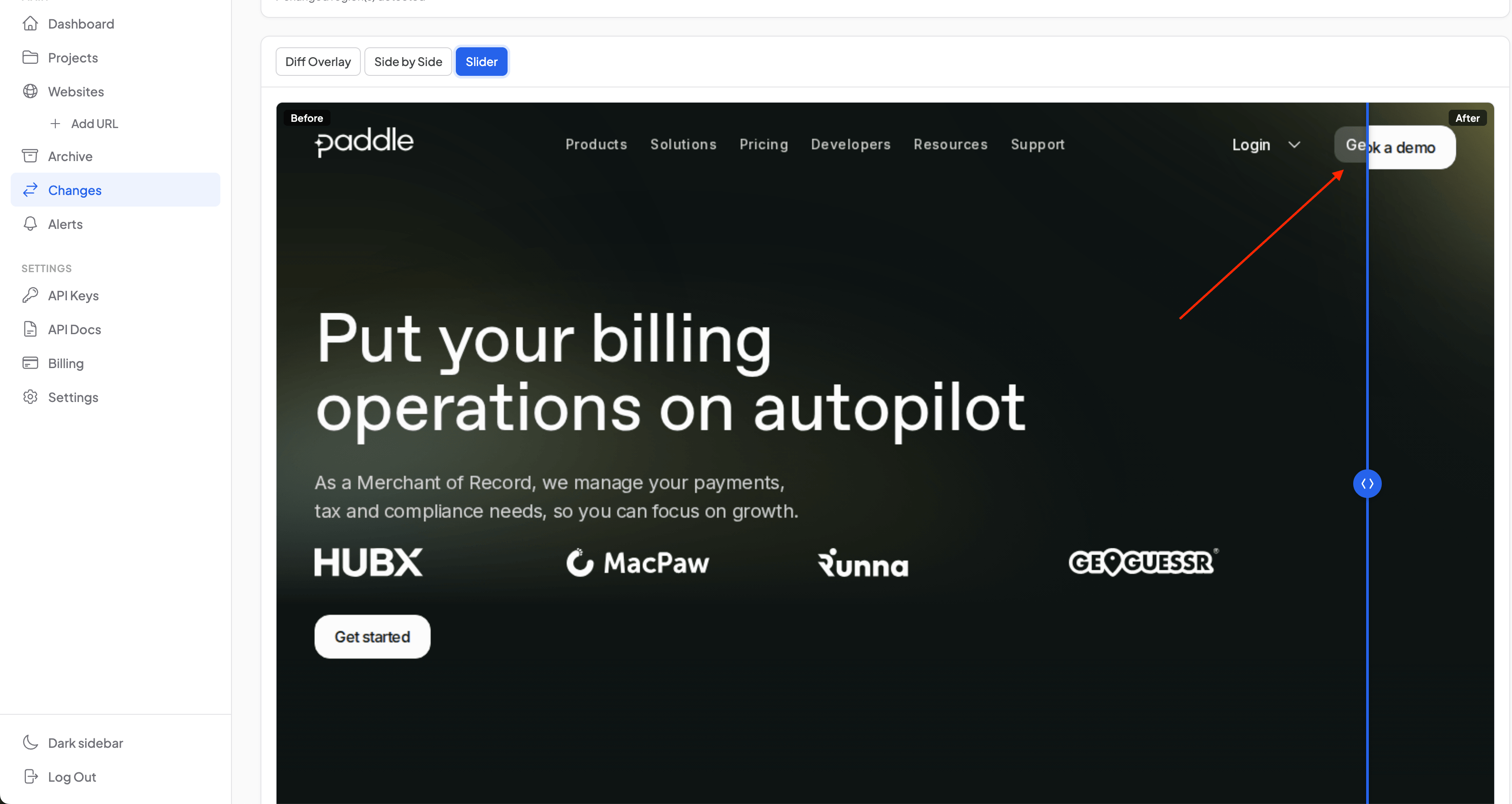
We already described how visual diff works and why pixel comparison catches things that text-based monitoring misses. Here's a concrete case: the navigation HTML might have changed by a single line, but visually a new UI element appeared, and that's what the diff highlights.
An eBay price dropped $100 in a single day
Price monitoring is one of the most common reasons people add marketplace pages to their tracking. We set up monitoring for an ASUS ROG Astral GeForce RTX 5090 listing on eBay using clip to element, capturing only the right panel with the price instead of the full page with its recommendations and banner noise.
A day later, the alert arrived. Side by Side showed the difference: $3,750 down to $3,650. A hundred dollars overnight.
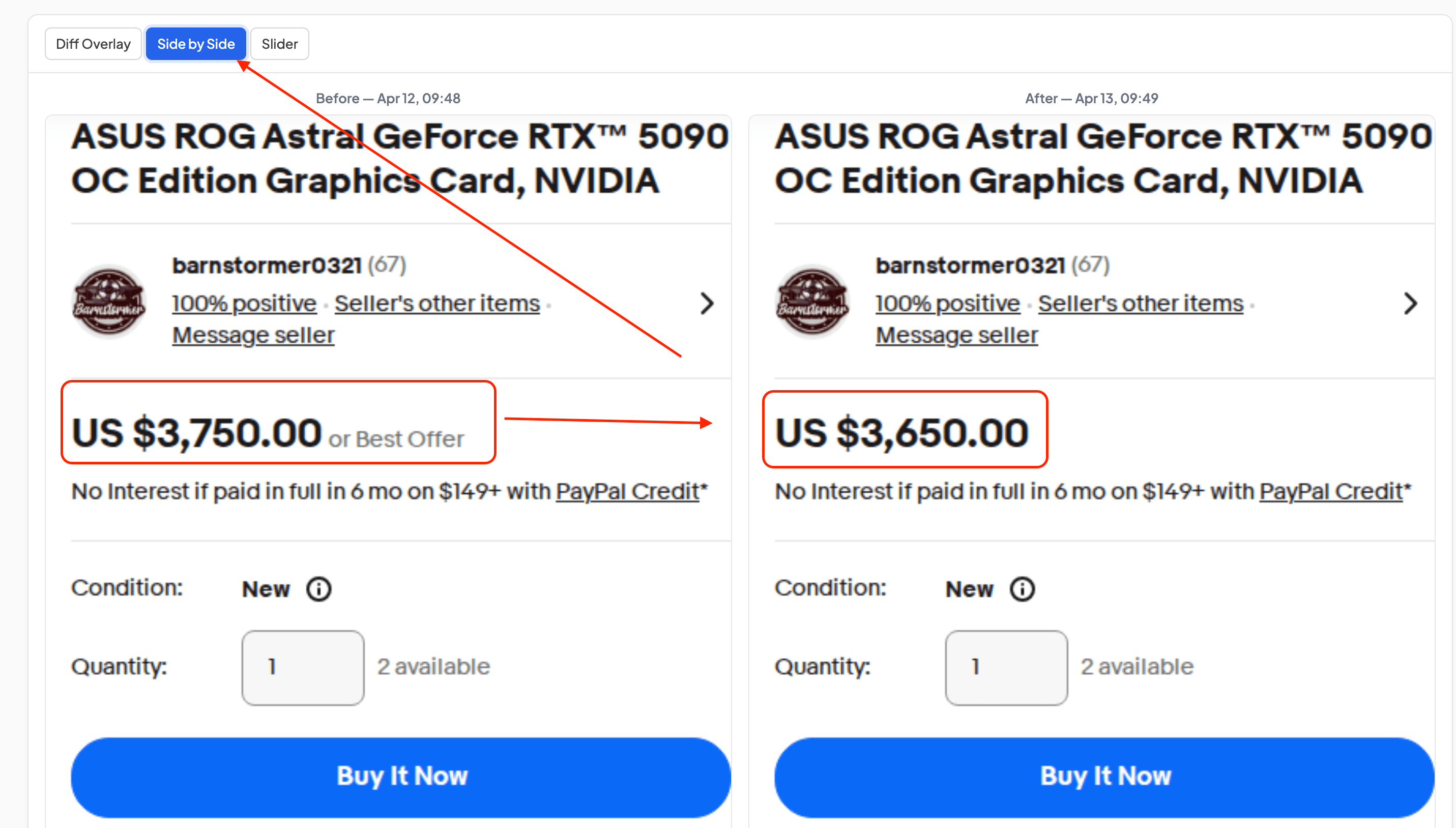
Without clip to element, this same diff could have drowned in noise from recommendation widgets and dynamic blocks. We ran into exactly this on Amazon, where layout shifts were generating 22% diff on pages where the price hadn't moved at all. Cropping to a specific element removes the clutter, so the diff only shows what actually changed.
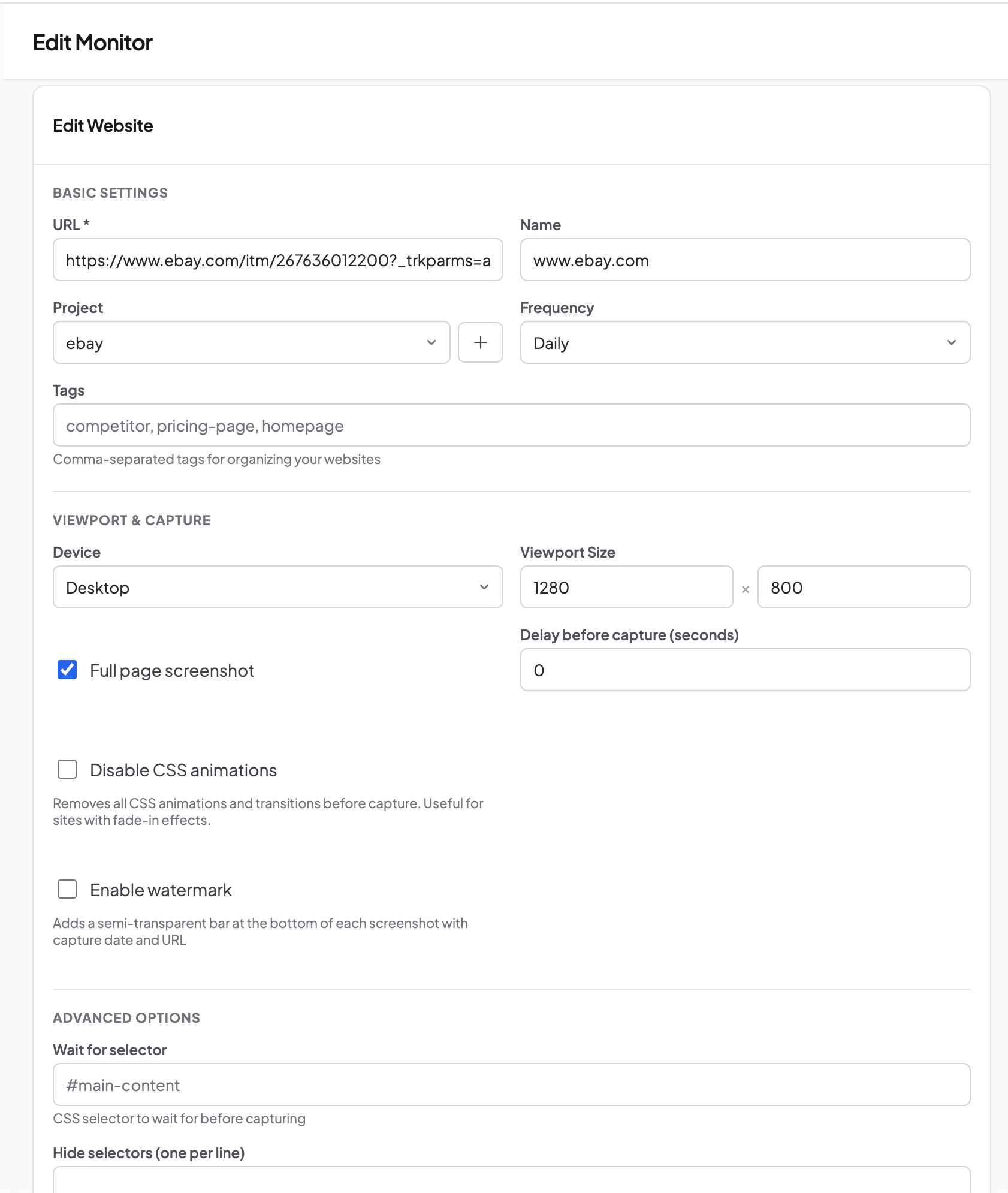
The monitor setup is straightforward. URL, project name, frequency, viewport size, and in Advanced Options the CSS selector for clip to element.
Amazon rotated the entire product lineup in a category page overnight
Category pages on marketplaces reshuffle more often than most people assume. We had the Computer Monitors section on Amazon in our monitoring, and one morning the side-by-side showed something unexpected: not a single product in the first row matched the previous day's capture.
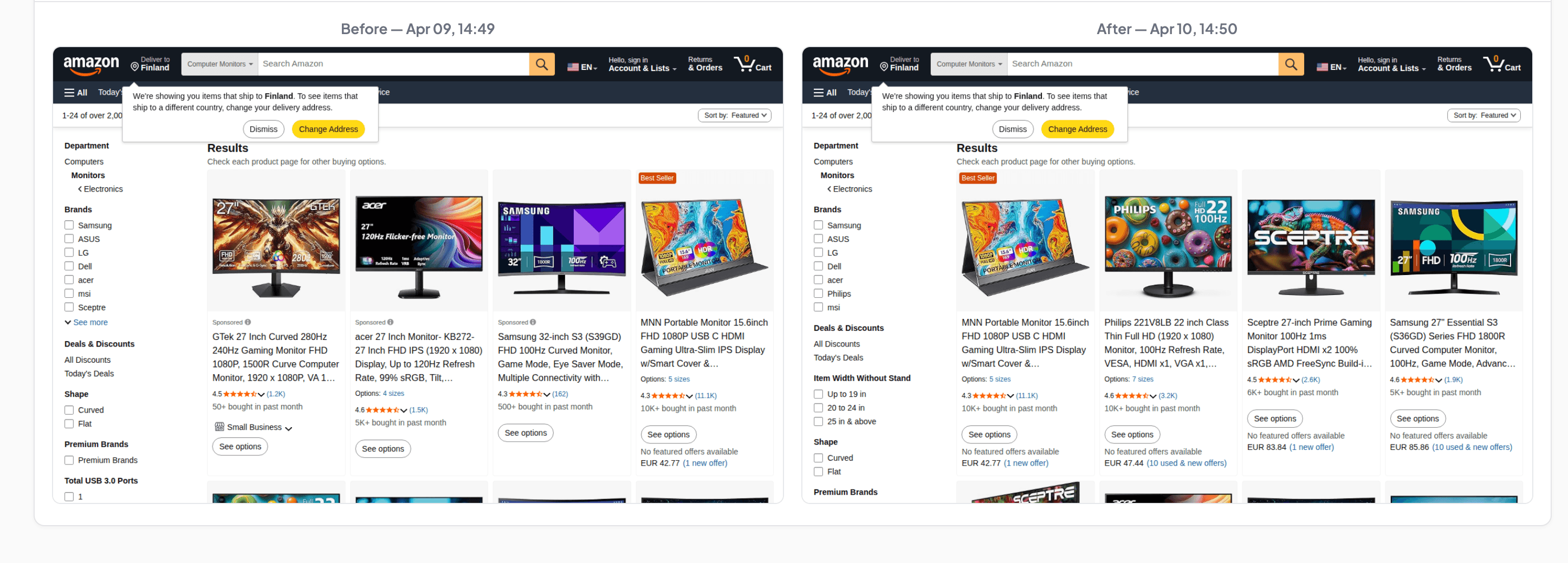
Before: GTek, acer, Samsung. After: MNN, Philips, Sceptre, Samsung. Even the filter panel on the left shifted: new brands appeared, a "Width Without Stand" Filter showed up that wasn't there the day before.
For e-commerce analytics, this kind of data is worth having. It shows how Amazon rotates sponsored placements and organic results, which brands appear and disappear, and how quickly the catalog reshuffles. A scraper that only pulls a price from a specific HTML tag won't catch this, because the products themselves changed, not just the numbers on the page.
We described our full Amazon price monitoring experiment in a separate article, including the layout shift problem and false positives we ran into along the way.
A product page went down. And the only witness was a screenshot
Amazon occasionally serves an error page instead of its catalog. Not a 500, not a timeout: an HTML page with a dog and the text "SORRY, something went wrong on our end." The status code can still be 200, so a traditional uptime monitor shows a green checkmark and moves on.
Here's what we saw: on the left, a normal gaming chairs category. On the right, the error page. Diff: 26.04%, Major.
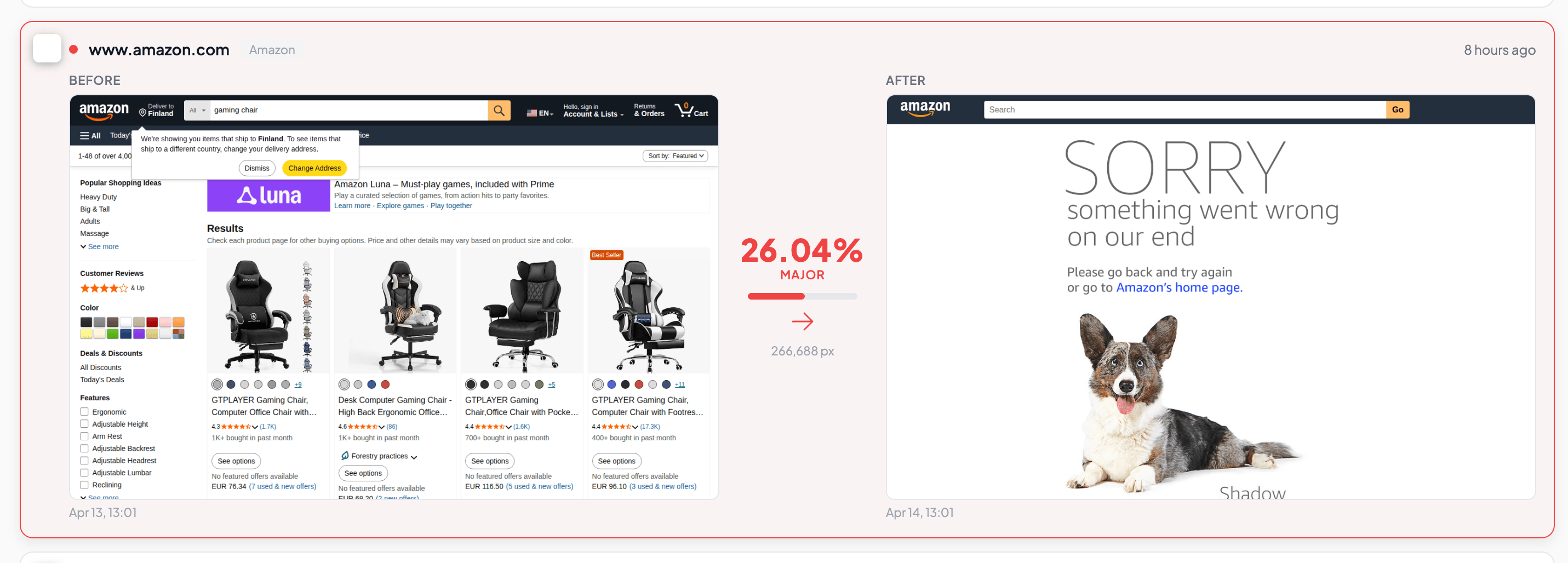
We wrote about this effect in our article on screenshot-based availability monitoring: scheduled screenshots double as visual uptime checks. The page is " Alive" For a ping but dead for anyone trying to browse it. A screenshot sees this because it renders the page in a real browser, the same way an actual customer would.
A homepage banner changed. The start of a new promo campaign
Marketplace homepages rotate banners constantly. For some people that's noise, but for a marketer or competitive analyst it's data about active promotions.
On eBay we caught a banner swap through slider mode: yesterday it was "Up to $120 off pre-loved fashion," Today a different promo with a different visual entirely.
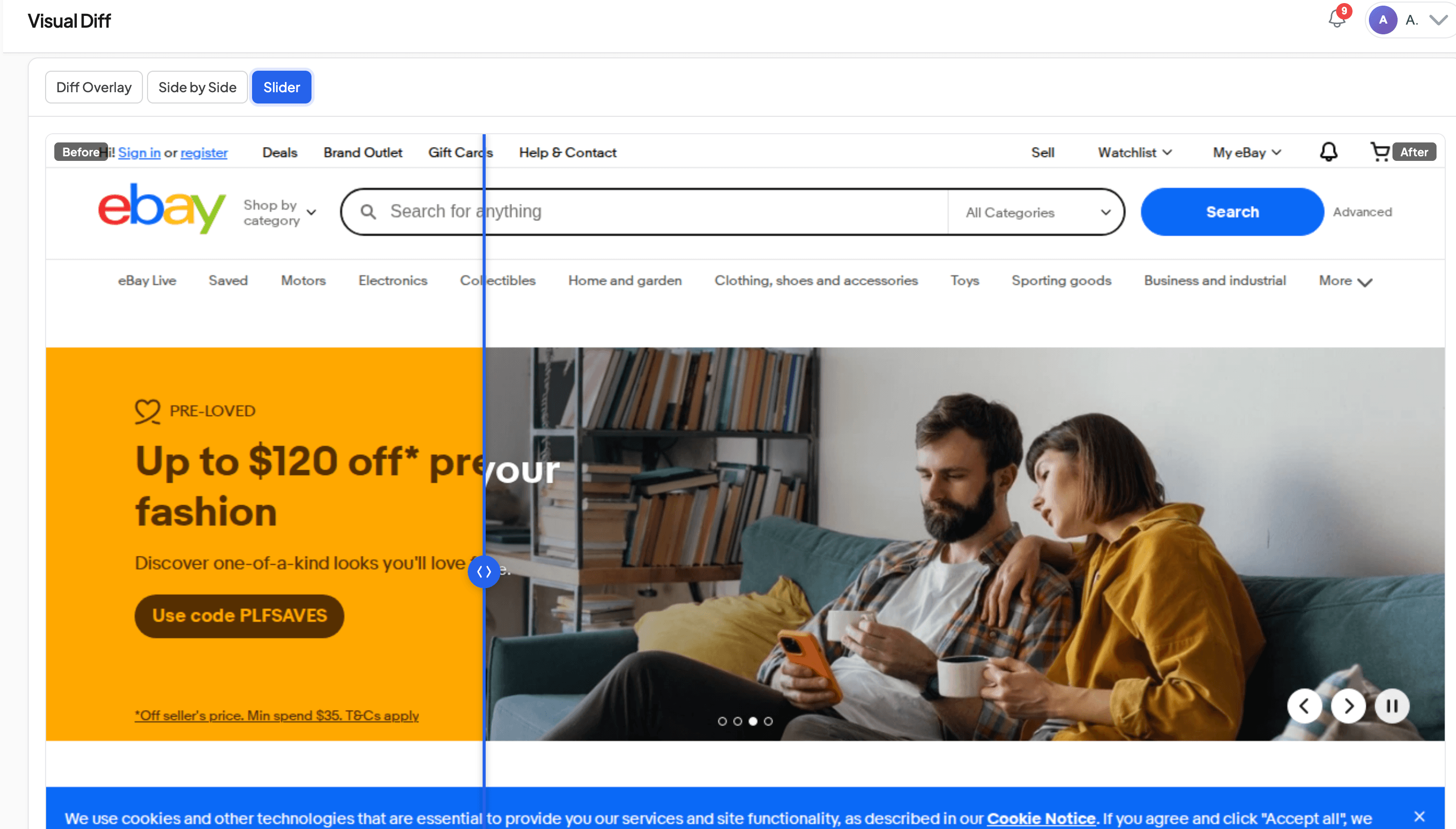
If you're tracking a competitor's marketing activity, these changes give you a sense of rotation frequency, promo types, and seasonality. For hero banner monitoring we recommend viewport mode instead of full page: a full-page capture is overkill for the first screen, and viewport is faster while using less archive storage.
How the alerts and notifications actually look
Every time visual diff detects a change above the threshold, a notification fires. In the Snapshot Archive panel, all alerts are collected in one place, with the change percentage, delivery channel, date, and status.
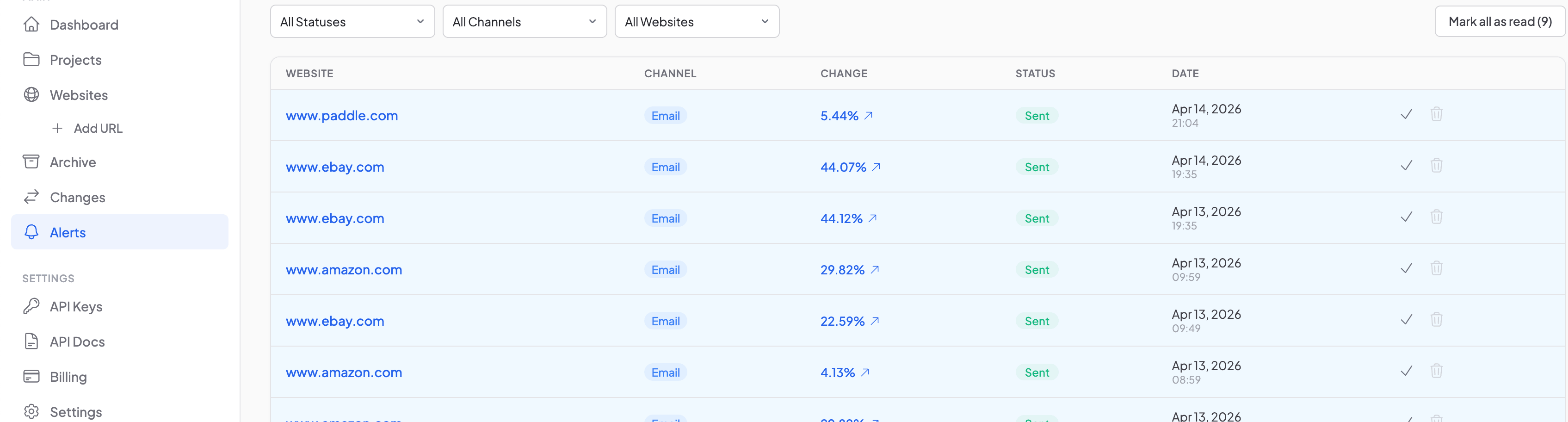
Notifications arrive by email, but you can configure other channels too. Inside the dashboard there's a notification dropdown with the latest alerts.
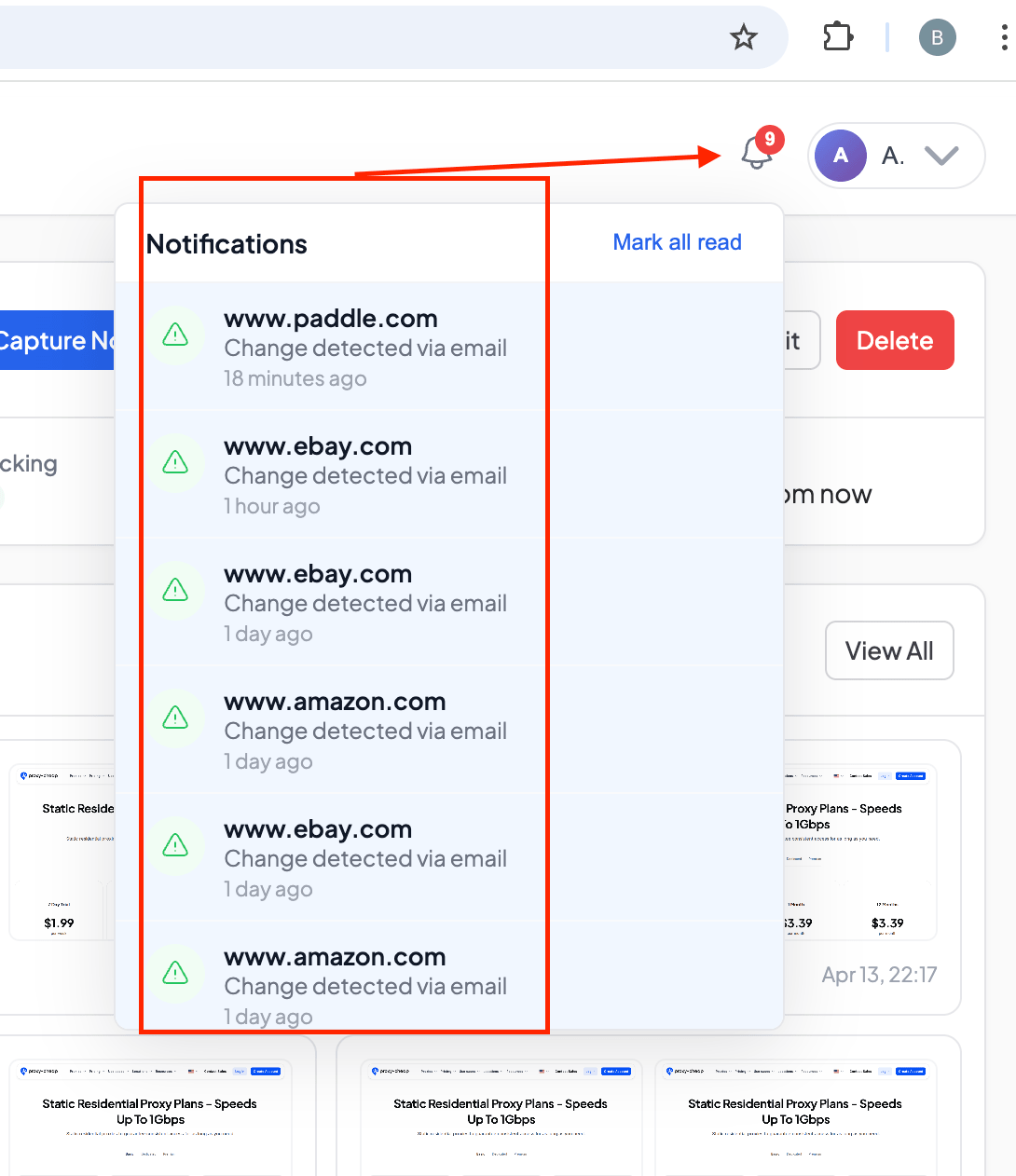
We don't check each site by hand. The monitoring gets set up once (URL, frequency, sensitivity threshold) and we only come back when something actually changed. If there are too many alerts, you can raise the threshold or hide unstable elements through hide selectors. And if you need to watch a single block rather than the whole page, there's clip to element for that.
What all of this adds up to
All six examples above showed up during two ordinary weeks of monitoring. We didn't go looking for any of them, the alerts just came in.
Websites change every day. Prices shift, banners rotate, products swap out, buttons appear, and sometimes whole pages go down without warning. The real question is whether you notice while it matters or only after the fact. Automated screenshots with visual diff handle that part: they record the state of a page at a given moment and tell you when something moved.
If you want the full setup walkthrough, we covered it in our competitor monitoring guide. For taming noisy alerts, there's a separate article on false positives. And if you'd rather just try it, the free plan gives you enough monitors to add a few sites and see what changes over a week.
Start archiving websites today
Free plan includes 3 websites with daily captures. No credit card required.
Create free account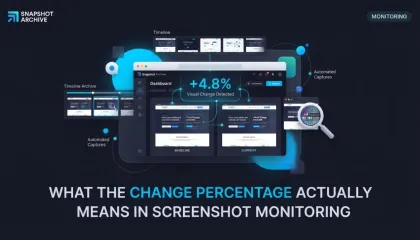
What the change percentage actually means in screenshot monitoring
Visual diff shows 22% changed, but the page looks the same. The percentage is always mathematically correct — but it only tells the truth when the page template stays stable between captures. Here's how to tell the difference and what to do about it.
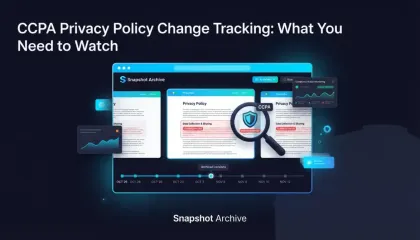
CCPA Privacy Policy Change Tracking: What You Need to Watch
CCPA requires your privacy policy to stay current — and your vendors' too. Here's how to catch silent changes before regulators do.
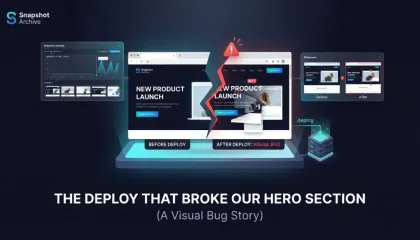
The Deploy That Broke Our Hero Section for 63 Hours
We pushed a one-line CSS fix on a Friday, closed our laptops, and didn't realize the hero section was broken until Monday. Every automated test had passed.