
 Vitalii Holben
CCPA Privacy Policy Change Tracking: What You Need to Watch
Privacy policies change more often than most people realize. A vendor you rely on quietly updates how they handle your customers' data, adds a new sub-processor, or expands their use of personal information for AI training. No email notification, no changelog. The only thing that changed on their website is a few paragraphs of legal text and maybe the "last updated" date at the top.
Under CCPA, that kind of silent change can create real problems for your business. Especially if you had no idea it happened.
What CCPA actually requires from privacy policies
CCPA (and its 2023 amendment, CPRA) requires businesses to maintain a privacy policy that discloses specific information: what categories of personal data you collect, where it comes from, what you do with it, who you share it with, and how long you keep it. The policy also needs to describe consumer rights like opting out of data sales, requesting deletion, and correcting inaccurate information.
There's also a hard requirement that most compliance teams know about but sometimes let slip: the privacy policy must be updated at least once every 12 months. The California Privacy Protection Agency has already initiated enforcement against a company whose privacy notice hadn't been updated in over a year. A stale "last updated" date is, by itself, a violation.
Since early 2026, the rules got stricter. New CCPA regulations require disclosures about automated decision-making, expanded rights around sensitive personal information, and mandatory compliance with Global Privacy Control signals. If your privacy policy hasn't been updated to reflect these changes, that's a gap regulators can flag.
The problem with silent changes
The FTC published guidance in 2024 specifically warning companies that quietly changing terms of service or privacy policies could be considered unfair or deceptive. Their example: a company retroactively expanding how it uses customer data for AI model training by simply editing a paragraph in the privacy policy without notifying anyone.
This isn't theoretical. California has already handed out serious fines to companies whose privacy policies didn't match what they were actually doing with customer data. The gap between what the policy says and what happens in practice is usually the core issue.
But here's the part that catches many compliance teams off guard: you're not just responsible for your own privacy policy. If a vendor you share data with changes how they handle that data, your own CCPA disclosures might suddenly be out of date too. And you won't know unless you're actively watching their privacy pages.
Why most teams don't catch changes in time
In theory, you could just bookmark the privacy pages of your key vendors and check them once a month. In practice, that breaks down fast. A mid-size company might rely on a couple dozen SaaS tools, each with its own privacy policy and data processing agreement. Checking all of those manually, remembering what they said last time, spotting what's different. It's the kind of task that gets pushed to next week and then next month.
Most vendors don't go out of their way to tell you when something changes, either. The typical "notification" is just updating the page itself. No email, no banner. If you weren't looking at the page that day, you missed it.
Setting up automated CCPA privacy policy tracking
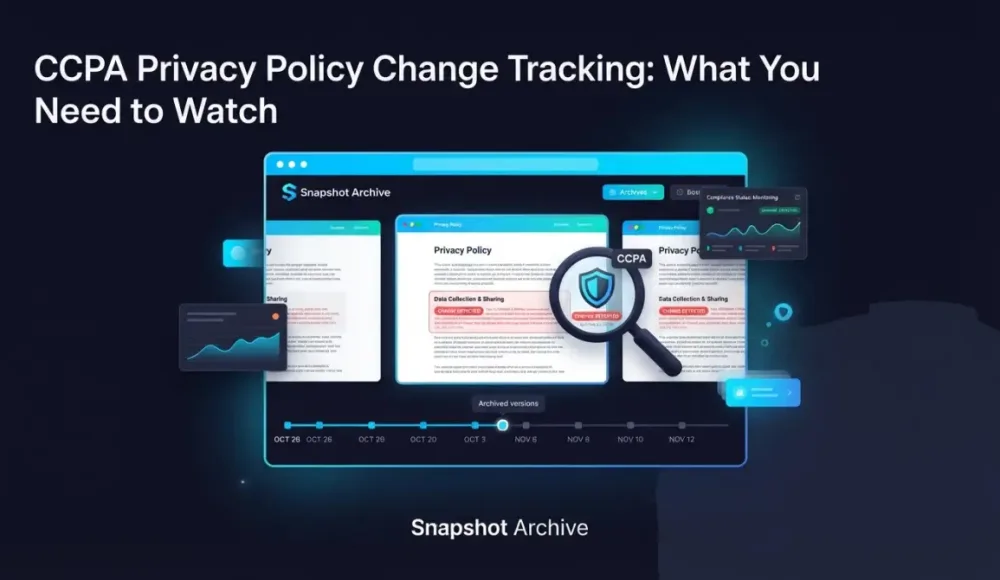
Instead of relying on memory or calendar reminders, you set up scheduled screenshots of the pages that matter and let them run. For your own privacy policy, a daily capture is usually enough. Snapshot Archive takes a full-page screenshot every day and stores it with a timestamp. If someone on your team accidentally removes a required disclosure during a site update, you'll see it in the next capture through visual diff.
For vendor privacy policies, weekly captures tend to work well unless you're in a highly regulated industry where faster detection matters. You can monitor your top vendors' privacy pages, DPAs, and sub-processor lists from one dashboard. Change alerts let you know when something actually changes, instead of you having to remember to check.
The captures themselves become your audit trail. If a regulator or auditor asks what a privacy policy said on a specific date, you pull up that day's screenshot. PDF exports with timestamps and watermarks make that evidence easy to share with legal teams.
Worth being upfront about one thing: Snapshot Archive captures how pages look visually. It won't parse the legal text or tell you which specific clause changed. But it will show you that something changed, when it changed, and what the page looked like before and after. For most CCPA compliance workflows, that's the part that's hardest to do manually.
What to monitor first
If you're just getting started with privacy policy monitoring for CCPA compliance, focus on the pages where a change would actually affect your compliance posture:
- Your own privacy policy and cookie policy pages
- Your "Do Not Sell or Share My Personal Information" page
- Privacy policies of your top data processors and SaaS vendors
- Sub-processor lists (companies like Stripe, Twilio, and AWS publish these separately)
- Any vendor DPA or data processing agreement pages
For most companies, that's somewhere between a dozen and a few dozen URLs. Snapshot Archive's Starter plan covers 20 URLs with daily captures and 180-day retention, which is usually enough to cover your own pages plus your most critical vendors. If you need to monitor more, the Pro plan handles 50 URLs with captures every every 6 hours. See more about privacy policy and terms tracking as a broader use case, or how compliance archiving works for regulated industries.
The goal of CCPA privacy policy tracking isn't to catch every change on the internet. It's to make sure the changes that affect your business don't slip past without anyone noticing.
Start archiving websites today
Free plan includes 3 websites with daily captures. No credit card required.
Create free account
How to bypass age verification on websites using custom cookies
Some websites block content behind an age verification form — three input fields for date of birth, no simple button to click. Click selector can't help here. We show how to bypass these gates using custom cookies, with jackdaniels.com as a real example.
False Positives in Screenshot Monitoring: What Causes Them and What to Do
We got 14 alerts in one day from a single website. The problem was a live counter and a logo carousel triggering visual diff on every capture. Here is how we fixed it with threshold tuning and hide selectors.
The Deploy That Broke Our Hero Section for 63 Hours
We pushed a one-line CSS fix on a Friday, closed our laptops, and didn't realize the hero section was broken until Monday. Every automated test had passed.