
 Vitalii Holben
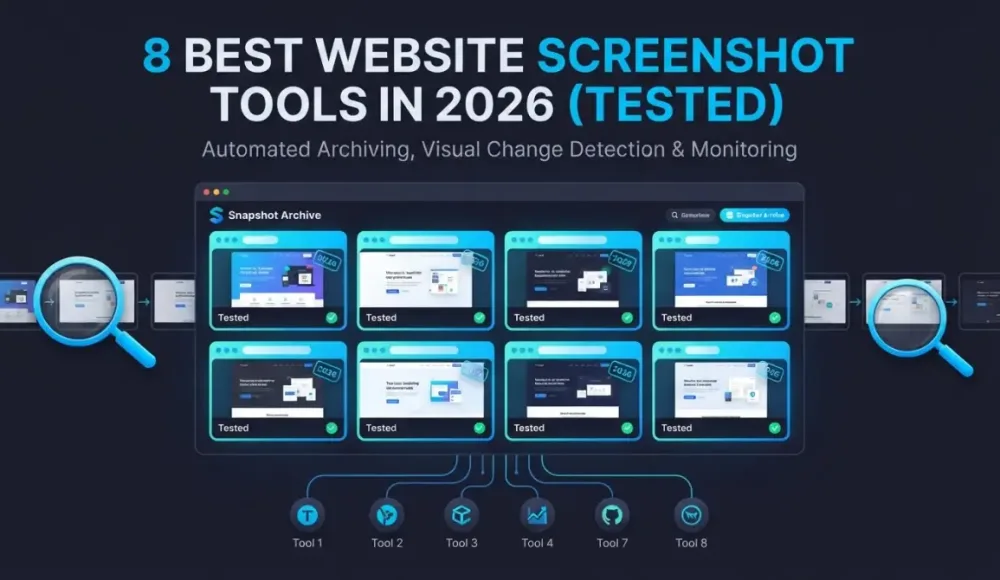
8 Best Website Screenshot Tools in 2026 (Tested)
Disclosure: we publish Snapshot Archive, one of the tools covered below. We'll flag where competitors do things we can't.
We tested eight of the best website screenshot tools over the past month. The honest answer is: most people need exactly one, and picking the wrong one wastes more time than having no tool at all.
Short version: for automated archiving with legal-grade timestamps, Snapshot Archive and Stillio lead the pack. For change detection and alerts, VisualPing and ChangeTower are stronger. For free one-off captures, the Wayback Machine or a headless browser will do. Now the details.
Automated screenshot archiving tools
These tools take automated website screenshots on a schedule you set. You give them URLs, pick a frequency, and full-page captures pile up in a timeline. Useful when you need proof of what a page looked like on a specific date — for compliance, competitor tracking, or post-deployment checks. Two screenshot archiving tools own this category.
Snapshot Archive
We built this, so take the recommendation with that context. Snapshot Archive runs scheduled captures, then compares consecutive screenshots with visual diff and sends alerts when something moves. Every capture gets a SHA-256 hash and UTC timestamp watermark. That matters if you ever hand a screenshot to a lawyer or auditor.
PDF export bundles the screenshot with metadata into a certificate. API access starts on the Pro plan. Free tier: 3 URLs, daily captures, 30 days of retention. Starter is $19/month for 20 URLs ($0.95 per URL). Full breakdown on our pricing page.
What we don't do: text-level monitoring, keyword tracking, AI change summaries, Chrome extensions, or geo-targeted captures. If those matter to you, keep reading.
Stillio
The closest direct competitor. Stillio captures scheduled screenshots and stores them in a visual timeline. Snap Shot plan starts at $29/month for 5 URLs ($5.80 per URL). Hot Shot is $79/month for 25, Big Shot covers 100 at $199/month, Top Shot gives unlimited pages at $299/month. No free tier, but they offer a 14-day trial.
Google Drive and Dropbox sync is an advantage we don't have yet. Three years of storage included; anything older costs extra per screenshot. No visual diff, no change detection alerts, no hash verification. If you're choosing between these two, we wrote a detailed head-to-head.
Change detection tools that happen to take screenshots
Different problem entirely. These tools watch pages and notify you when something changes. Screenshots are a byproduct of the monitoring. The archive is secondary to the alert.
VisualPing
VisualPing checks pages at set intervals and highlights visual differences between captures. Free tier monitors 5 pages daily with 150 checks per month. Personal plan starts at $10/month. Business jumps to $140/month for 20,000 checks at 5-minute intervals with Slack, Teams, and API access. G2 rates them 4.6/5 across 393 reviews. We were surprised how fast their visual comparison renders. Weaker as an archiving tool though: no hash verification, no PDF certificates, limited retention on the free tier. Users on G2 complain about false alerts on pages with rotating banners. We compared the two approaches in our VisualPing comparison.
ChangeTower
ChangeTower starts cheap: $12/month for 25 pages on Lite ($0.48 per URL, lowest paid rate on this list). Free tier covers 3 pages with daily checks and 30 days of history. Essential runs $36/month for 100 pages with hourly checks. Business is $78/month for 200 pages at 20-minute intervals.
Their real strength is word-by-word text diffs. Neither Snapshot Archive nor Stillio offers that. If a single paragraph changed in a terms of service page at 2am, ChangeTower catches the exact words. No timestamped evidence or hash verification on the archiving side. Our ChangeTower alternative page covers the trade-offs.
Hexowatch
Broadest tool on this list, and that's both its strength and its weakness. Hexowatch monitors six types of changes: visual, content, source code, tech stack, availability, and keyword mentions. Pro plan: $29/month for 4,500 checks. Business: $55/month for 10,000 checks with 5-minute frequency. G2 gives them a 9.5/10 from 52 reviews. But users report the per-check pricing gets expensive fast, and the screenshot archive is thin compared to dedicated tools. No full-page captures on every plan, no hash verification, no PDF evidence exports. More early-warning system than record-keeping tool. See our Hexowatch alternative page for a side-by-side.
Free website capture tools worth knowing about
Wayback Machine
Over 900 billion pages archived since 1996. Free, public, and useful for looking up what a site said three years ago. But you don't control it. Can't set a capture schedule. Can't dismiss cookie banners before the screenshot. Can't run a visual diff. And increasingly, major publishers are blocking archive.org crawlers: The New York Times restricted access in 2025, and others have followed. We expected the Wayback Machine to have most sites covered. It doesn't. For casual lookups, nothing beats it. For anything resembling "monitoring" or "evidence," wrong tool. We ran a real comparison test and have a full alternative page.
Pagecrawl
Pagecrawl takes a different angle: AI-generated summaries of what changed, not just raw diffs. Free tier: 6 pages at 60-minute intervals with 90 days of history. Standard is $8/month for 100 pages ($0.08 per URL, cheapest on this list by far). Interesting for content teams who get overwhelmed by raw visual comparisons. Not useful for archiving or evidence, no hash verification. See our Pagecrawl alternative page.
Puppeteer or Playwright
If you write code, a headless browser handles screenshot jobs without paying anything. Ten lines of JavaScript, one full-page capture. Done. We ran our own Puppeteer setup for about four months before building Snapshot Archive. At 15 URLs it was fine. At 40, we spent more time fixing the scheduler than looking at screenshots. Playwright supports Chrome, Firefox, and WebKit. Puppeteer is Chrome-only but lighter. Works for 5 URLs. Past 20, the maintenance costs more in hours than a $19/month subscription saves in dollars.
Quick comparison table
| Tool | Starts at | Free tier | Visual diff | Hash verification | Best for |
|---|---|---|---|---|---|
| Snapshot Archive | $19/mo | 3 URLs | Yes | Yes | Compliance archiving, legal evidence |
| Stillio | $29/mo | No (14-day trial) | No | No | Screenshot timeline, cloud backup |
| VisualPing | $10/mo | 5 pages | Yes | No | Visual change alerts |
| ChangeTower | $12/mo | 3 pages | Yes | No | Text-level change tracking |
| Hexowatch | $29/mo | No (7-day trial) | Yes | No | Multi-type monitoring |
| Wayback Machine | Free | Unlimited | No | No | Historical lookups |
| Pagecrawl | $8/mo | 6 pages | Yes | No | AI change summaries |
| Puppeteer / Playwright | Free | Unlimited | No (build your own) | No (build your own) | Developers who want full control |
Picking the right website screenshot tool
For compliance archiving and legal evidence, you need timestamped captures with hash verification. That narrows the field to Snapshot Archive. Stillio archives screenshots but skips the cryptographic proof.
Competitor monitoring where the alert matters more than the archive? VisualPing or ChangeTower. ChangeTower if you need word-level text diffs. VisualPing if visual changes are the priority.
Price tracking across dozens of product pages suits Hexowatch or ChangeTower better, because they're built around check volume rather than screenshot quality.
A handful of pages you check occasionally? The Wayback Machine costs nothing. Developers who want full control get Puppeteer or Playwright for free, but they're not hands-off.
We have a bias here, and we've been upfront about it. Still not sure? Grab the free tier of whichever tool handles your primary use case and run it for two weeks. The answer shows up in your inbox.
Start archiving websites today
Free plan includes 3 websites with daily captures. No credit card required.
Create free account
API Docs Update: Filtering, New Endpoints, and Code Examples in Four Languages
Filtering and sorting on all list endpoints, two new endpoints, code examples in cURL, PHP, Python, and Node.js, and a published OpenAPI spec.
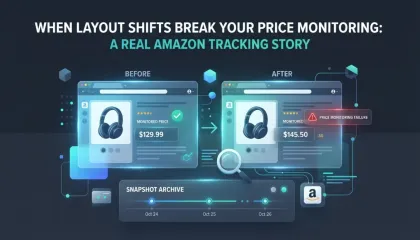
When layout shifts break your price monitoring: a real Amazon tracking story
We set up price monitoring on an Amazon product page and immediately started getting 22% diff alerts — not because the price changed, but because a promotional banner kept appearing and disappearing in the navigation, shifting the entire layout down by a few dozen pixels. Here's how we figured out what was happening and what we'd recommend doing about it.
How to Monitor a Specific Section of a Website (Without the False Alert Noise)
Full-page screenshots on e-commerce sites catch too much noise. Clip to element lets you capture only the block you care about — for cleaner diffs and fewer false alerts.