
 Vitalii Holben
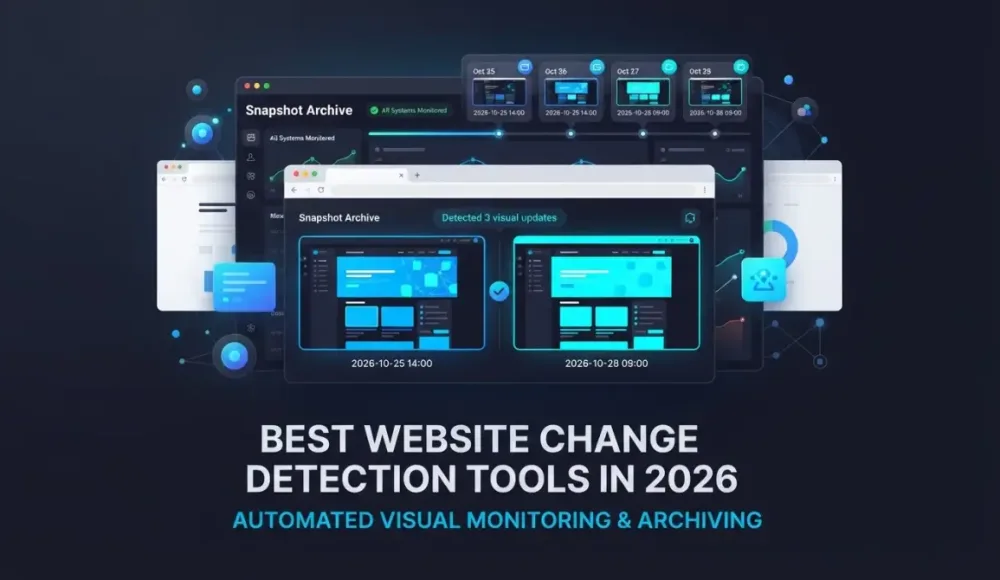
You want to know when a web page changes. Maybe it's a competitor's pricing page or a vendor's terms of service. Maybe it's your own site after a deployment. The website change detection tool you pick depends on what kind of changes you care about and what you plan to do with that information.
Here's what's actually worth looking at in 2026.
Visual monitoring vs. text monitoring
Some tools compare how a page looks (screenshots, pixel-level diffs). Others compare the underlying HTML or specific text elements. A few try to do both.
This distinction matters. A page can change visually without the HTML changing much: a CSS update shifts the layout, an image gets swapped, a banner disappears. And the HTML can change without any visible difference at all, like tracking scripts or metadata updates. If you need to catch layout shifts, missing images, or branding changes, visual website change detection tools are what you want. If you're tracking a specific price or paragraph, text-based monitoring is more precise.
Best website change detection tools compared
Visualping
Probably the first name that comes up when people search for website change monitoring. The setup is dead simple: paste a URL, pick a check frequency, done. The free tier gives you 5 pages and 150 checks per month, which is enough to test the concept. Paid plans start at $10/month.
Visualping works well for straightforward cases. Where it gets tricky is with longer pages: it captures only the visible viewport, not the full page, so anything below the fold is invisible to the comparison. History is another thing to watch. Unless you're on a higher plan, your old captures expire after a few months, which means you can't go back and check what a page looked like six months ago.
Distill.io
Distill takes a fundamentally different approach. Instead of comparing entire pages visually, you select specific elements via CSS or XPath selectors and monitor just those. The price on a product page, a particular paragraph, a status indicator. This precision is its biggest strength and its biggest limitation at the same time: you need to know exactly what to watch before you start.
What makes it unusual is the browser extension mode. Monitors can run locally in your browser, not just in the cloud, which means you can track pages that require your login session. Free tier covers 25 monitors, paid starts at $15/month. If your use case is about catching specific text changes, Distill is one of the sharper tools out there. Visual comparison, though, isn't really what it's built for.
ChangeTower
ChangeTower sits in an interesting spot: it does both visual and text-based change detection, and it also keeps timestamped archives of every capture. Free tier covers 3 pages with daily checks, paid starts at $12/month. The compliance angle is where ChangeTower gets the most traction. Legal teams and regulated businesses like it because every snapshot is dated and stored, which gives you something to point to if someone asks "what did this page say on this date?"
Interface isn't the most polished, and higher-tier pricing can climb quickly, but for the combination of monitoring plus archival it's one of the more complete options in the text-monitoring camp.
changedetection.io
The open-source option, and a serious one. You can self-host it for free via Docker, which means unlimited pages at zero cost if you have the technical skills to run it. There's also a hosted version starting at $9/month if you'd rather not manage infrastructure. The feature set is impressive for a community project: CSS/XPath selectors, browser rendering via Playwright, PDF monitoring, over 85 notification channels, and recently added AI-powered change summaries that describe what changed in plain language.
Where it falls short: visual comparison is basic. It can take screenshots, but the diff engine is built around text and HTML first. If you want serious visual change detection, this isn't the primary tool for that. If you want deep text monitoring with full control and no vendor lock-in, it's probably the best option in its category.
Hexowatch
Hexowatch tries to be the all-in-one. It monitors visual changes, HTML changes, tech stack changes, keyword appearances, and availability, all from one dashboard. That breadth is genuinely useful if you want a single tool watching multiple dimensions of a website at once.
Pricing is the catch. No free plan, and the model is check-based (starting at $29/month for 4,500 checks) rather than page-based. Depending on how many pages you monitor and how often, costs can escalate beyond what you'd pay for a dedicated tool. For teams that need multi-dimensional monitoring and are okay with the cost, it covers a lot of ground. For everyone else, a specialized tool usually does its one thing better.
Sken.io
Sken takes a minimalist approach to visual monitoring. You open a page, draw a bounding box around the area you care about, and it watches just that region. No full-page comparison, no text parsing, just a visual check on the area you selected. Starts at about €3/month, which makes it one of the most affordable options for visual change detection.
It works well for specific use cases like monitoring a particular section of a competitor's page or checking whether a specific banner is still live. Feature set is limited compared to Visualping or Hexowatch, but if you need simple, focused visual monitoring and don't want to pay for features you won't use, it does the job.
Snapshot Archive
Most website change detection tools are built to answer one question: "did something change?" Snapshot Archive starts from a different premise. Its primary job is to keep a full-page visual record of how a website looks over time, and pixel-level comparison is the mechanism that makes that archive useful.
Why this approach? When you're archiving web pages for compliance, legal evidence, or simply to have a historical record, what matters is how the page actually appeared to a visitor. Not the HTML source, not a text diff, but the visual reality. Pixel-level comparison catches everything a visitor would notice: layout shifts, removed sections, changed images, rebranded elements, missing disclaimers. It doesn't care about invisible code changes, because those aren't what you'd show to an auditor or a court.
Every capture is stored with a timestamp and can be exported as PDF with watermarks. Retention goes up to 3 years depending on the plan. Change alerts come with the diff image attached, so you see what changed without having to log in. Free tier covers 3 URLs with daily captures, paid starts at $19/month for 20 URLs.
One limitation: it's purely visual. If someone changes a price from $49 to $59 but the layout stays identical, you'll see it in the screenshot but the change detection threshold might not flag it as significant. For tracking specific text values, a selector-based tool like Distill.io is more reliable.
Others worth mentioning
Wachete has native mobile apps and can monitor documents (PDFs, spreadsheets) alongside regular web pages, starting at about $5/month. It's been around since 2014, which says something about reliability. Fluxguard (which absorbed Versionista's customer base) targets enterprise compliance with features like GDPR cookie tracking and synthetic transactions, but starts at roughly $83/month. PageCrawl.io is a newer player adding AI features for automated monitoring rules, with a free tier for 6 pages.
How to pick the right change detection software
There's no single best tool here. It depends on what you're actually trying to do:
- Tracking a specific price or text snippet → Distill.io or changedetection.io
- Visual monitoring on a budget → Sken.io
- Easy visual monitoring, no setup hassle → Visualping
- Long-term visual archives for compliance or legal use → Snapshot Archive or ChangeTower
- Self-hosted, full control → changedetection.io
- Watching everything at once → Hexowatch
Most of these website change tracker tools have free tiers or trials, so you can test a few before committing. Start with whichever one matches your use case. You'll know within a week whether it catches what you actually care about.
Start archiving websites today
Free plan includes 3 websites with daily captures. No credit card required.
Create free account
How to Track Terms of Service & Privacy Policy Changes
Terms of service and privacy policy pages change without warning. Here is how to set up automated screenshot monitoring so you always know what changed and when.

E-commerce price monitoring with screenshots: what we actually found
We set up screenshot-based price monitoring on Amazon across several product categories. Instead of clean price data, we got error pages, layout shifts, and a visual diff that catches things text scrapers miss entirely. Here's the full breakdown with real data.