
Projects
Projects let you organize monitors into logical groups — for example, by client, environment, or team. Every account starts with a default project, and you can create as many additional projects as you need. Monitors can optionally belong to a project, making it easier to filter and manage large numbers of monitors.
List projects
Returns all projects on your account, sorted by creation date (newest first). Use the sort and order parameters to change the ordering. The response includes a monitors_count field so you can see at a glance how many monitors belong to each project.
/v1/projectsQuery parameters
| Parameter | Type | Description |
|---|---|---|
per_page | integer | Items per page (default: 20) |
sort | string | created_at (default), updated_at, name |
order | string | desc (default) or asc |
curl "https://api.snapshotarchive.com/v1/projects" \
  -H "Authorization: Bearer YOUR_API_KEY" \
  -H "Accept: application/json"
$response = Http::withToken('YOUR_API_KEY')
->get('https://api.snapshotarchive.com/v1/projects');
$projects = $response->json('data');resp = requests.get(f'{BASE}/projects', headers=headers)
projects = resp.json()['data']const { data: projects } = await fetch(`${BASE}/projects`, { headers })
.then(r => r.json());uri = URI("#{BASE}/projects")
req = Net::HTTP::Get.new(uri, headers)
resp = Net::HTTP.start(uri.hostname, uri.port, use_ssl: true) { |h| h.request(req) }
projects = JSON.parse(resp.body)['data']req, _ := http.NewRequest("GET", BASE+"/projects", nil)
req.Header.Set("Authorization", "Bearer "+apiKey)
resp, _ := http.DefaultClient.Do(req)
defer resp.Body.Close()
var result map[string]interface{}
json.NewDecoder(resp.Body).Decode(&result)Response
{
  "data": [
    {
      "id": 1,
      "name": "My Website",
      "description": "Production site monitoring",
      "is_default": true,
      "monitors_count": 5,
      "created_at": "2026-01-15T10:30:00Z",
      "updated_at": "2026-01-15T10:30:00Z"
    }
  ],
  "meta": { "current_page": 1, "per_page": 20, "total": 1, "last_page": 1 }
}
Create a project
Creates a new project to group your monitors. The only required field is name — the description is optional and useful for documenting the project's purpose for your team.
/v1/projectsRequest body
| Field | Type | Required | Description |
|---|---|---|---|
name | string | Yes | Project name (max 255 characters) |
description | string | No | Project description (max 1000 characters) |
curl -X POST https://api.snapshotarchive.com/v1/projects \
  -H "Authorization: Bearer YOUR_API_KEY" \
  -H "Content-Type: application/json" \
  -H "Accept: application/json" \
  -d '{"name": "My Website", "description": "Production monitoring"}'
$response = Http::withToken('YOUR_API_KEY')
->post('https://api.snapshotarchive.com/v1/projects', [
'name' => 'My Website',
'description' => 'Production monitoring',
]);
$project = $response->json('data');resp = requests.post(f'{BASE}/projects', headers=headers,
json={'name': 'My Website', 'description': 'Production monitoring'})
project = resp.json()['data']const { data: project } = await fetch(`${BASE}/projects`, {
method: 'POST', headers,
body: JSON.stringify({ name: 'My Website', description: 'Production monitoring' }),
}).then(r => r.json());uri = URI("#{BASE}/projects")
req = Net::HTTP::Post.new(uri, headers)
req.body = { name: 'My Website', description: 'Production monitoring' }.to_json
resp = Net::HTTP.start(uri.hostname, uri.port, use_ssl: true) { |h| h.request(req) }
project = JSON.parse(resp.body)['data']body := strings.NewReader(`{"name":"My Website","description":"Production monitoring"}`)
req, _ := http.NewRequest("POST", BASE+"/projects", body)
req.Header.Set("Authorization", "Bearer "+apiKey)
req.Header.Set("Content-Type", "application/json")
resp, _ := http.DefaultClient.Do(req)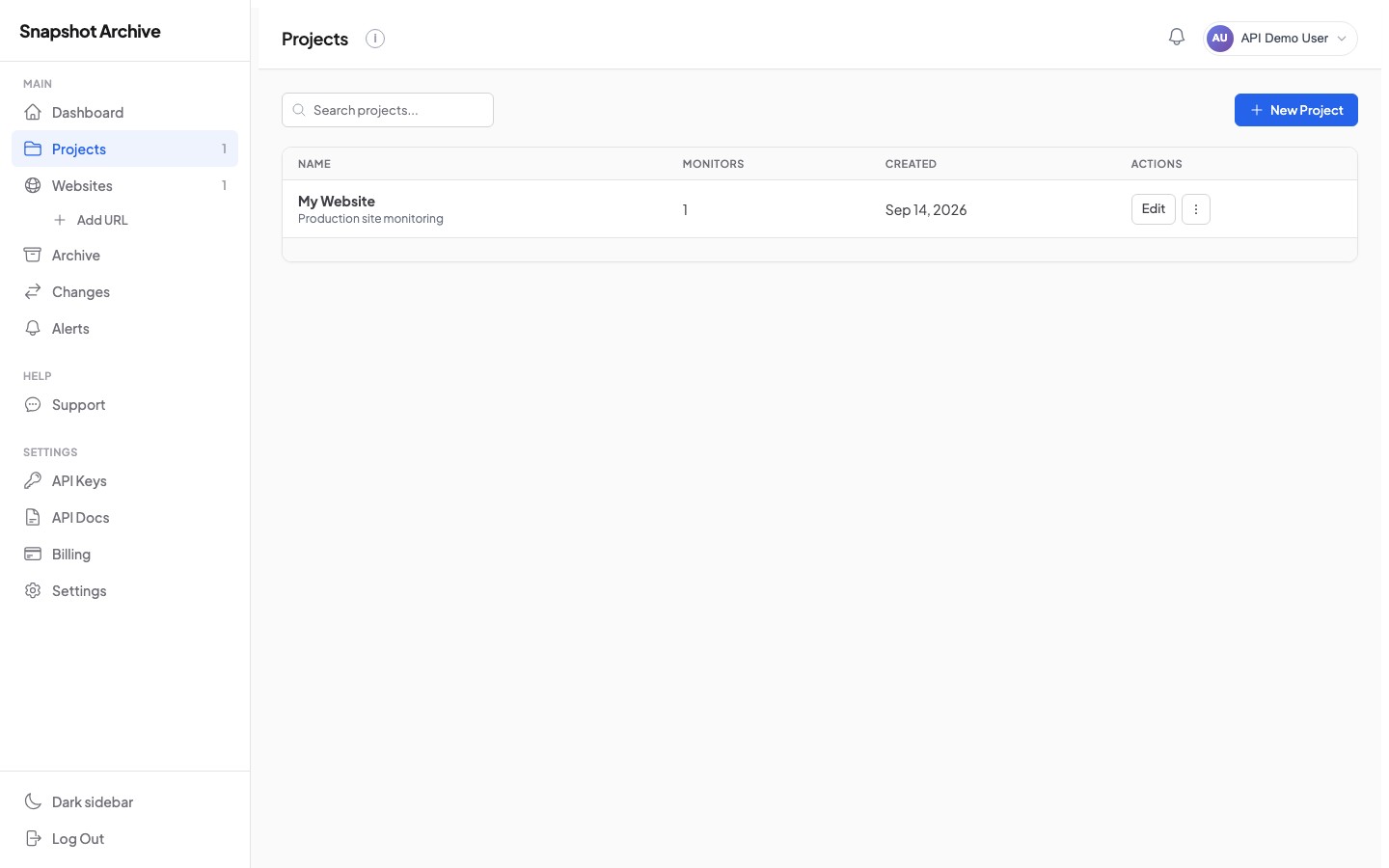
Get, update, and delete a project
Use the project id from the create or list response to retrieve, modify, or remove a project. When updating, send only the fields you want to change — omitted fields keep their current values.
Retrieve a single project with its monitors_count.
Update a project's name or description. Send only the fields you want to change.
# Update project name
curl -X PATCH https://api.snapshotarchive.com/v1/projects/1 \
  -H "Authorization: Bearer YOUR_API_KEY" \
  -H "Content-Type: application/json" \
  -H "Accept: application/json" \
  -d '{"name": "Production Sites"}'
$response = Http::withToken('YOUR_API_KEY')
->patch('https://api.snapshotarchive.com/v1/projects/1', [
'name' => 'Production Sites',
]);
$project = $response->json('data');resp = requests.patch(f'{BASE}/projects/1', headers=headers,
json={'name': 'Production Sites'})
project = resp.json()['data']const { data: project } = await fetch(`${BASE}/projects/1`, {
method: 'PATCH', headers: { ...headers, 'Content-Type': 'application/json' },
body: JSON.stringify({ name: 'Production Sites' }),
}).then(r => r.json());uri = URI("#{BASE}/projects/1")
req = Net::HTTP::Patch.new(uri, headers)
req.body = { name: 'Production Sites' }.to_json
req['Content-Type'] = 'application/json'
resp = Net::HTTP.start(uri.hostname, uri.port, use_ssl: true) { |h| h.request(req) }
project = JSON.parse(resp.body)['data']body := strings.NewReader(`{"name":"Production Sites"}`)
req, _ := http.NewRequest("PATCH", BASE+"/projects/1", body)
req.Header.Set("Authorization", "Bearer "+apiKey)
req.Header.Set("Content-Type", "application/json")
resp, _ := http.DefaultClient.Do(req)
defer resp.Body.Close()Delete a project. Returns 204 No Content on success. Monitors in the project are not deleted — they become unassigned.
curl -X DELETE https://api.snapshotarchive.com/v1/projects/1 \
  -H "Authorization: Bearer YOUR_API_KEY" \
  -H "Accept: application/json"
$response = Http::withToken('YOUR_API_KEY')
->delete('https://api.snapshotarchive.com/v1/projects/1');
// 204 No Contentresponse = requests.delete(
'https://api.snapshotarchive.com/v1/projects/1',
headers={'Authorization': 'Bearer YOUR_API_KEY'}
) # 204 No Contentconst response = await fetch('https://api.snapshotarchive.com/v1/projects/1', {
method: 'DELETE',
headers: { 'Authorization': 'Bearer YOUR_API_KEY' }
}); // 204 No Contenturi = URI('https://api.snapshotarchive.com/v1/projects/1')
req = Net::HTTP::Delete.new(uri)
req['Authorization'] = 'Bearer YOUR_API_KEY'
res = Net::HTTP.start(uri.hostname, uri.port, use_ssl: true) { |h| h.request(req) }
# 204 No Contentreq, _ := http.NewRequest("DELETE", "https://api.snapshotarchive.com/v1/projects/1", nil)
req.Header.Set("Authorization", "Bearer YOUR_API_KEY")
resp, _ := http.DefaultClient.Do(req)
// 204 No ContentList monitors in a project
If you need to see only the monitors belonging to a specific project, use this endpoint instead of filtering the global monitors list. It supports the same filtering and sorting options as the main monitors list.
/v1/projects/{id}/monitorsQuery parameters
| Parameter | Type | Description |
|---|---|---|
status | string | Filter: active, paused, error, plan_exceeded |
sort | string | created_at (default), updated_at, url, name, status |
order | string | desc (default) or asc |
per_page | integer | Items per page (default: 20) |
# List active monitors in project 1
curl "https://api.snapshotarchive.com/v1/projects/1/monitors?status=active" \
  -H "Authorization: Bearer YOUR_API_KEY" \
  -H "Accept: application/json"
$response = Http::withToken('YOUR_API_KEY')
->get('https://api.snapshotarchive.com/v1/projects/1/monitors', [
'status' => 'active',
]);
$monitors = $response->json('data');resp = requests.get(f'{BASE}/projects/1/monitors',
headers=headers, params={'status': 'active'})
monitors = resp.json()['data']const { data: monitors } = await fetch(
`${BASE}/projects/1/monitors?status=active`, { headers }
).then(r => r.json());uri = URI("#{BASE}/projects/1/monitors?status=active")
req = Net::HTTP::Get.new(uri, headers)
resp = Net::HTTP.start(uri.hostname, uri.port, use_ssl: true) { |h| h.request(req) }
monitors = JSON.parse(resp.body)['data']req, _ := http.NewRequest("GET", BASE+"/projects/1/monitors?status=active", nil)
req.Header.Set("Authorization", "Bearer "+apiKey)
resp, _ := http.DefaultClient.Do(req)
defer resp.Body.Close()
var result map[string]interface{}
json.NewDecoder(resp.Body).Decode(&result)