 Vitalii Holben
Paddle rewrote its landing page overnight — imagine it was your competitor

Paddle has been in our monitoring since early April. For almost two months the homepage behaved predictably: a couple of minor tweaks in mid-April, then a month of silence — daily captures with barely any diff at all, steady at 0–0.5%. Then on the morning of May 19, an alert we weren't expecting on this domain: Major, 80.48% of the screen changed. Overnight, the Paddle homepage had been almost entirely rebuilt.

What happened between May 18 and May 19 isn't cosmetic. It's a rebuild of how the company positions itself: target audience, core promise, tone of communication. The wording on the page changed, the emphasis shifted from one plane to another. Between the two screenshots — two different Paddles.

Context matters here. If alerts on this domain came in every week, another 80% diff could be written off as the usual landing-page churn — new hero, new promo block, business as usual. But Paddle doesn't fit that pattern: the timeline shows a flat line for six weeks before May 19, one sharp spike at 80%, and a flat line again after. That shape doesn't come from iteration or A/B testing. It looks like a deliberate decision the company made and shipped in one go. When you're running screenshot monitoring, telling apart noise from real signal is half the work — we've written separately about how to dial it in, and this Paddle case is what dialed-in monitoring looks like in practice.
None of this is unusual on its own. Companies rebrand, rethink positioning, test new messaging. What's unusual is how invisible the moment is from the outside. We didn't see a press release. The newsletter was quiet. No "we've updated our brand" notice in the Paddle admin. May 18 the page looked one way, May 19 it looked another.
Now flip it around. Imagine it wasn't Paddle but a company whose decisions have direct consequences for you. A direct competitor who overnight rewrote their positioning, their hero message, their target audience. Or a neighbor in your niche whose direction you've been quietly tracking. Or a key partner with whom you ship a joint product, who has decided to pivot their brand somewhere else. Any of these is a shift with real consequences for you. And none of them will be announced to you personally. This is exactly why we keep a list of pages worth watching for each company — homepage, pricing, product, careers — so a moment like this lands as a notification, not as a surprise three weeks later.
Without monitoring, you find out about these changes after everyone else. Best case — a friend mentions they saw something on the site. More typical — two or three weeks later, when you happen to swing by yourself and notice "they look different now". Worst case — months later, reading someone else's analysis and realizing you missed the moment that could have informed your own decisions. And the whole time, you were operating on an old mental model — one that doesn't exist anymore.
With monitoring, it's a different picture. The change happens at night, the alert comes in the morning. You have both versions of the page in front of you immediately: before and after. Five minutes is enough to see how serious the shift is, what exactly changed, and whether it's worth rethinking any of your own decisions. Plus the context — the timeline over the last few weeks tells you whether this was another small update in a series of them, or a rare sharp move that's worth pausing on. With Paddle, it's the second.
The Paddle story is one specific case. The same happens at every company you watch as a reference point in your space. The only question is whether you find out the day it ships or two months later, after the fact.
Start archiving websites today
Free plan includes 3 websites with daily captures. No credit card required.
Create free account
How to archive websites with cookie banners and pop-ups
Cookie banners block the content you are trying to archive. Here is how to handle OneTrust, Cookiebot, and custom consent popups so your screenshots capture actual page content.
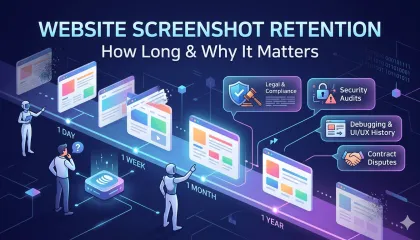
Website Screenshot Retention: How Long to Keep Screenshots and Why It Matters
How long should you keep website screenshots? It depends on your industry, your use case, and the regulations that apply to you. This guide covers retention periods for financial services, healthcare, e-commerce, SaaS, and more — with storage cost estimates and a checklist for building a retention policy.

Manual vs automated website screenshots: why folders don't scale
Comparing screenshots by hand works for a day or two. After that, you're drowning in folders and missing changes. Here's how automated visual monitoring replaces the manual grind.